Playing media32
The CD/SD function ⇒ page 28 is used to operate an SD/MMC card
inserted in the memory card reader.
MP3/WMA files must have the following properties:
For compressing MP3 files we recommend a bit rate of at least 160
kbit/s.
In the case of MP3 files with a variable bit rate, there may be a
discrepancy between the play time displayed and real time.
Please note that music files are subject to copyright law.
Tips
• Please follow the instructions for handling memory cards
⇒ page 29.
• The more play lists or ID3/WMA tags on a medium, the longer
loading a track takes.
• The CD player will not support DRM-protected files.
• The memory card reader has been tested with many of the prod-
ucts available on the market. However, in isolated cases it is
possible that individual memory cards may not be recognized.
Inserting a memory card
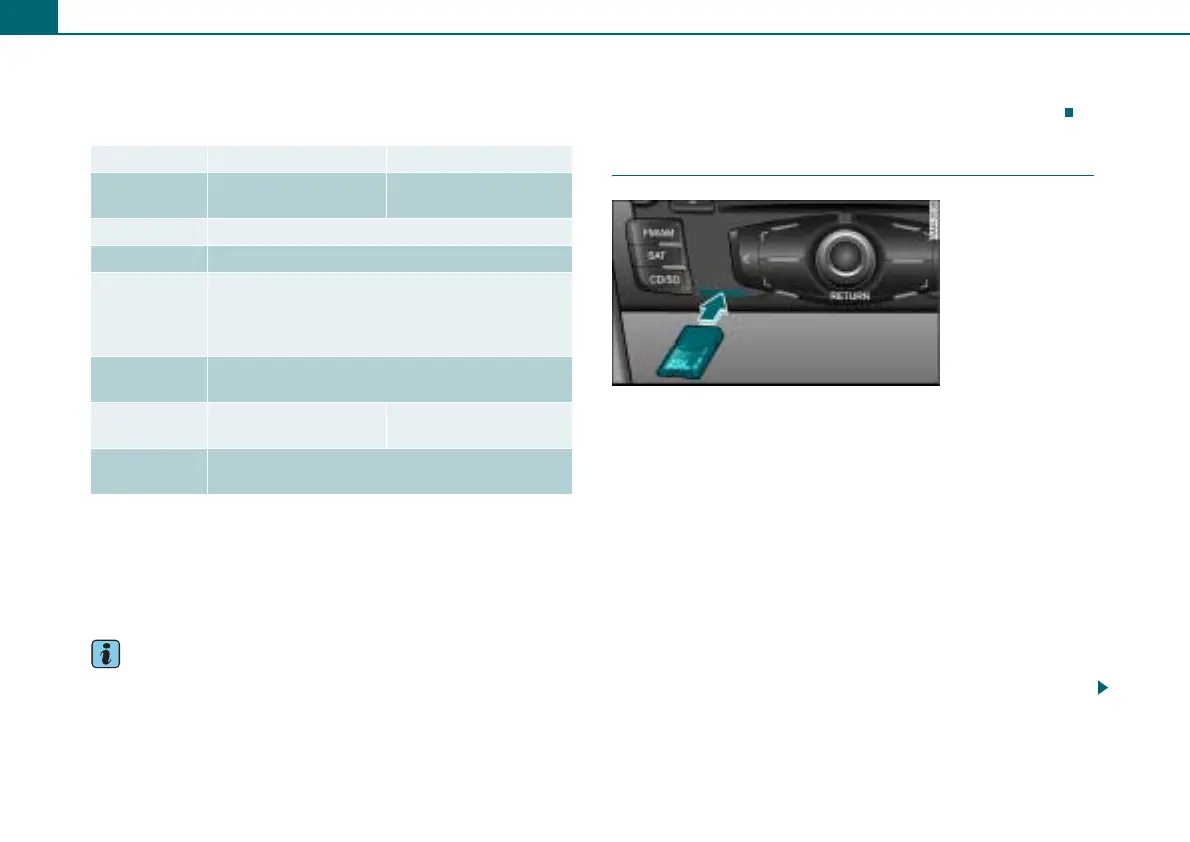
– Slide the memory card in the card reader slot with the
label side up (contact surface down) ⇒ fig. 37. The
angled corner of the memory card must point toward the
front right.
– Then push the memory card into the slot until you feel it
click into place. The memory card is flush with the area
around it. When the CD/SD function is activated, the
system automatically changes to the memory card
reader and begins playing.
If a memory card has been inserted and not played, the data from
the ID3/WMA tags are read in the background. If you start playback
of the memory card immediately, the ID3/WMA tag data are
displayed for the track currently being played.
MP3 Files WMA files
Format MPEG-1 layers 2 and 3
MPEG-2 layers 2 and 3
Version 7, 8 and 9
File system FAT or FAT32 method
Bit rates 32 to 320 kbit/s and variable bit rate
Number of
files or
folders
Maximum of 512 files per directory,
maximum 255 directories,
in total, no more than 2048 files and directories
per medium
Play lists Max. 128 per medium;
m3u format, file extension “m3u”
ID3 tags/
WMA tags
Version 1.1 and 2.3 Version 7, 8 and 9
Supported
media
SD or MMC memory cards
with a capacity up to 2 GB
Fig. 37 Insert memory
card



 To Next Page