Calling40
Applies to vehicles: with cell phone package
Inserting/removing cell phone
Requirement: The cell phone cradle has been installed
⇒ page 39
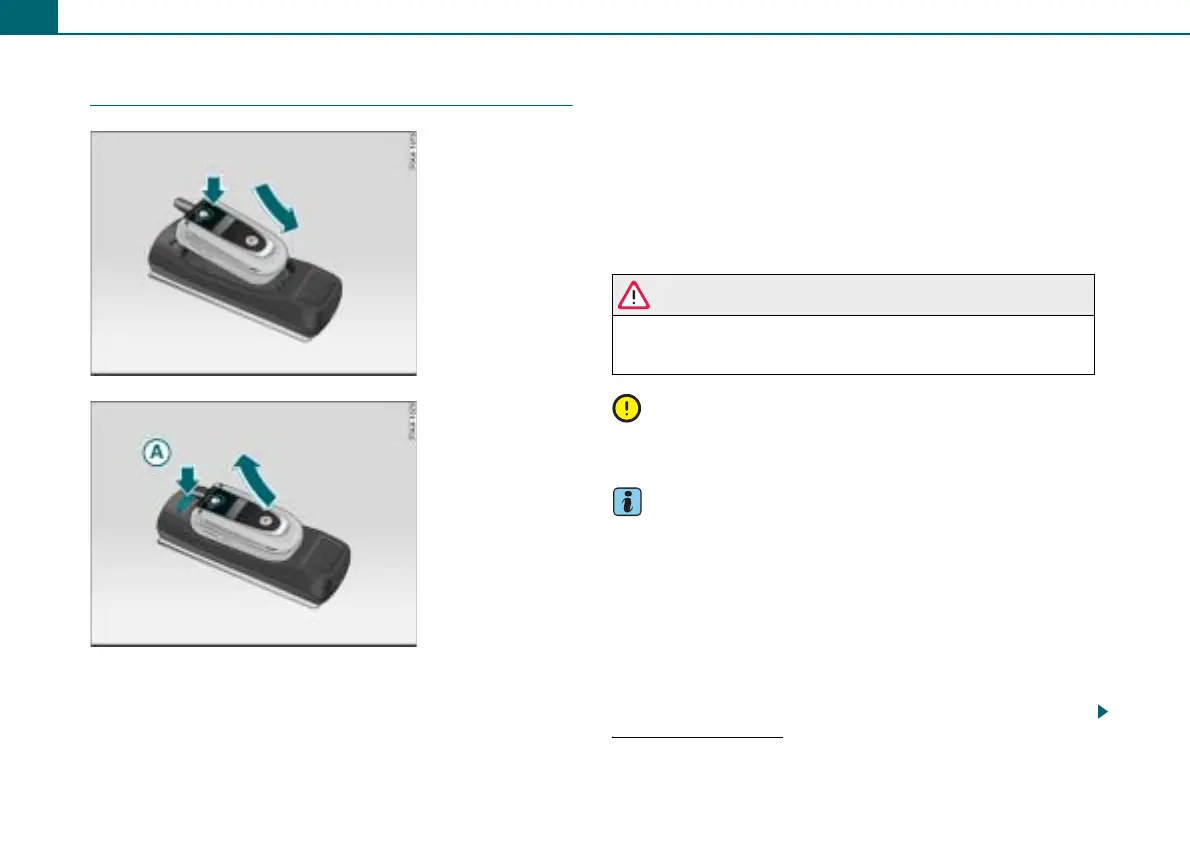
Inserting
– Place the cell phone in the cradle ⇒ fig. 46.
– Press the cell phone into the cradle until it engages.
Removing
– Press the release knob ⇒ fig. 47.
– Remove the cell phone by pulling it up.
If you place the cell phone in the cradle or remove it during a phone
call, it may interrupt the voice transmission or cause the call to be
disconnected.
WARNING
Check to be sure the cell phone is properly secured in the cradle.
In an accident, an improperly engaged cell phone can be thrown
from the cradle and injure vehicle occupants.
Note
An improperly secured cell phone can fall out during vehicle opera-
tion and be damaged.
Tips
• Placing the cell phone in the cradle will establish the connection
via the interface in the cradle set and disconnect the Bluetooth
connection
2)
.
• Electromagnetic fields can result from using radio devices inside
the vehicle.
− Always operate a radio device using an exterior antenna. This
also applies to radio devices with Bluetooth operation. The exte-
rior antenna directs the electromagnetic fields outside and the
strength of the fields inside the vehicle decreases in comparison
to operation without an exterior antenna.
Fig. 46 Inserting cell
phone in the cradle
Fig. 47 Removing cell
phone from the cradle
2)
With some commercially available cradle sets the Bluetooth connection will
not be disconnected.
A



 To Next Page