Multifunction steering wheel54
phone package*, and whether your cell phone provider supports
these functions.
Applies to vehicles: with multifunction steering wheel and cell phone package
Selecting telephone
Requirement: The cell phone package ⇒ page 39 has been
activated.
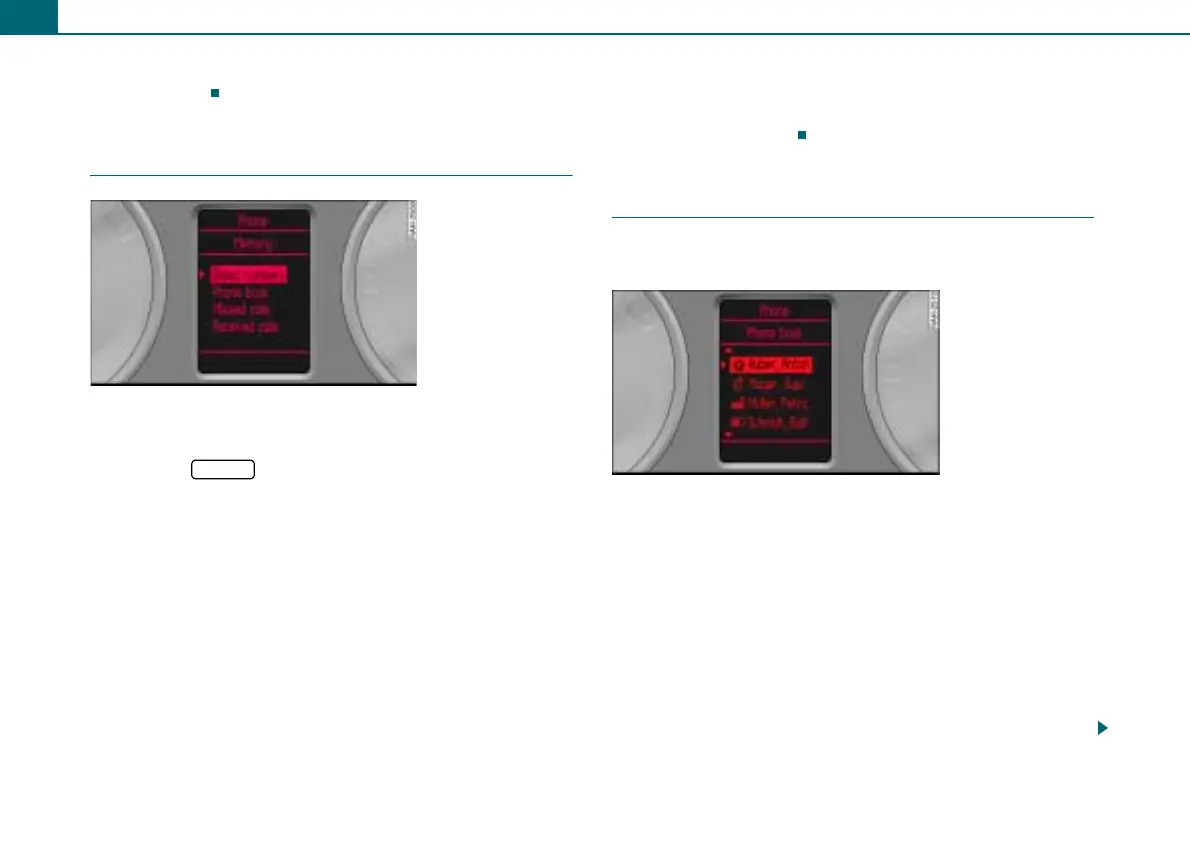
– Press the ⇒ page 50, fig. 57 button until the tele-
phone menu appears in the driver information system
⇒ fig. 62.
Telephone menu:
• Dialed numbers: contains the telephone numbers dialed most
recently.
• Phone book: contains the entries of the SIM card and/or the
directory entries of the cell phone ⇒ page 49.
• Missed calls: contains the most recent calls not received.
• Received calls: contains the most recently received calls.
You can dial the desired telephone number directly from each of
these lists.
Displaying phone book entries
The phone book entries are shown in alphabetical order and are
labeled by category, e.g. SIM cards, home, work, cell phone and
phone symbols ⇒ fig. 63.
Applies to vehicles: with multifunction steering wheel and cell phone package
Dialing a telephone number and ending a call
Telephone numbers stored in the phone book and in the
call lists can be dialed.
Requirement: The telephone menu is displayed ⇒ fig. 62.
Calling
– Roll the left thumbwheel ⇒ page 50, fig. 57 to Dialed
numbers, Phone book, Missed calls, or Received calls.
– Press the left thumbwheel. A list with entries appears in
the driver information system ⇒ fig. 63.
– Roll the left thumbwheel to an entry.
– Press the left thumbwheel. The telephone number is
dialed.
Fig. 62 Telephone
menu
MODE
Fig. 63 Dialing a tele-
phone number from
the phone book



 To Next Page