14
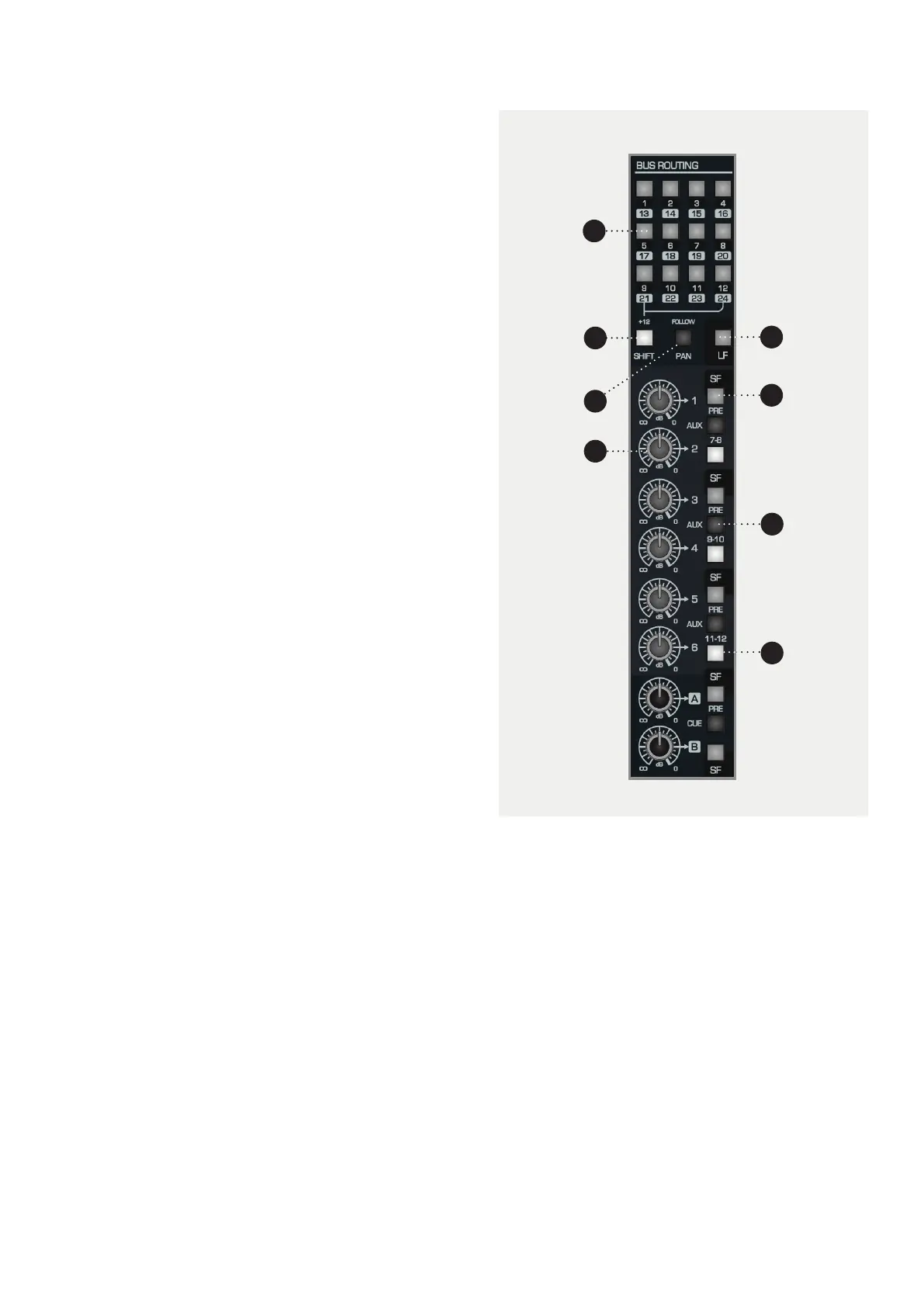
1 BUS ROUTING SWITCHES. Assign channel signal
to any of the 24 Multi-track Buses (or 48 Buses if
the 48 Channel Bus Mod is installed)
2 SHIFT. Oset the value of each routing switch by 12
so that signals can access Multi-track buses 13-24.
3 FOLLOW PAN. Use to create a stereo bus. Bus
routing will follow the channel pan position, with
odd buses providing the left channel, and even
buses providing the right.
4 LF. Allows you to route audio from the Long Fader
path of the channel to the multi-track buses. By
default SF (Short Fader) signals feeds the routing
matrix.
5 SEND LEVEL (dB). Controls the amount of signal
being sent to the corresponding Aux/Cue Bus. This
can be anywhere from -inf to 0dB. Use these to
build FX sends to reverbs etc.
6 SF. By default the sends are taken from the LF (Long
Fader). SF allows you to send audio from the short
fader path to the Aux Buses. This can be pre or post.
7 PRE. Takes the signal from before the fader (SF
or LF) rather than after, to ensure that the fader
position doesn’t aect the aux send level. Great
for headphone mixes.
8 7-8, 9-10, 11-12. Use these buttons to shift the send
destinations to Auxes 7-12.
Routing and Auxiliaries
The routing of the ASP8024-HE allows you to send
the signal of any given channel to any of the 24 Multi-
track Buses, giving you a huge amount of flexibility at
both the tracking and mixing stage. Up to 12 Auxes
and 2 Cue Sends allow you to easily utilise outboard
eects and control over artist foldback.
1
2
4
6
3
5
8
7



 To Next Page