28
Communications
Remote Talkback
Talkback is used to communicate with the studio,
the foldback system, or the group outputs of the
console. Note that the talkback to the foldback and
studio loudspeaker systems will work even when their
respective volume controls are turned down.
In all cases, pressing a talkback button will cause
the control room monitors to dim. This helps prevent
feedback, makes the talkback more intelligible and
does not aect the console outputs.
ASP8024-HE has the option to control the Artist
Foldback and Studio Loudspeaker talkback via
latching foot switches (not provided). This lets you
talk to artists and continue using the console without
having to reach for the talkback controls.
To make use of this, you need to purchase a latching
foot switch (such as the Radial Tonebone BigShot
SW2TM remote foot switch).
Using a jack cable, plug the foot switch into the
Remote Talkback Connectors on the rear of the
console, to the right of the Multi-track Outputs.
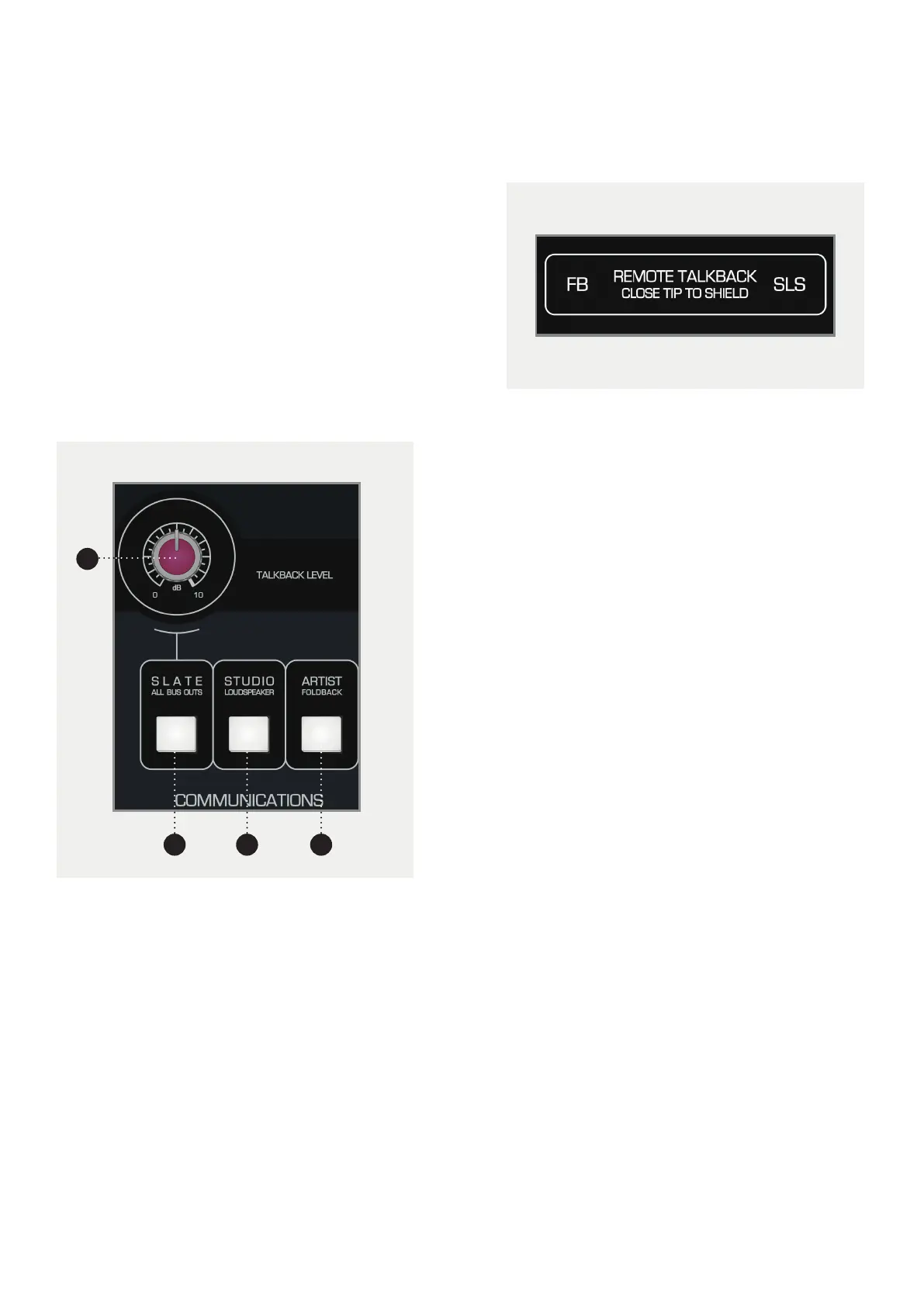
1 TALKBACK LEVEL sets the level of talkback being
sent.
2 SLATE BUS OUTPUTS sends the talkback to both
the artist and all the Bus Outputs. This means
the talkback is recorded onto the track. Great for
leaving session notes and take numbers at the
start of a track.
3 STUDIO LOUDSPEAKERS (SLS) sends the talkback
to a set of loudspeakers in the live room.
4 ARTIST FOLDBACK Sends the talkback to the Artist
Foldback Mix.
1
3
42



 To Next Page