82
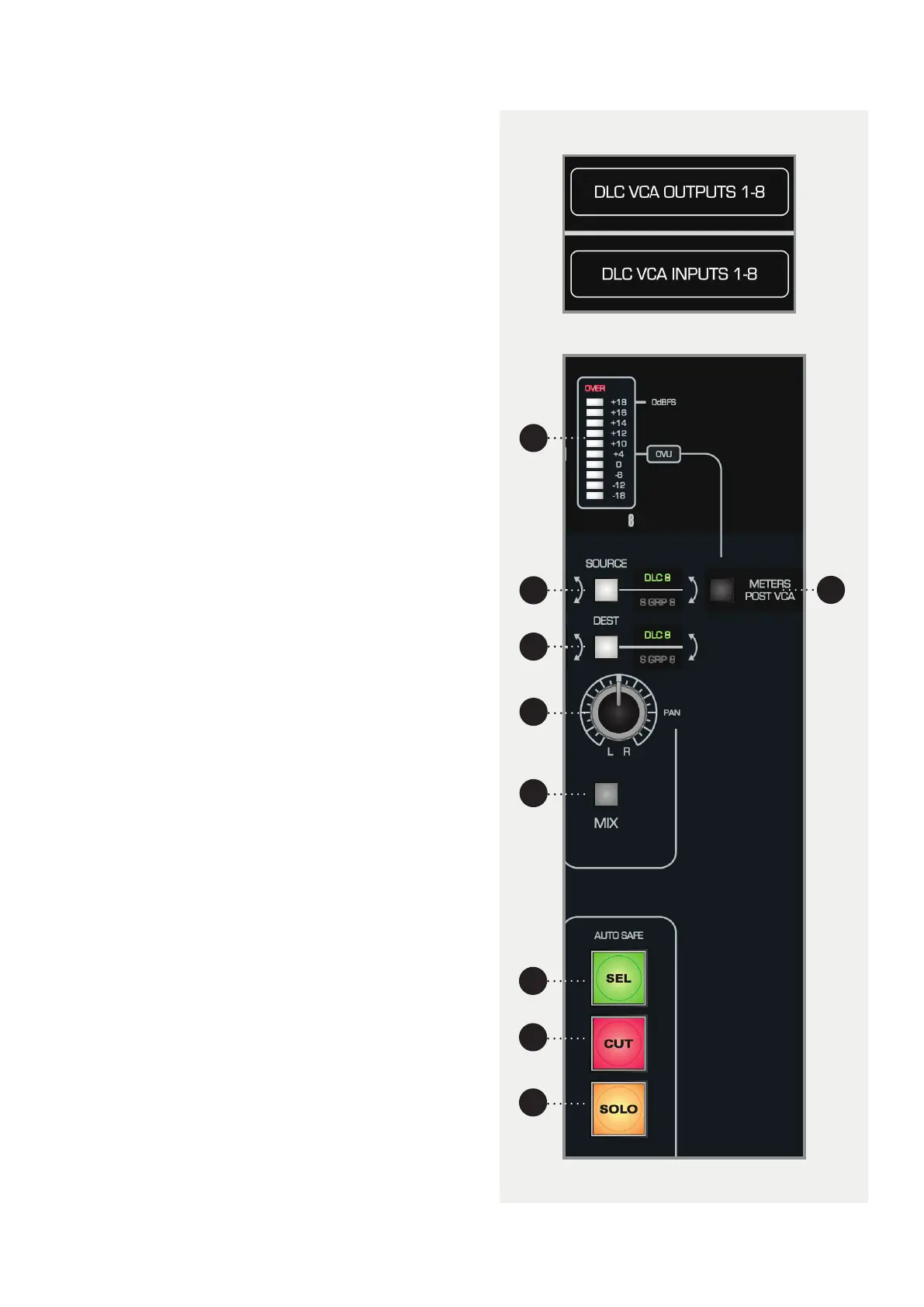
1 METER. Displays the level of the signal coming
from the source, unless the DAW Meters switch on
the control surface is engaged.
2 METERS POST VCA. Switches the meters between
Pre and Post fader.
3 SOURCE. The audio can be sourced from the DLC
VCA Inputs or the eight Sub Groups on the console.
If S GRP is selected, it breaks the signal to that Sub
Group, unless it is also selected as the destination
on that channel.
4 DEST. The eight DLC channels can be assigned to
the DLC VCA Outputs or the Sub Groups. If S GRP is
engaged, it will replace all other channels routed
to the Sub Group, unless the Source button is also
set to S GRP.
5 PAN. Pans the audio in the mix.
6 MIX. Assign the output of the DLC channel to the
Mix Bus. You can therefore route the line level
sources directly to mix, eectively adding a further
eight channels to the console.
7 SELECT. Selects the channel, for use with Unity and
Auto Safe Mode, as well as in the DAW Layer.
8 CUT. Cuts the channel, can be automated in the
Analogue Layer, and used in the DAW Layer.
9 SOLO. Solos the channel in Analogue and DAW
Layers. This cannot be automated.
Audio Routing
DLC has eight line inputs and outputs, labelled the DLC
VCA Inputs/Outputs. These are accessible on the rear of
the console on DB25 connectors (location depends on
console configuration).
To insert the DLC channel into a Sub Group and
automate it’s volume, ensure that both the Source and
Destination buttons are switched to S GRP.
2
1
3
7
4
8
6
5
9



 To Next Page