30
Oscillator & Solo
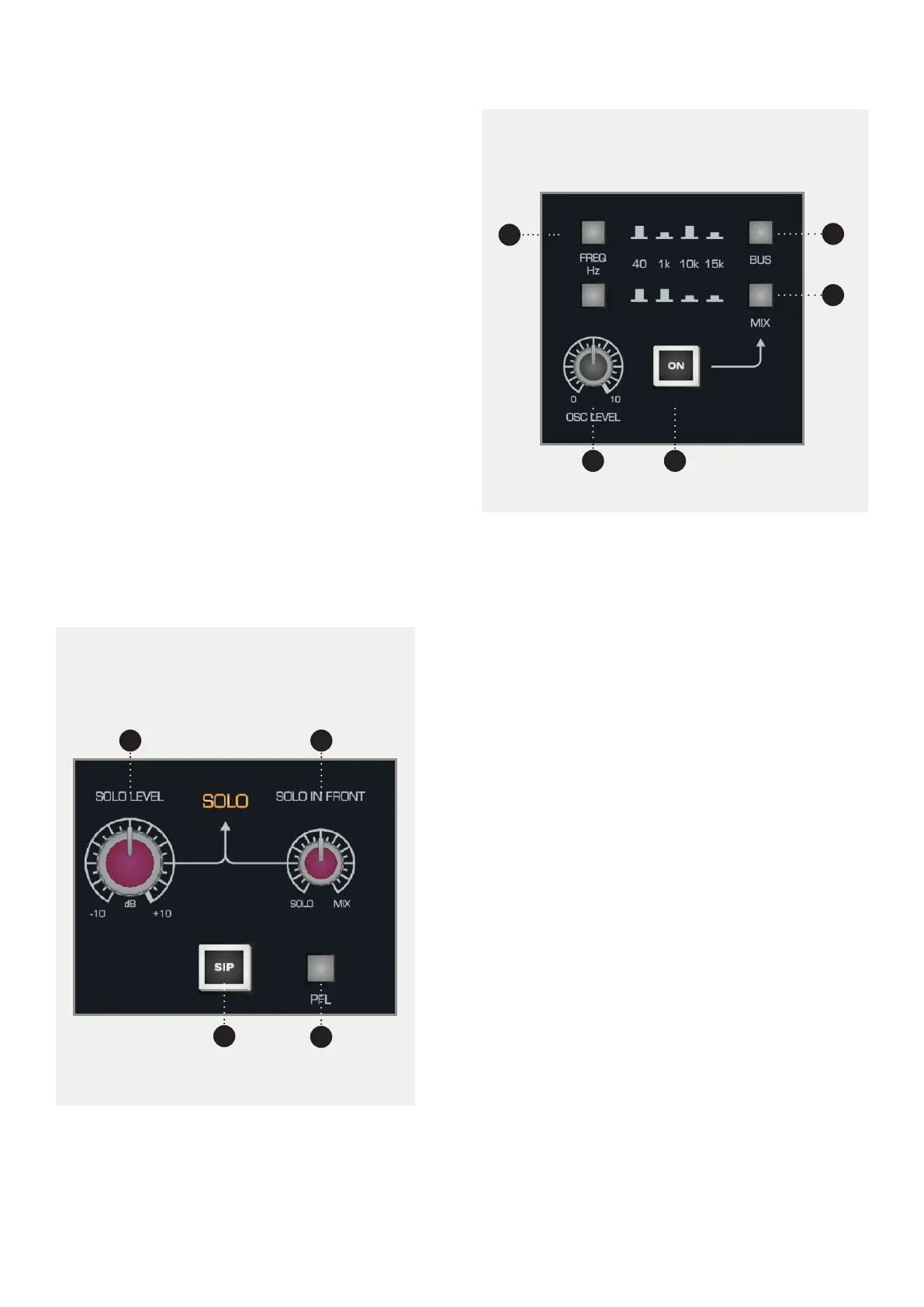
6 SOLO LEVEL Sets the overall level of the soloed
channels. The level can be adjusted from -10dB to
+10dB.
7 SOLO IN FRONT. Allows you to blend between the
solo bus and the Mix Bus when in AFL or PFL modes.
This means you can hear the mix behind the soloed
channels to get an idea of how they will fit into the
mix.
8 SIP (SOLO IN PLACE). When engaged, SIP will cut
all channels to the Mix Bus other than the soloed
channels. This will be recorded so should be used
with caution but can be a great way to cut all other
tracks during a solo section.
9 PFL. Stands for “Pre Fade Listen” and takes the soloed
signal before the fader so that the position of the
fader doesn’t aect the level of the soloed channel.
1 FREQ HZ. Using the two buttons, you can select
from 40Hz, 1kHz, 10kHz or 15kHz for the Oscillator
frequency using the combinations shown on the
console.
2 BUS. Sends the Oscillator signal to every Multi-
track Bus Output.
3 MIX. Sends the Oscillator signal to the Mix Bus.
4 LEVEL. Sets the overall level of the Oscillator.
5 ON. Turns the Oscillator on and o.
The 4-Frequency Oscillator can be assigned either
to the Multi-Track or the Stereo Mix Bus.
The level is adjustable and when not in use, the
Oscillator should be completely turned o.
This is the master control area for the AFL/PFL and Solo
In Place system. If SIP is not illuminated then the console
will either be in AFL or PFL mode depending on the AFL/
PFL switch.
9
8
76
1
2
3
54



 To Next Page