22
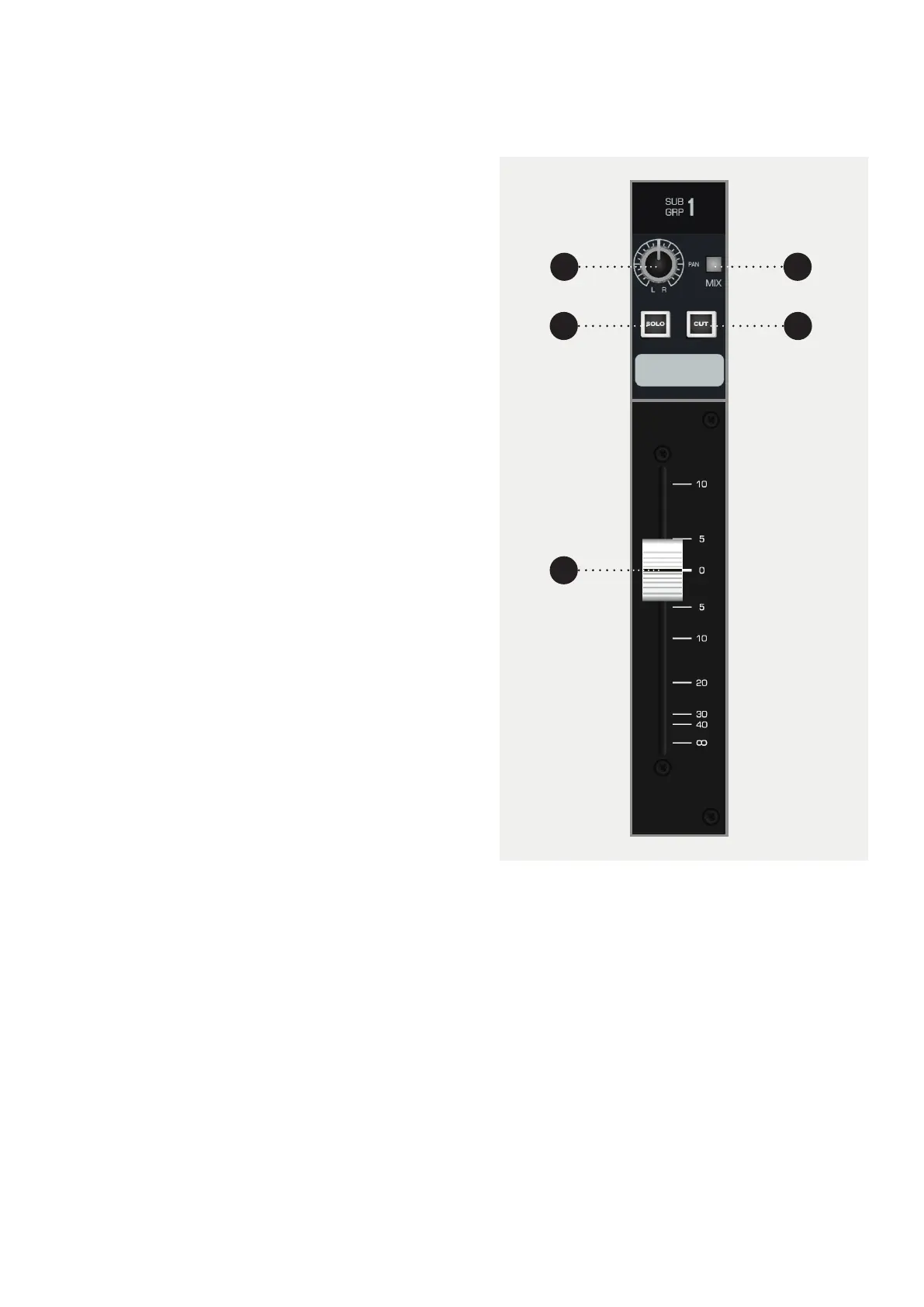
1 PAN places the signal in the stereo field by
balancing the signal between the left and right
channels.
2 MIX sends the Sub Group signal to the Mix Bus. To
minimise the noise floor of the console, this should
be disengaged if the Sub Group is not in use.
3 SOLO mutes every channel except ones that are
also soloed.
4 CUT, cuts the signal for the specific Sub Group.
5 FADER controls the amount of signal being sent to
the main Mix Bus, variable from -inf to +10dB.
2
1
5
3
4
Subgroups
In addition to routing signal to the Multi-track, the first
eight buses are also sent to the 8 Sub Groups. Each sub
group has a Pan control, Solo and Cut switches with a
fader controlling the group output level.
The Sub Groups have insert points located on the rear
panel of the console allowing external processing to be
patched in.
The Mix switch assigns the Sub Group to the stereo Mix
Bus and allows the Sub Group to be used in mix down.
The Sub Group Insert Returns can be used as extra
inputs to the mix



 To Next Page