INSTALLATION and POWER
page 1 – 8
D-70 / Apr 2000
This power supply contains high voltage circuits that are hazardous and
potentially harmful. Under no circumstances should the metal cover be
removed! If you have a problem with the power supply, the SPS-16 unit
must be returned to Audioarts for repair.
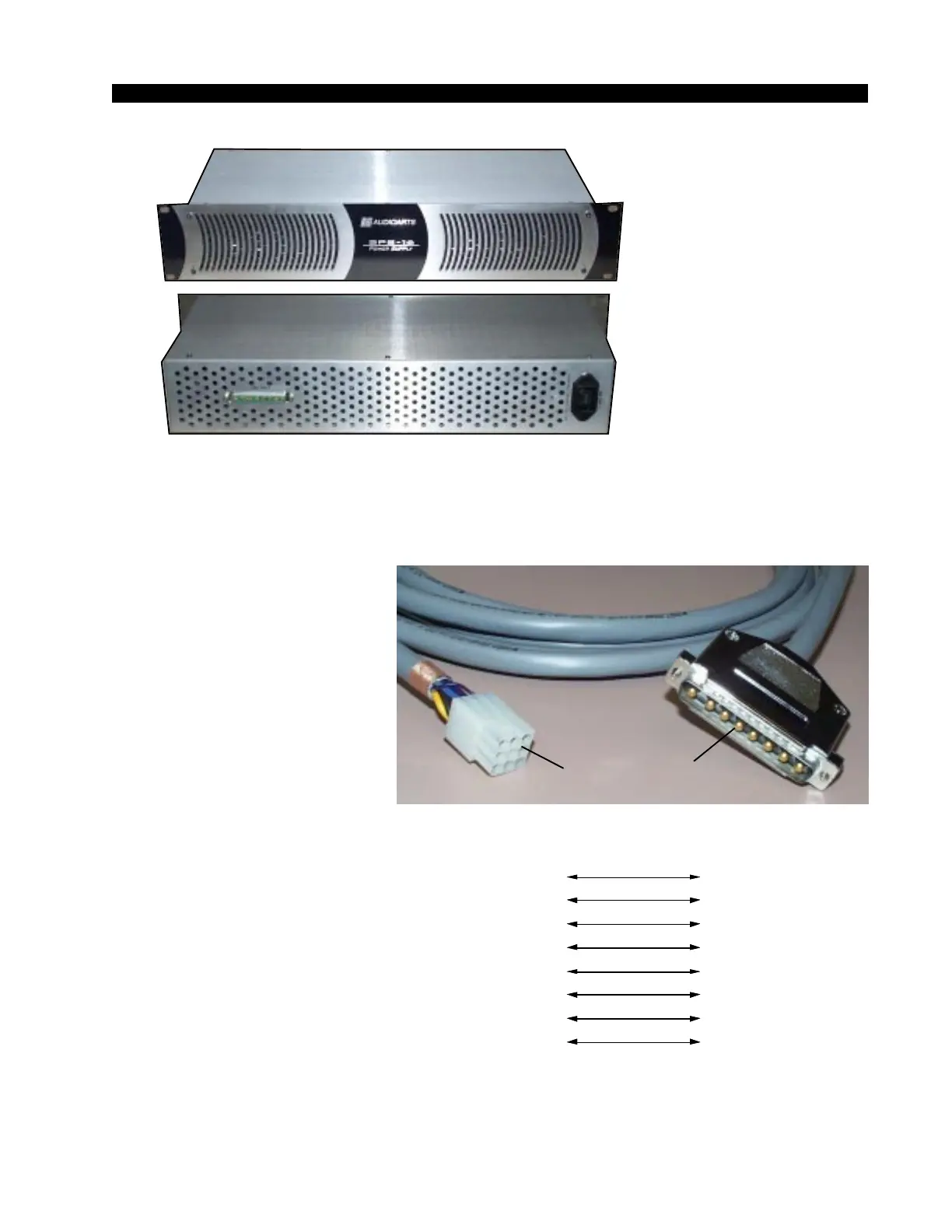
Once the supply is
rackmounted, it should be con-
nected to the console using the
factory supplied cable. The cable
is already attached and clamped
in place at the console end. The
free end has an 8-pin male con-
nector; you just need to connect
this end of the cable to the rear of
the rackmount SPS-16 power sup-
ply.
Note each power supply is fit-
ted with a 3-wire grounded AC
cord that should be plugged into a
"clean" AC power source. That is,
an AC source that feeds only the
control room audio gear. This
source should be a separate feed
from those powering lighting, air-
conditioning, or any other non-
audio machinery. The third pin
ground wire of the AC source
should be tied to the central system
ground point. Note that while the
AC power cord ground wire termi-
nates at the power supply chassis,
it does NOT connect to the D-70 console common; the console itself must
be grounded separately. (See previous section, "System Ground".)
The power feed recom-
mended in the text is of-
ten installed and referred
to in studios as an “iso-
lated AC ground” outlet.
It is usually orange in
color.
D-70 / Aug 2003
Front view of the SPS-16
rackmount power supply
Rear view of the SPS-16
rackmount power supply
1
2
3
4
Audio
ommon
+ V
- V
+ Digital
PIN PIN
8-pin Connecto
Male
Power Supply End
9-pin Connecto
Female
Console End
6
7
8
9
Digital
ommon
+ Digital
Digital
ommon
Phantom
BLK
RED
BLU
YEL
GRN
ORG
BRN
VIO
PS Cable Pinout
6
8
7
4
2
5
3
1
BLK
RED
BLU
YEL
GRN
ORG
BRN
VIO
(Pin 5 - N/C)
Console
End
Power Supply
End



 To Next Page