page 3 – 3
D-70 / Aug 2000
MASTER OUTPUTS
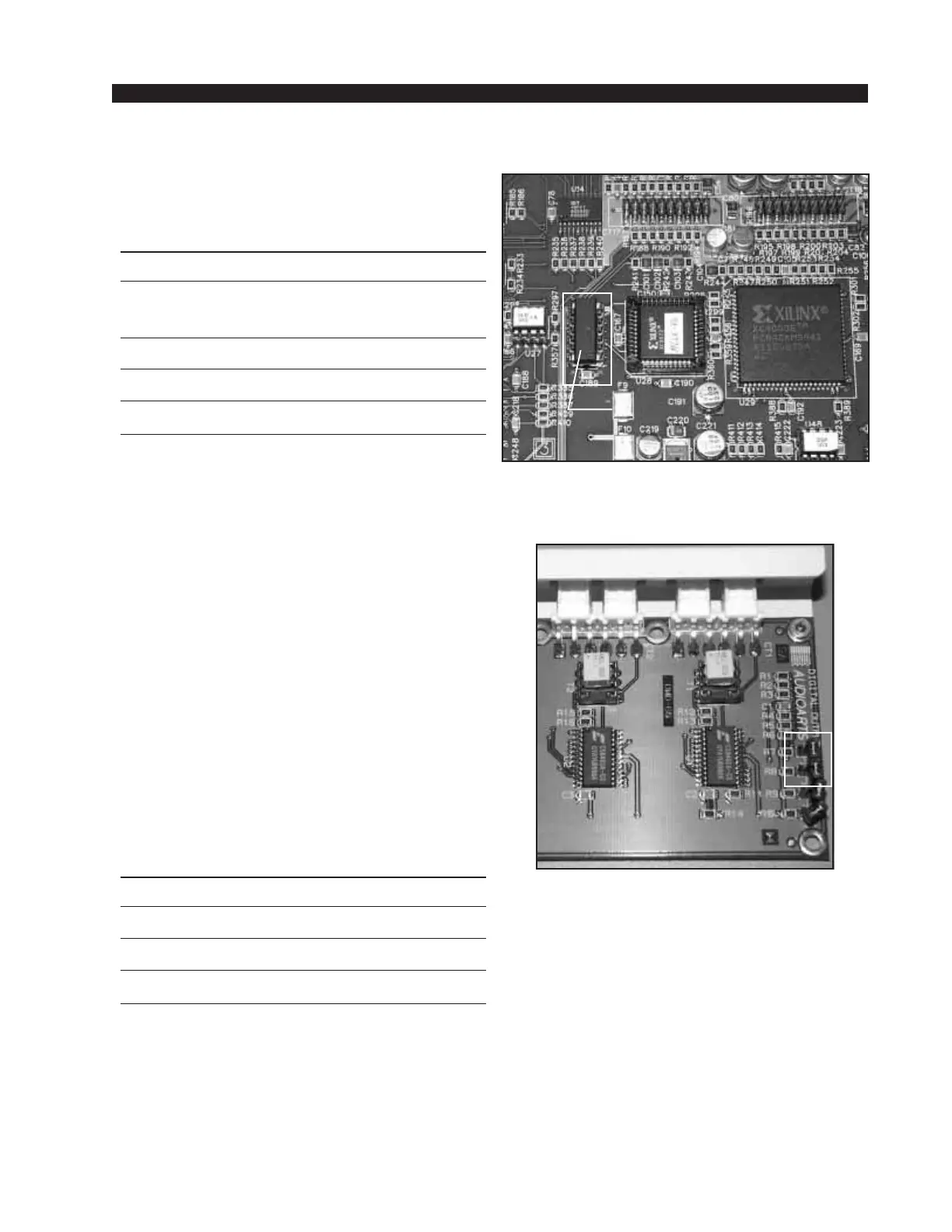
To switch to a different output sample rate,
replace crystal Y1 with one of the appropriate
frequency as shown in Figure 1 and Table 1.
TABLE 1
SAMPLE RATE CRYSTAL OSCILLATOR WS PART#
FREQUENCY
48 kHz 24.576 mHz 370012
44.1 kHz 22.579 mHz 370011
32 kHz 16.384 mHz 370010
Note that to replace the crystal Y1 you
need to remove last input module (slot 12 for
20 position frame or slot 20 for 28 position
frame).
The console must be powered down before
changing the sample rate crystal Y1 or damage
not covered by warranty may result. Changing
the crystal Y1 will change the console output
sample rate, however some external digital
devices also need the correct sample rate in-
formation to be embedded in the AES output
data or they will not operate correctly. There-
fore, after changing the sample rate crystal Y1,
be sure to reset jumpers J1 and J2 to correctly
embed the sample rate information in the
output AES data stream. Table 2 shows the
jumper settings that are located at the right
corner of the OMD-70 rear panel digital out-
put card (see Figure 2).
TABLE 2
J1 installed - frequency is 48 kHz
J2 installed - frequency is 44.1 kHz
J1 and J2 installed - frequency is 32 kHz
J1
J2
CRYSTAL
Y1
Figure 1. Section of the PR-70 PCB
Figure 2. OMD-70 Rear Panel
Digita1 Output Card.



 To Next Page