CHAPTER3 Starting up
C455HD | Users & Administrator's Manual
Setting Description
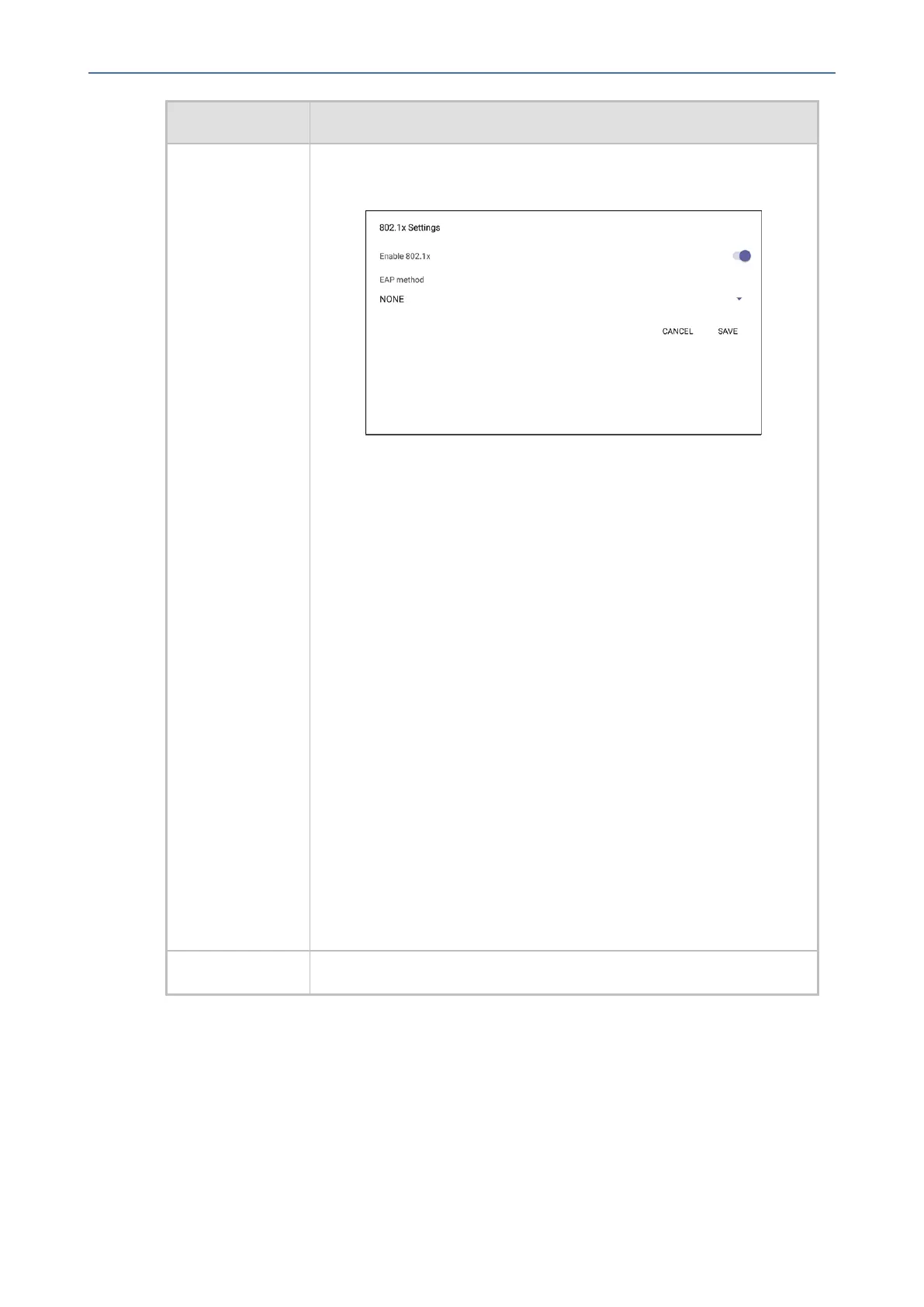
1. Fromthe‘ModifyNetwork’screen(asanAdmin),accessthe
802.1xSettingsscreen.
2. Fromthe'EAPmethod'drop-down,selectthemethod:MD5orTLS
(forexample).
3. Enterthisinformation:
✔ Identity:UserID
✔ Password
✔ rootcertificate(notrequiredforeverymethod)
✔ devicecertificate(notrequiredforeverymethod)
4. SelecttheSavesoftkey
The802.1xsettingsarenotonlyavailableviathephonescreen,
they'realsosupportedinthedeviceConfigurationFile,enabling
networkadministrator'stoperformpre-stagingconfigurationfor
802.1x.The802.1xsettingsavailableintheConfigurationFileare:
■ Enable/Disable
■ EAPmethod
■ Identity
■ Password
VLANSettings SelectthemenuoptionVLAN Settings.
- 31 -









 To Next Page