2
Product Introduction
Overview
1: Only supports for CAM520 Pro(POE) SKU.
2: CAM520 Pro supports LAN. CAM520 Pro(POE) SKU supports PoE+(IEEE 802.3AT).
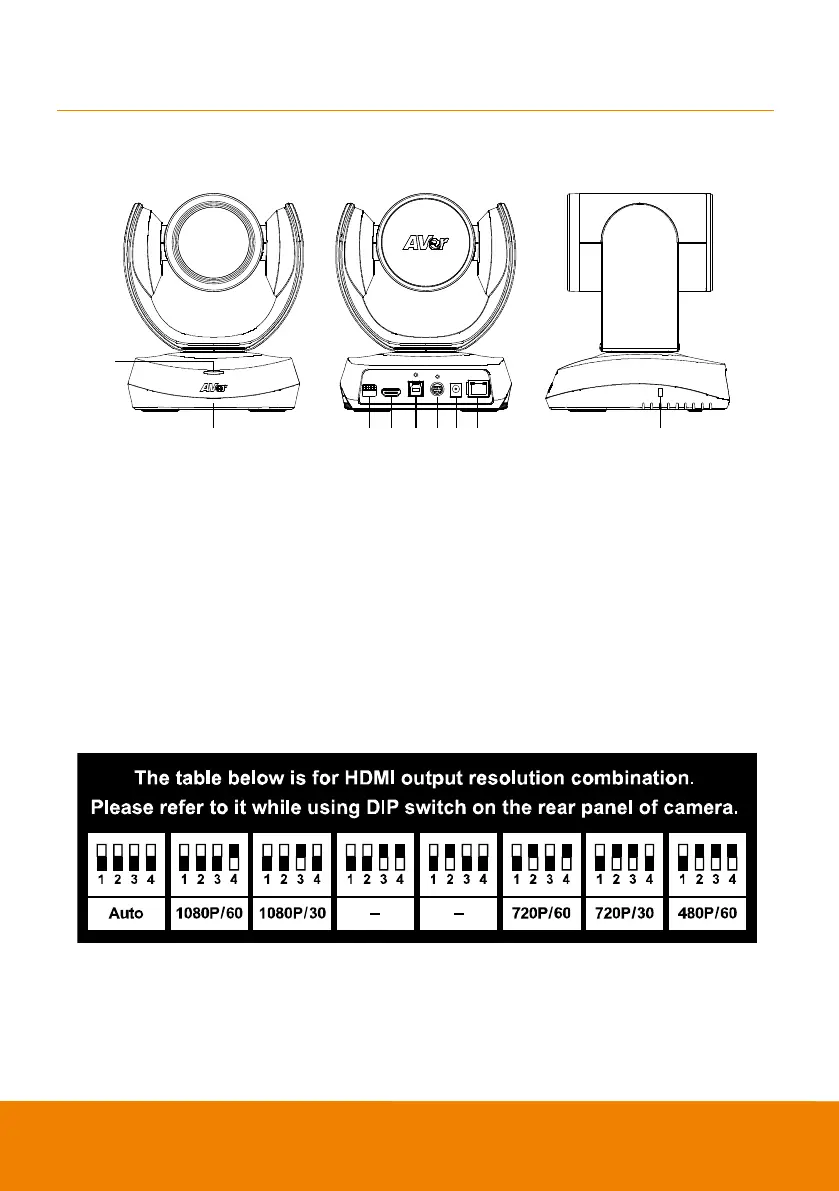
DIP Switch
[Only supports CAM520 Pro(POE) SKU]
The diagram below shows the DIP Sw itch configurations which can be used to adjust the camera
resolution setting.
After adjusting the resolution via DIP sw itch, users will be unable to adjust the resolution setup from
OSD menu using the remote control.



 To Next Page