20
Use SmartFrame Function
What is SmartFrame?
SmartFrame uses face detection technology. While in a conferencing meeting, participants must face
the camera for face detection. Side face (one ear/ one eye) is not detectable.
The effective distance to get best performance is at maximum 4.5meters
Two kinds of SmartFrame Function
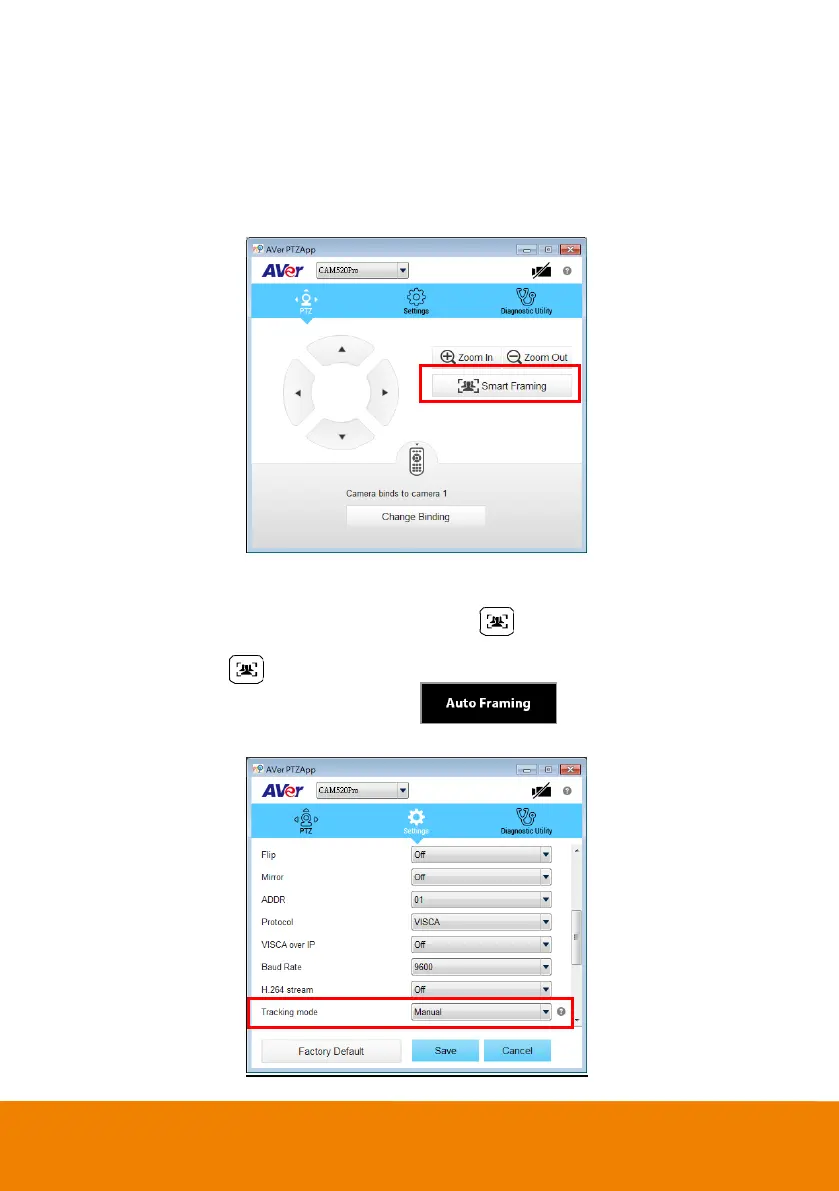
Manual frame: Once all participants are seated, press on the remote or use PTZApp to
activate it.
Auto frame: Press for 1 second to sw itch from manual to Auto framing or use PTZApp and
change the setting to Auto frame. You can see show n on the bottom of the
image screen.



 To Next Page