48
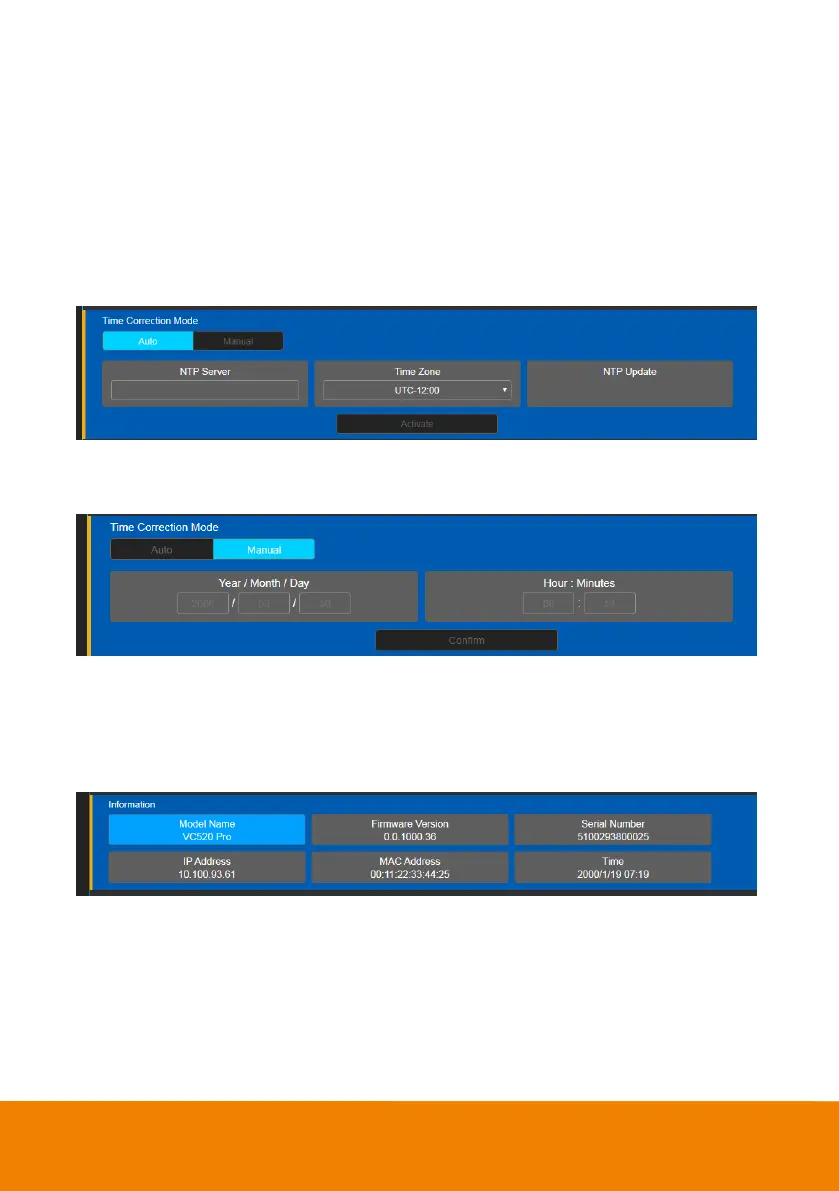
Time Correction Mode
Adjust time by auto or manual.
In live screen view, select “System” > “Enable NTP” > “Auto” or “Manual”.
Auto: The system time w ill be set by NTP server on the network. Enter the IP address of NTP
server and select the Time Zone. Select NTP Update to save setting. Select Activate to start auto
time adjustment.
[Note] Our default NTP server is located in the USA. If this does not w ork in your country, please
manually key in the desired NTP server.
Manual: User can set up time manually. Enter the Year, Month, Day, Hour, and Minutes. Select
Confirm to save the settings.
Information
Display the information of Model Name, Firmware Version, Serial Number, IP Address, MAC
Address, and Time.
In live screen view, select “System” > ”Information”.



 To Next Page