56
Troubleshooting: collect more system information for troubleshooting before you contact AVer
technical support.
Set the Camera Number
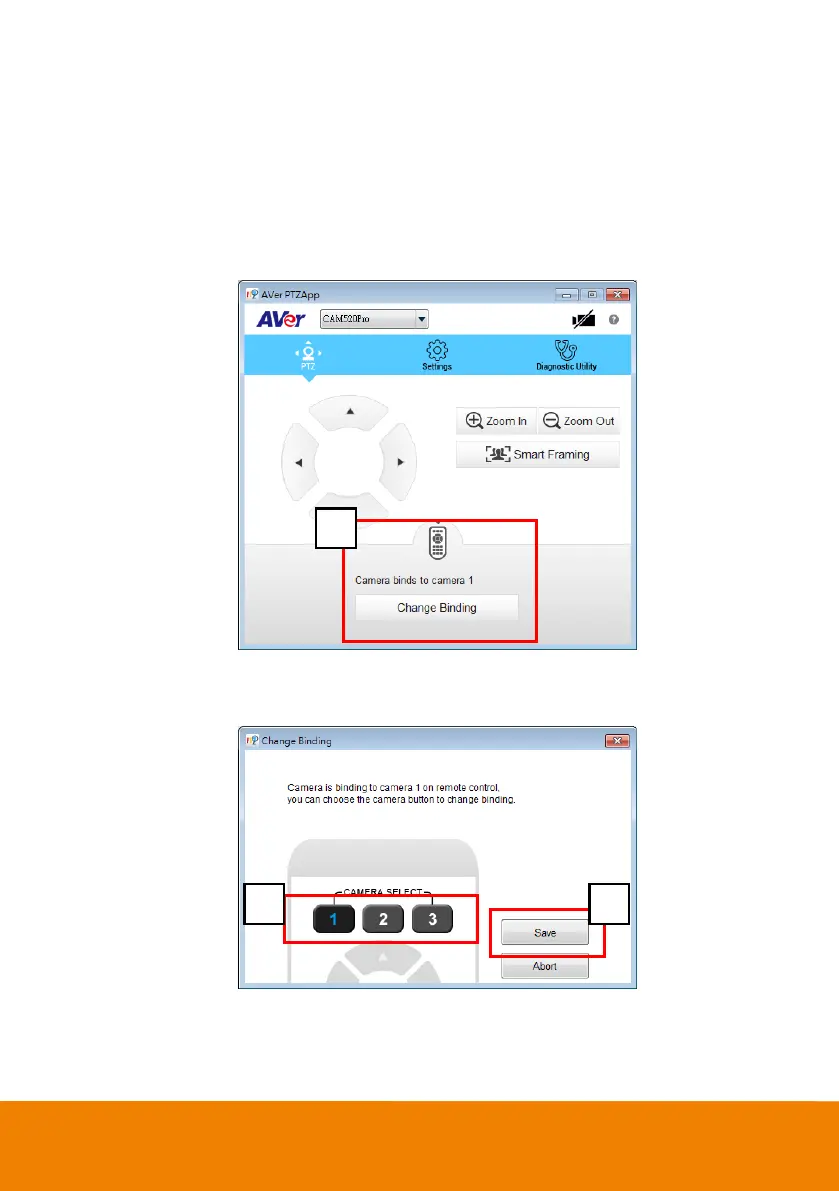
With multiple cameras connection, users can set each camera to buttons 1 to 3 on the remote control.
1. If PTZApp detects computer connects to multiple VC/CAM, you can select w hich camera you like
to control through the dropdow n list.
2. Next, Click Change Binding button.
3. Select w hich camera number of remote control it maps to.
4. Click Save to save settings. To un-save the settings, click Abort.
[Note] If you only have one camera and don’t need to do any setting, the default is camera 1.
If you press camera 2 or 3 on the remote control, you w ill find your remote can’t control your camera.
In this case, please press camera 1 on your remot again.



 To Next Page