39
Network Setting
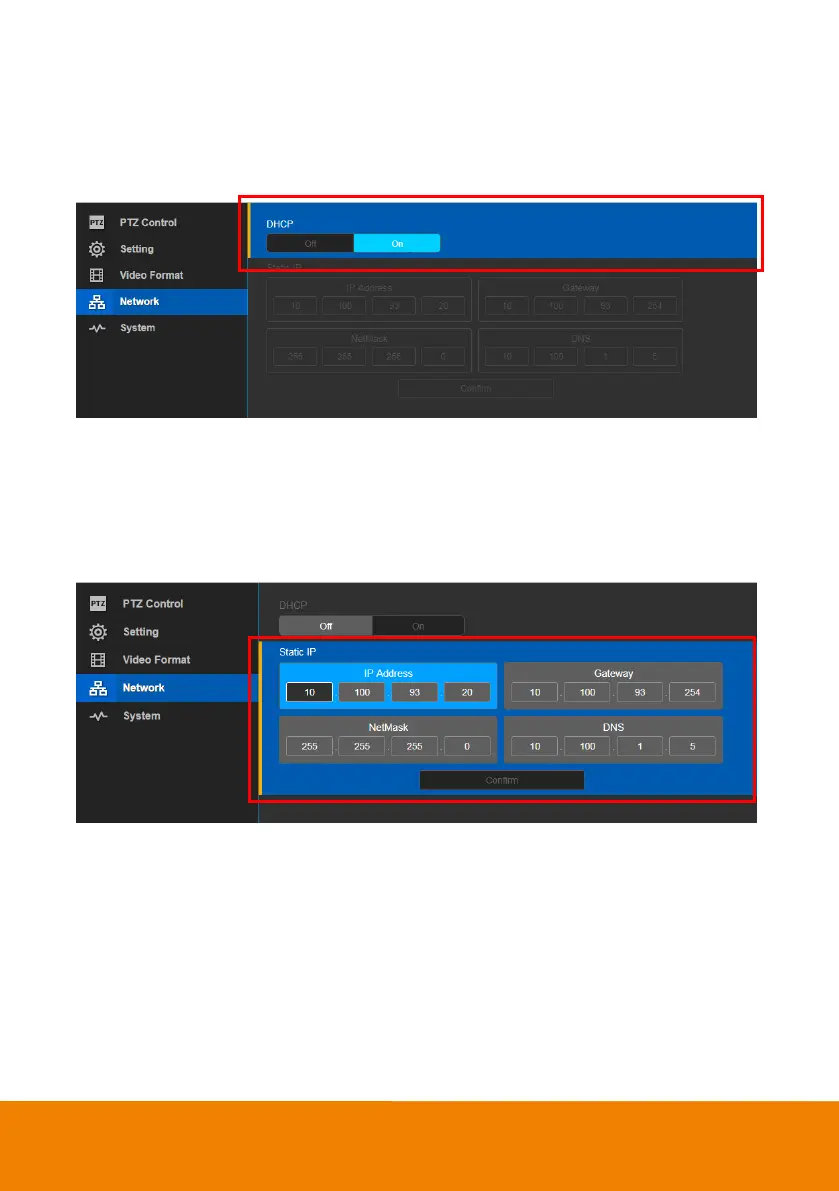
DHCP
Enable/disable DHCP function.
In live screen view, select “Network” > “DHCP” > “Off” or “On”.
Static IP
Assign a fixed IP address to the camera. Please turn off the DHCP function.
1. In live screen view, select “Network” > “Static IP”.
2. Enter the “IP Address”, Gateway”, NetMask”, and “DNS” in the corresponding column.
3. Select “Confirm” to complete the setting.



 To Next Page