32
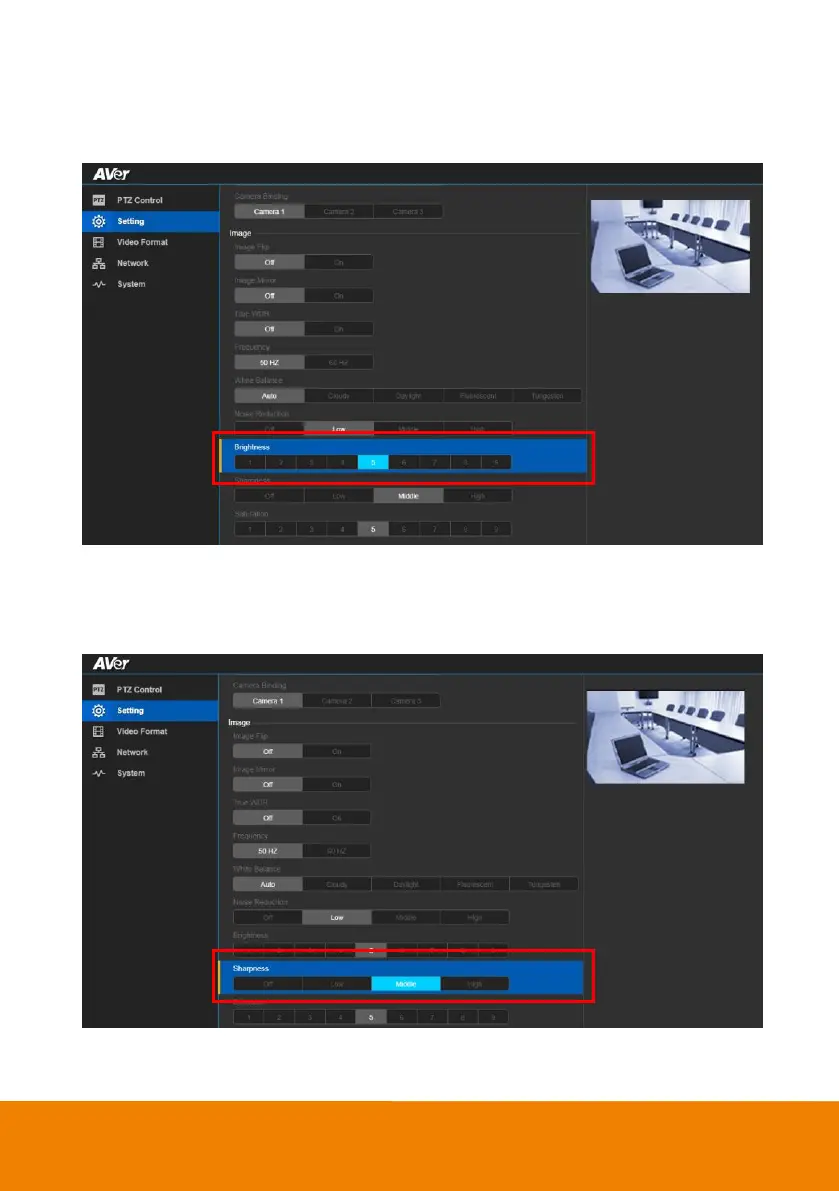
Brightness
Adjust the value of brightness.
In live screen view, select “Setting” > “Image” > “Brightness” >“1~9”.
Sharpness
Adjust the value of sharpness.
In live screen view, select “Setting” > “Image” > “Sharpness” >“Off”, “Low”, “Medium”, or “High”.



 To Next Page