70
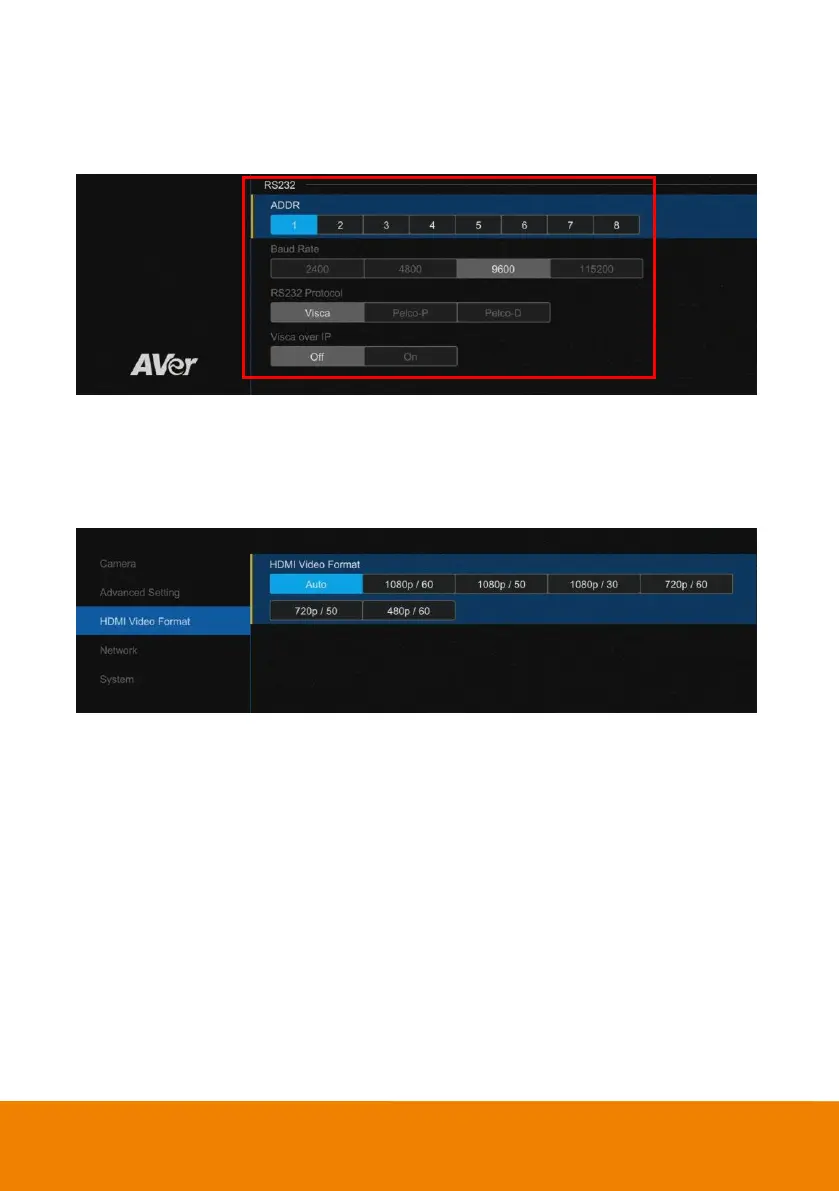
RS232 Setting
When CAM520 Pro connects with PTZ camera controller through the RS232 port, please setup ADDR,
Baud Rate, VISCA Protocol, Visca Over IP settings.
Select “Advanced Setting” > “RS232”.
HDMI Video Format
Select the video format for HDMI output.
Select “HDMI Video Format” > “Auto”, “1080p/60”, “1080p/50”, “1080p/30”, “720p/60”, “720p/50”, or
“480p/60”.



 To Next Page