3-14 MonarchNet2 Operating Instructions
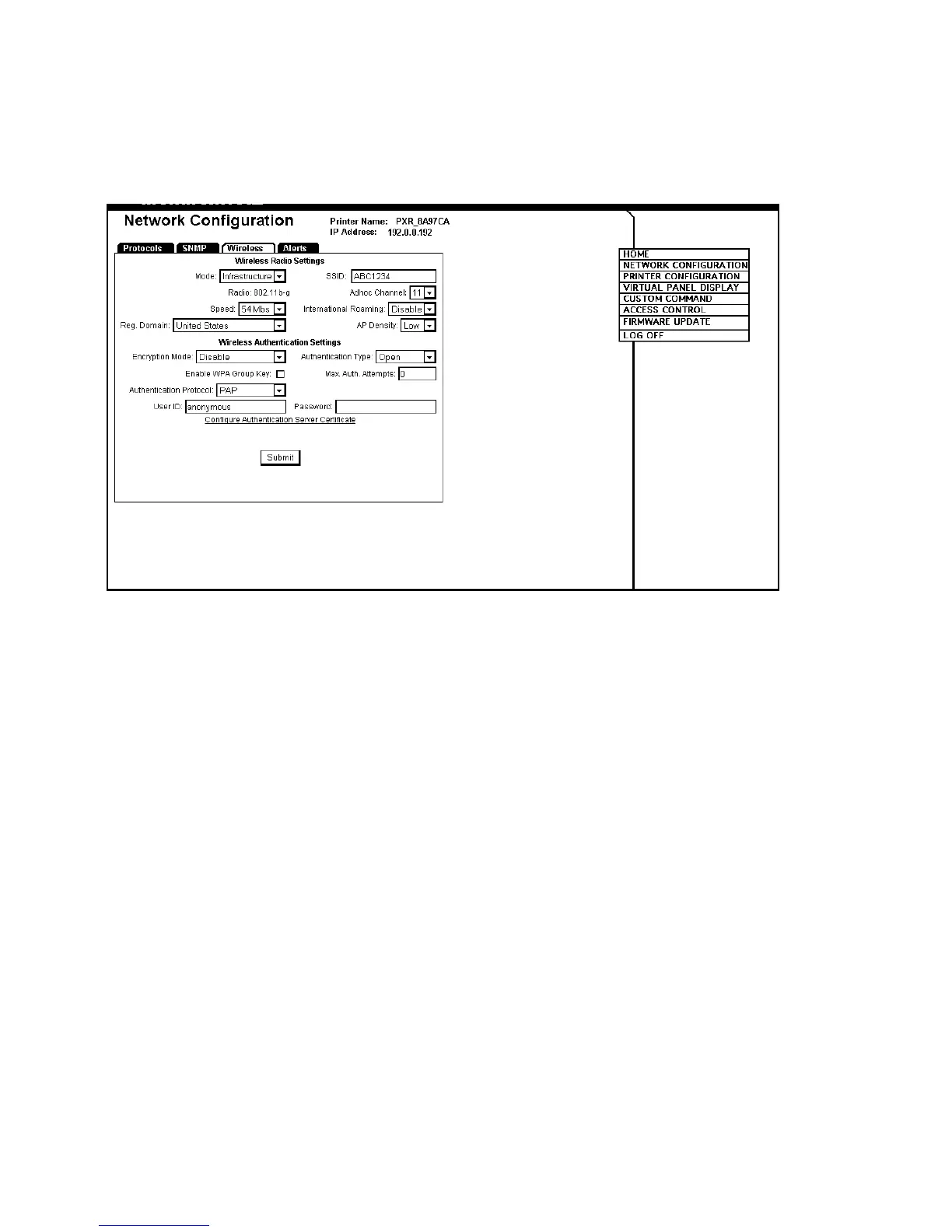
Changing Wireless Settings
Only configure the settings required for your network/printer.
1. Click the Wireless tab to configure the wireless network (802.11b/g)
settings.
2. Set the Mode: Ad-Hoc or infrastructure. In Ad-Hoc mode, you do not
need an access point. Infrastructure mode requires an access point
to communicate.
3. Set the SSID. The SSID is a unique identifier that must match for all
nodes on a subnetwork to communicate with each other.
4. Select the Radio type: 802.11b or 802.11b/g.
5. Set the Ad-Hoc channel: 1 to 11. All devices must be on the same
channel to communicate.
6. Set the Speed: 1, 2, 5.5, 11, 12, 18, 24, 36, 48, or 54 (megabits per
second).
7. Set the International Roaming: Disable, Strict, or Flexible.














 To Next Page