Using a Web Browser 3-17
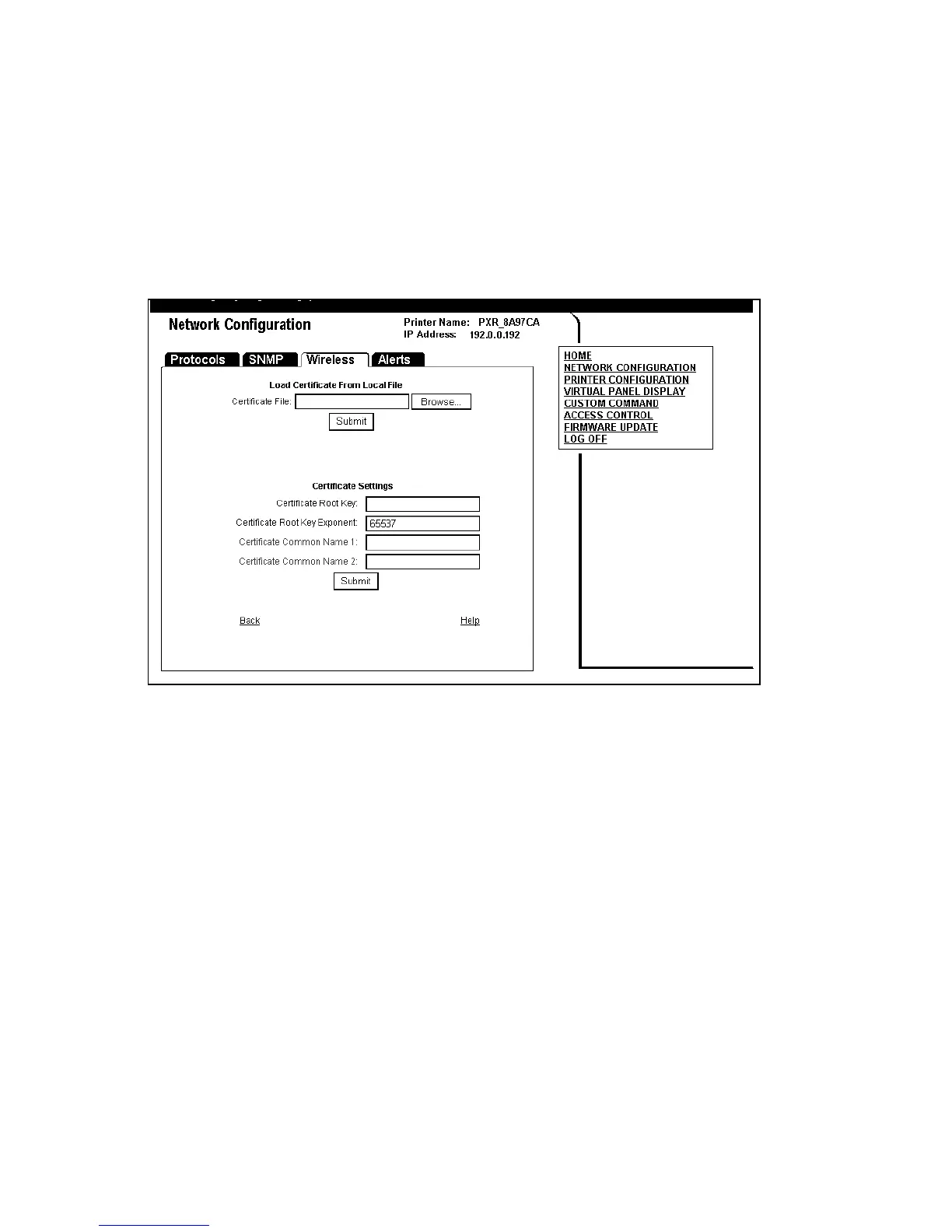
Configuring Certificates
For TLS and TTLS authentication, you may need to configure the
Authentication Server Certificate.
1. Select Configure Authentication Server Certificate (on the
Wireless tab).
2. Click Browse to search for the appropriate Root Certificate.
Click Submit. You see the Root (Public) Key in the Certificate Root
Key window. The exponent is almost always 65537 (default).
See “Basic Security Configurations” for more information.
The Certificate Root Key is used to verify the root certificate in
the certificate chain provided by the authentication server.
Leaving this field blank sets the value to “null.”
The Certificate Root Key Exponent value must match the
authentication server certificate value.
3. Enter the Certificate Common Name 1, which is the name of the
certificate on the primary authentication server.
Note: If both common names are left blank, the values are set to “null”
and all host certificates are accepted.














 To Next Page