DSP Mode for Low-Latency Monitoring 31
Workflow Example: Recording in DSP Mode for Low-Latency Monitoring
The following workflow example uses DSP Mode for recording a singer with DSP plug-in processing and low-latency monitoring.
This example session is made up of the following tracks (see the graphic on the next page):
• 3 mono audio tracks for vocals, guitar, and bass. Each track has EQ and dynamics plug-ins, and the vocal track also has a
slap-back delay.
• 2 stereo audio tracks, one for electric piano and another for drum loops. Each track has EQ and dynamics plug-ins.
• 1 stereo Auxiliary Input track for reverb processing.
• 2 Master Fader tracks, one for control room monitoring and the other for the singer’s headphones. Each has a limiter on it.
• 1 mono Auxiliary Input track for the built-in talkback mic.
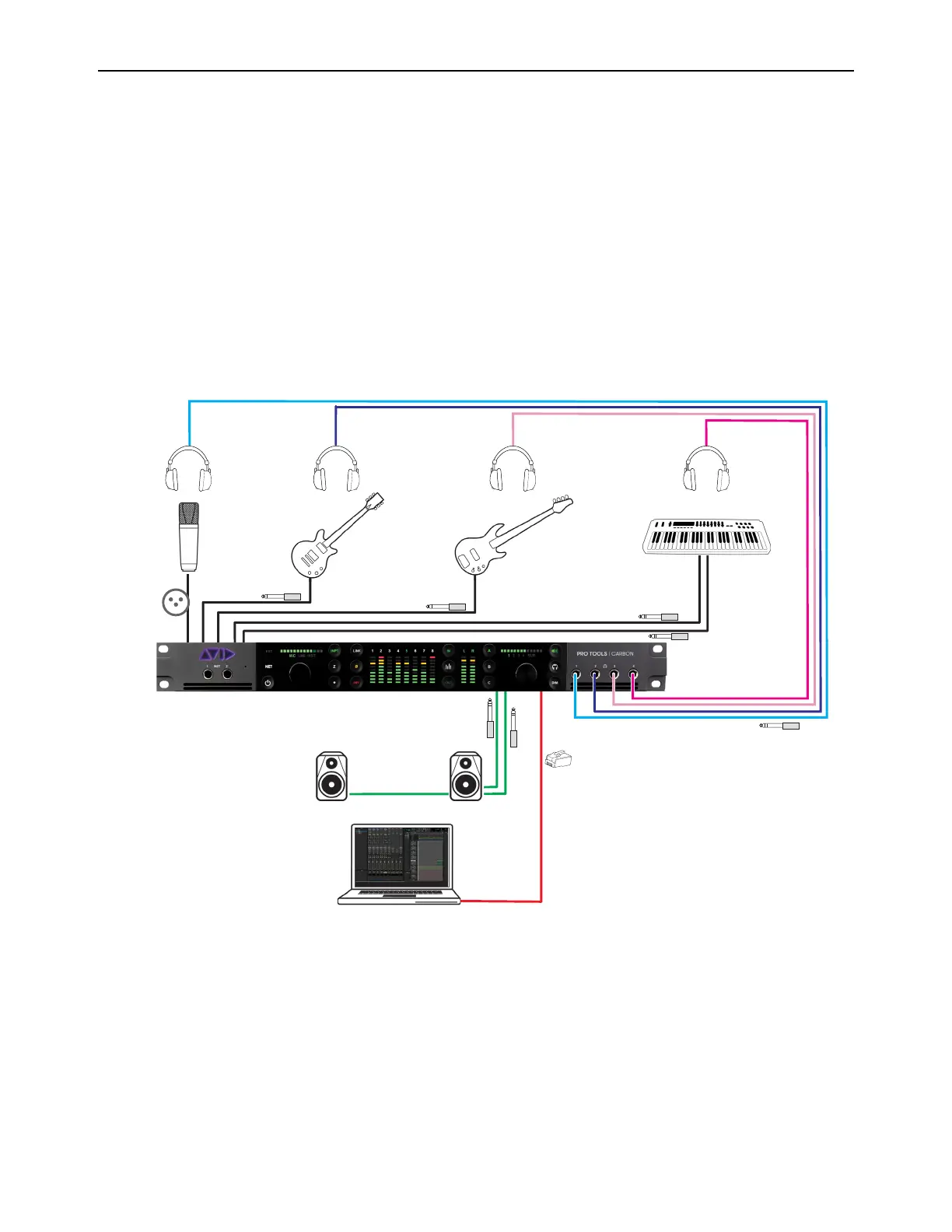
The following diagram shows the physical studio connections for this workflow example. While this workflow example only re-
views recording vocals in DSP Mode with a dedicated headphone mix, you can just as easily have independent headphone mixes
for the rest of the band.
Physical studio connections












 To Next Page