Installation and Setup
7
AVB Connections and Settings
Pro Tools | Carbon requires a direct connection to your computer using AVB Ethernet. The AVB Ethernet connection provides up to 56
input channels and 84 output channels of AVB audio between Pro Tools | Carbon and Pro Tools, and up to 28 input channels and 28 out-
put channels of AVB audio between Pro Tools | Carbon and third-party Core Audio–compatible software. The number of available AVB
input and output channels is reduced at higher sample rates.
Before you can use Pro Tools | Carbon with your Mac, do each of the following:
Make sure you have met all the System Requirements (see System Requirements and Compatibility Information).
Make sure that you have connected Pro Tools | Carbon to your computer using a direct connection to one of the computer's
Ethernet ports or Thunderbolt ports using an AVB-capable Thunderbolt adapter (see Connect Ethernet).
Enable AVB in Audio MIDI Setup (see Enable AVB).
Select Pro Tools | Carbon as the Pro Tools Playback Engine (Setup > Playback Engine) (see Playback Engine).
Update Pro Tools | Carbon firmware when prompted. This is absolutely required for your system to perform properly
(see Firmware Update).
Enable AVB
To enable AVB on the Pro Tools computer:
1 Make sure Pro Tools | Carbon is connected by Ethernet to your computer and that both are powered on.
2 Go to Applications > Utilities and launch Audio MIDI Setup (AMS).
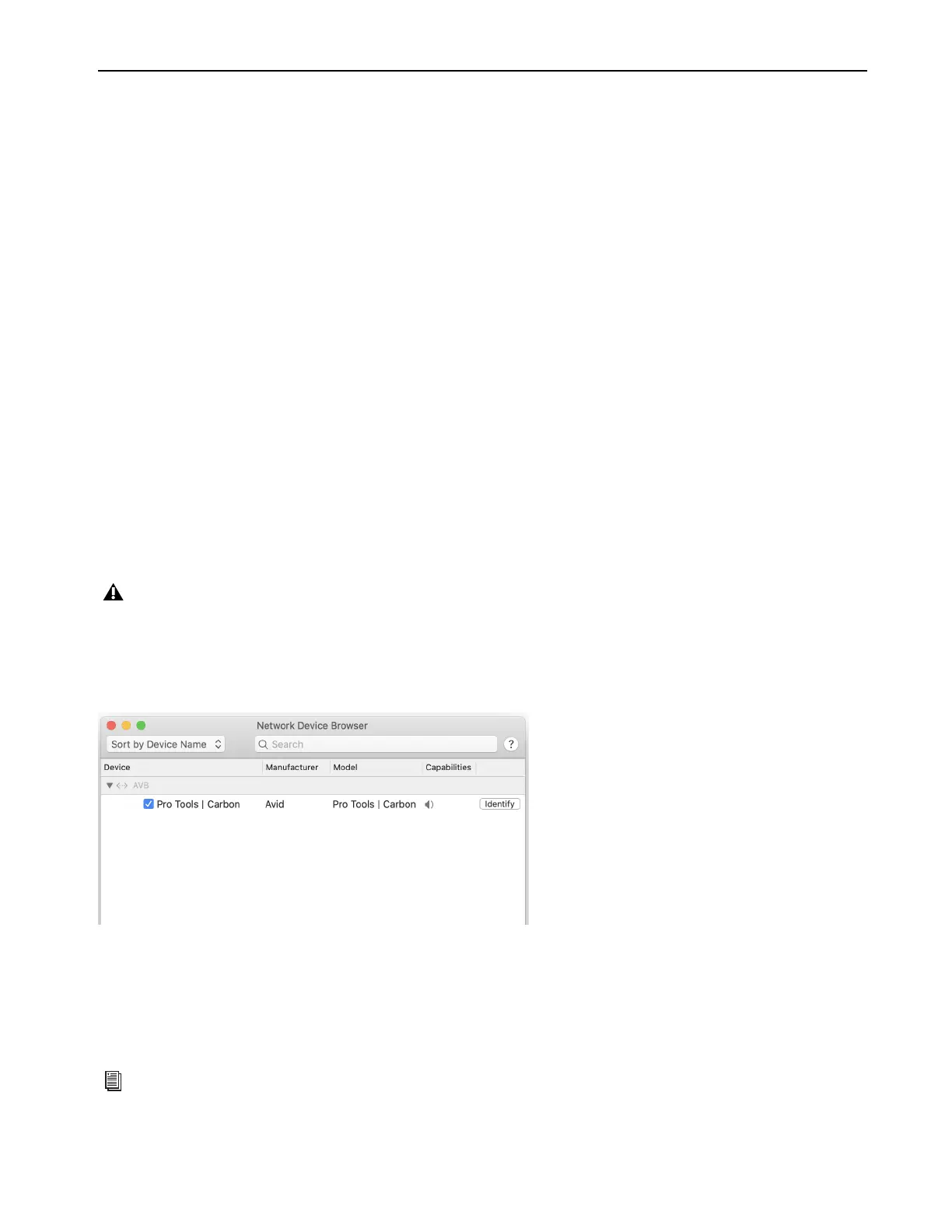
3 In Audio MIDI Setup, choose Window > Show Network Device Browser (or press Command+3). If Pro Tools | Carbon is correctly
connected and powered-on, it appears in the Device list as “Pro Tools | Carbon.”
4 Click to enable Pro Tools | Carbon in the Device list.
Pro Tools | Carbon Audio Devices in AMS
Pro Tools | Carbon presents two separate Audio Devices in the Audio Devices list in AMS:
• The
Pro Tools | Carbon: I/O device for use with macOS System Sound and third-party Core Audio applications.
• The
Pro Tools | Carbon: Reserved for Pro Tools device.
If Pro Tools | Carbon does not appear in the Network Device Browser, double check the Ethernet cable connections and make sure that
you are using an AVB-compatible connection (Ethernet port or qualified adapter) and that your Mac is AVB-compatible. In addition to
checking cable connections, you may need to disable any active VPN (depending on the specific VPN configuration) or network proxy.
For more information on troubleshooting Pro Tools | Carbon, visit www.avid.com/carbon-support.
Pro Tools | Carbon enabled as a network audio device in AMS
For more information, see Pro Tools | Carbon Core Audio Devices.











 To Next Page