Installation Manual
P/N 600-00175-000 Rev 04 MFD Feature Setup and Checkout
- 57 -
4. Set the tilt table to 10
o
roll right. The value should be 10.0R ±1.0
o
. If the value is out of range,
repeat step R.
5. Set the tilt table to 10
o
roll left. The value should be 10.0L ±1.0
o
. If the value is out of range,
repeat step R.
6. Set the tilt table to 0
o
roll. The value should be 0.0 ±1.0
o
.
7. Proceed to step S.
S. Save Configuration
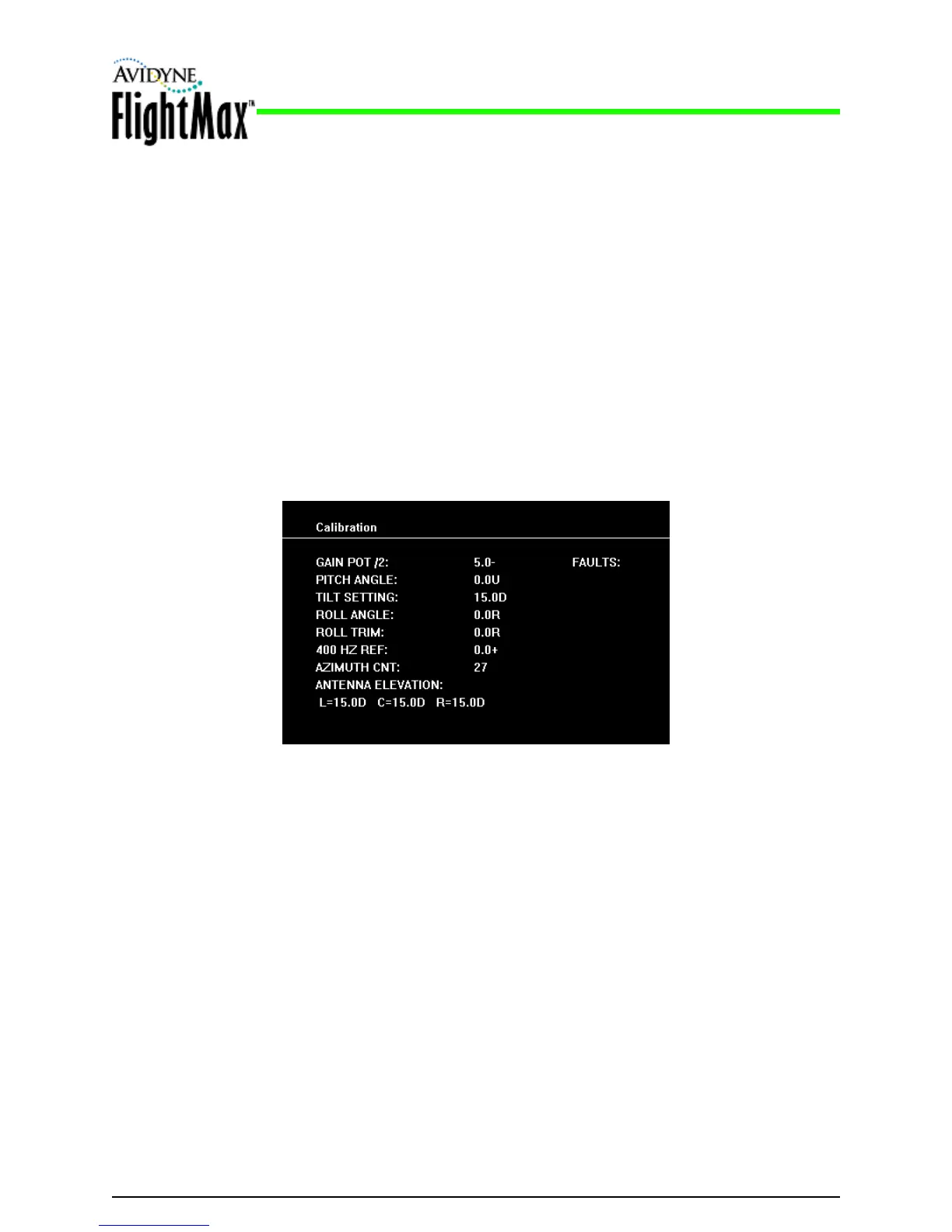
1. Adjust the GAIN controls for a GAIN POT /2 setting to 4- or 5-.
2. The FAULTS field will display GYRO.
3. Set the TILT SETTING to 15.0D. The fault fields will flash indicating that your settings are
being saved. If the save procedure is successful, the GYRO fault will disappear and the
azimuth count will cycle through its entire number range.
4. If the GYRO fault remains, set TILT to 0 and repeat step 3.
5. After saving the configuration, this section is complete.
Bendix/King Replacement Sections END
5.9.6 Radar Checkout
Perform a functional test of the RADAR system in accordance with manufacturers instructions. See the
Avidyne EX500/EX600 MFD Pilot Guide for display operation.



 To Next Page