18
Service Manual
Plus
MICROSPEED
2.0 Potentiometer Adjustments
Adjustments
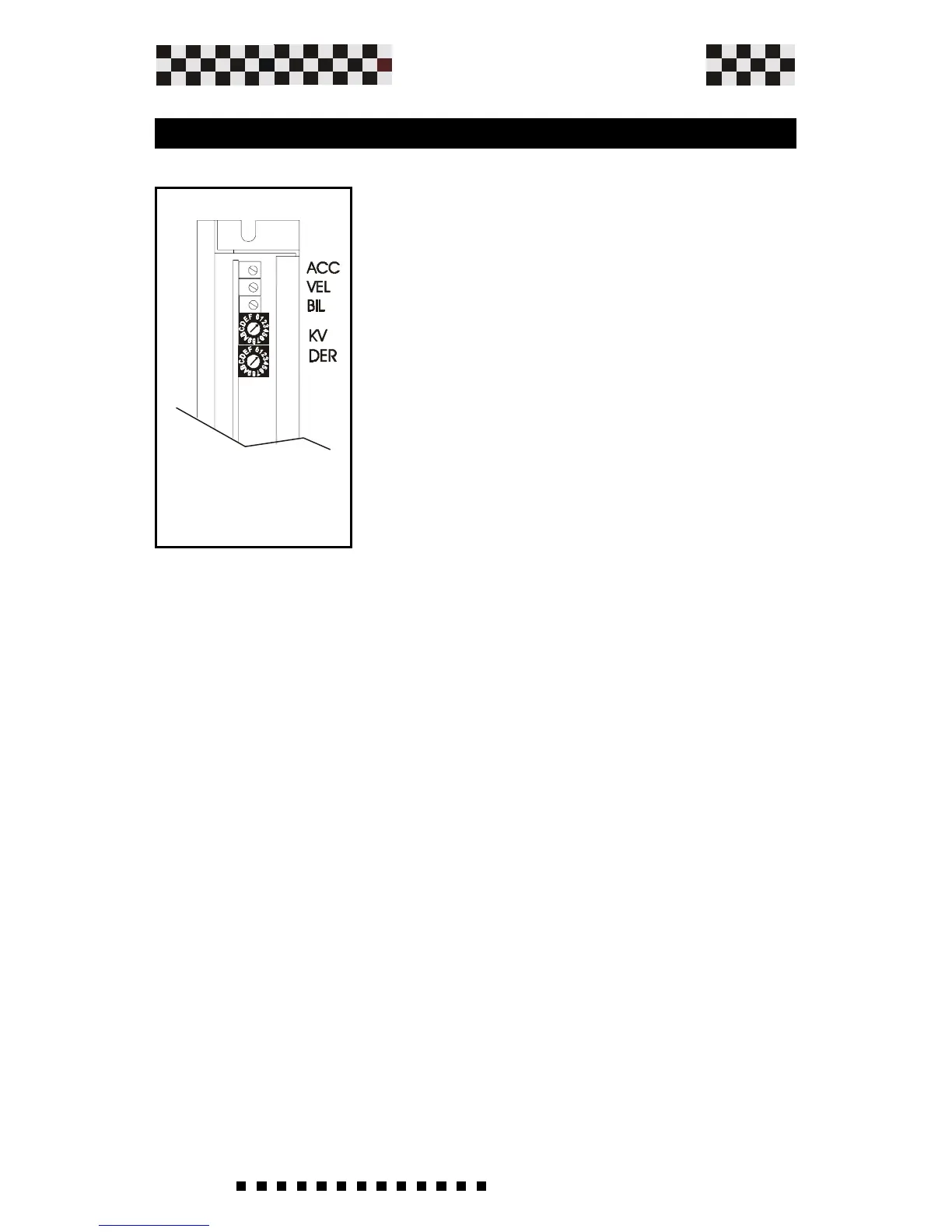
ACC
The solder bridges S2-S4 select the acc/
dec function (ramp). With this
potentiometer we can adjust the slope of
the acceleration and deceleration ramps.
Turning the potentiometer clockwise
(cw) increases the ramp time from 0,1
to 1 Sec (with 10 V reference).
VEL
Motor speed adjustment.Use this potentiometer to adjust the
maximum motor speed. Turn clockwise (cw) to increase the
motor speed and counter-clockwise (ccw) to reduce the motor
speed. The range of the adjustment is +/-20%.Note:
Potentiometer is disabled in torque mode.
BIL
Offset adjustment. Adjust this potentiometer to cancel any
motor speed when the Ref. input is 0 Vdc.
(Max ref. compensation +/- 200mV).
KV
Gain potentiometer.Use this potentiometer to increase or
decrease the dynamic behavior of the motor
With a clockwise turn (cw)we increase the gain of the PI
speed stage, therefore, improving the response.
Note: Potentiometer is disabled in torque mode.
It is also possible to increase or
decrease the pre-set max acc/dec ramp
time by opening solder bridge S3 and
inserting resistance RAMP.
(See chapter RAMP TIME ADJUSTMENT)


 To Next Page