48
Service Manual
Plus
MICROSPEED
S1 Normally open.If Closed, when the IN protection is lit the green
OK LED goes off and is unable to allow the Drive OK LED to come
on.
S2- S4 Normally open. (See Chapter 5.7 Ramp time adjustment).
S3 Normally closed. (See Chapter 5.7 Ramp time adjustment).
S5 Normally closed. If Open , install components for the Dynamic
velocity costant CKV and RKV. (Standard constant RKV=100Kohm
, CKV= 47nF).Consult factory for proper use.
S6 Normally closed. If Open - you must insert theNew GAIN
resistor. (Static Gain). Standard value= 22ohm
S7 Normally open.If closed enables Armature Feedback. See
chapter 5.4
5.2 Solder Bridges
Adjustments
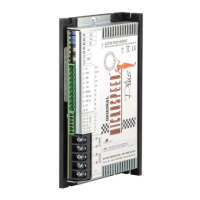
17 Solder Bridges located on the left hand side of the drive are
used to change internal and external functions on the Microspeed
Plus. Below are the descriptions of each solder bridge functions.
Verify the corresponding solder bridge closings required by the
drive.
This Drive is factory set with the following solder bridge
configuration.


 To Next Page