32
microspeed® uni motor system
Aesculap Power Systems
¾ To deactivate the Oscillating or tapping mode:
press and hold down upper trigger 34 for three seconds.
Control unit 1 issues an acoustic signal.
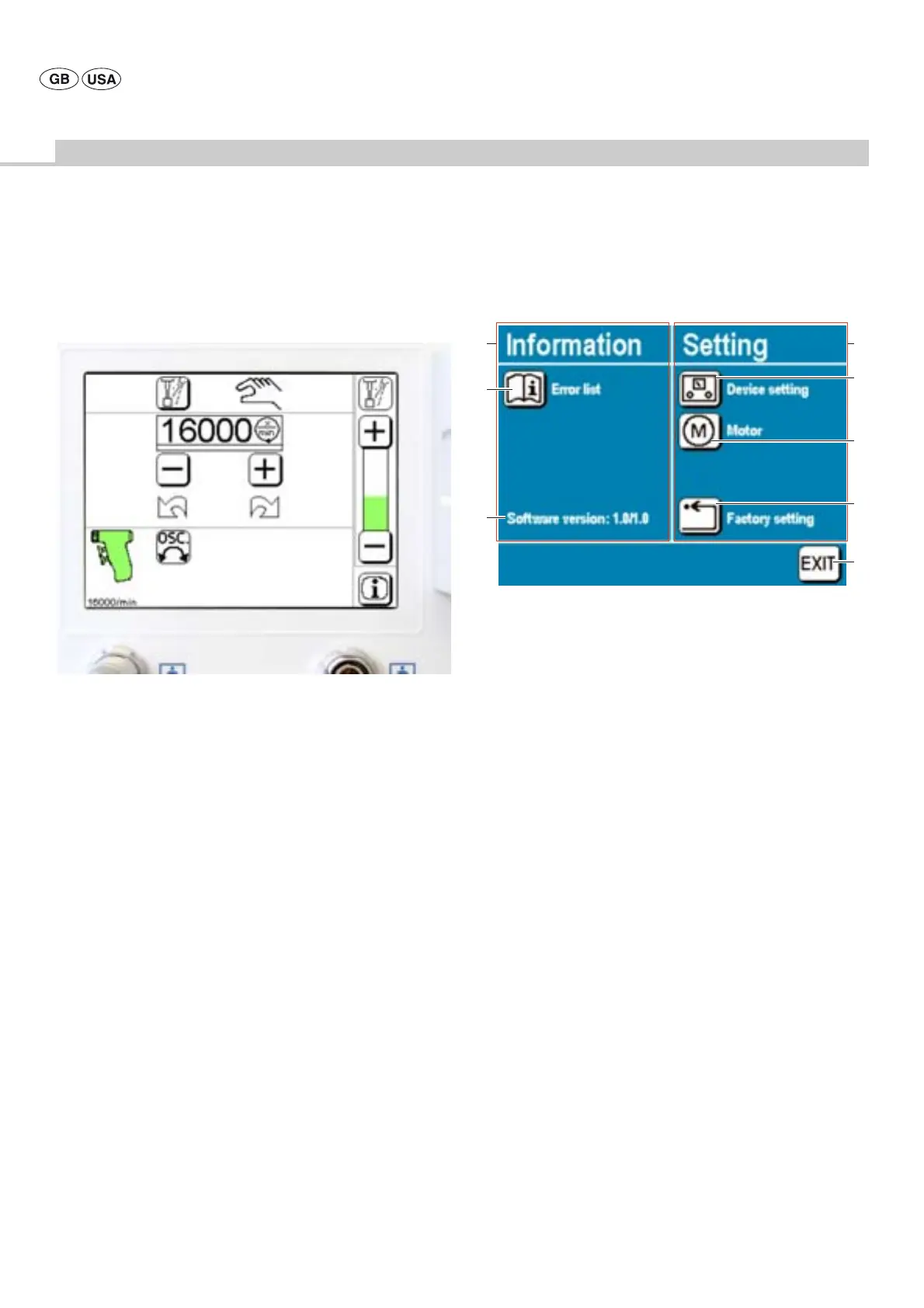
Fig. 32
The symbol “Display for oscillating or tapping mode" is illuminated in
the motor control field.
4.4 Settings in the Instruction menu
Note
The Instruction menu can only be called up when no motor is being
operated.
Motor operation will be blocked while the Instruction menu is active.
The Instruction menu is divided into two categories:
• Information:
Call-up of information on the error conditions issued on the display
(error list) and on the software version installed
• Setting:
To change specific settings; subdivided into the sections “Device
settings” and “Motor” (type).
All settings can be reset to the factory settings by pressing the control
key "Factory setting".
¾ To call up the Instruction menu:
press control key “Instruction menu”.
¾ To call up submenus:
press the respective control keys.
Fig. 33
Legend
A Section “Information”
B Control key "Info error list":
Calling up the submenu "Information on the error conditions issued on
the display"
C Display of “Software version”
D Section “Setting”
E Control key “Device setting”:
Calling up the submenu “Device-specific settings”
F Control key “Motor”:
Calling up the submenu “Motor (type)-specific settings”
G Control key “Factory setting”:
Reset, restoring factory settings (see chapter Factory settings)
H Control key "EXIT":
To exit from the Instruction menu
D
A
H
E
G
F
C
B











 To Next Page