35
4.4.3 Submenu Motor (type)-specific settings
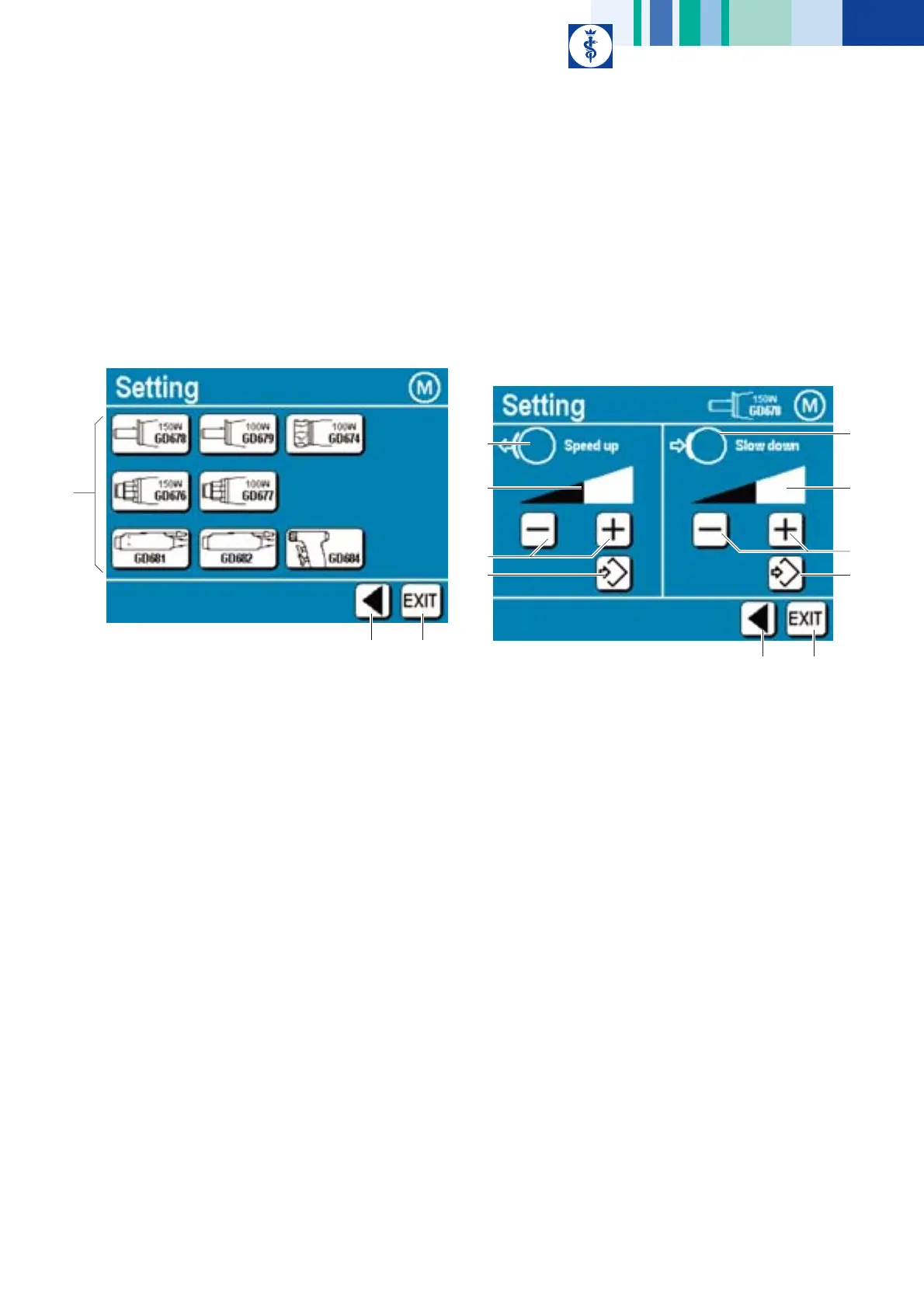
This submenu allows specific settings for every motor type described in
the present instructions for use.
¾ Press control key “Motor” in menu “Information/Setting”.
Fig. 38
Legend
A Control keys ”Motor type”:
Select a motor type
B Control key "Change to higher menu level":
(to Information/Setting menu)
C Control key "EXIT":
To exit from the Instruction menu
Motor (type)-specific settings GD674, GD676, GD677, GD678,
GD679
For these motor types, the slow-down and speed-up ramps can be
adjusted.
¾ Press control key “Motor” (e.g. GD678).
Fig. 39
Legend
A Symbol for “Speed up” ramp
B Qualitative bar display of the speed-up ramp to be set
C Control keys for changing the speed-up ramp
D Control key "Save setting":
The control key "Save setting" will be highlighted by a green
background whenever a setting was changed. Pressing this key will
cause the change to be saved. Once the change has been saved, the
control key will be displayed on a white background.
E Symbol for “Slow down” ramp
F Qualitative bar display of the slow-down ramp to be set
G Control keys for changing the slow-down ramp
H Control key "EXIT":
To exit from the Instruction menu
I Control key "Change to higher menu level":
(to submenu Motor (type)-specific settings)
C
B
A
I
H
A
B
C
D
E
F
G
D











 To Next Page