9
3.4.2 Routes
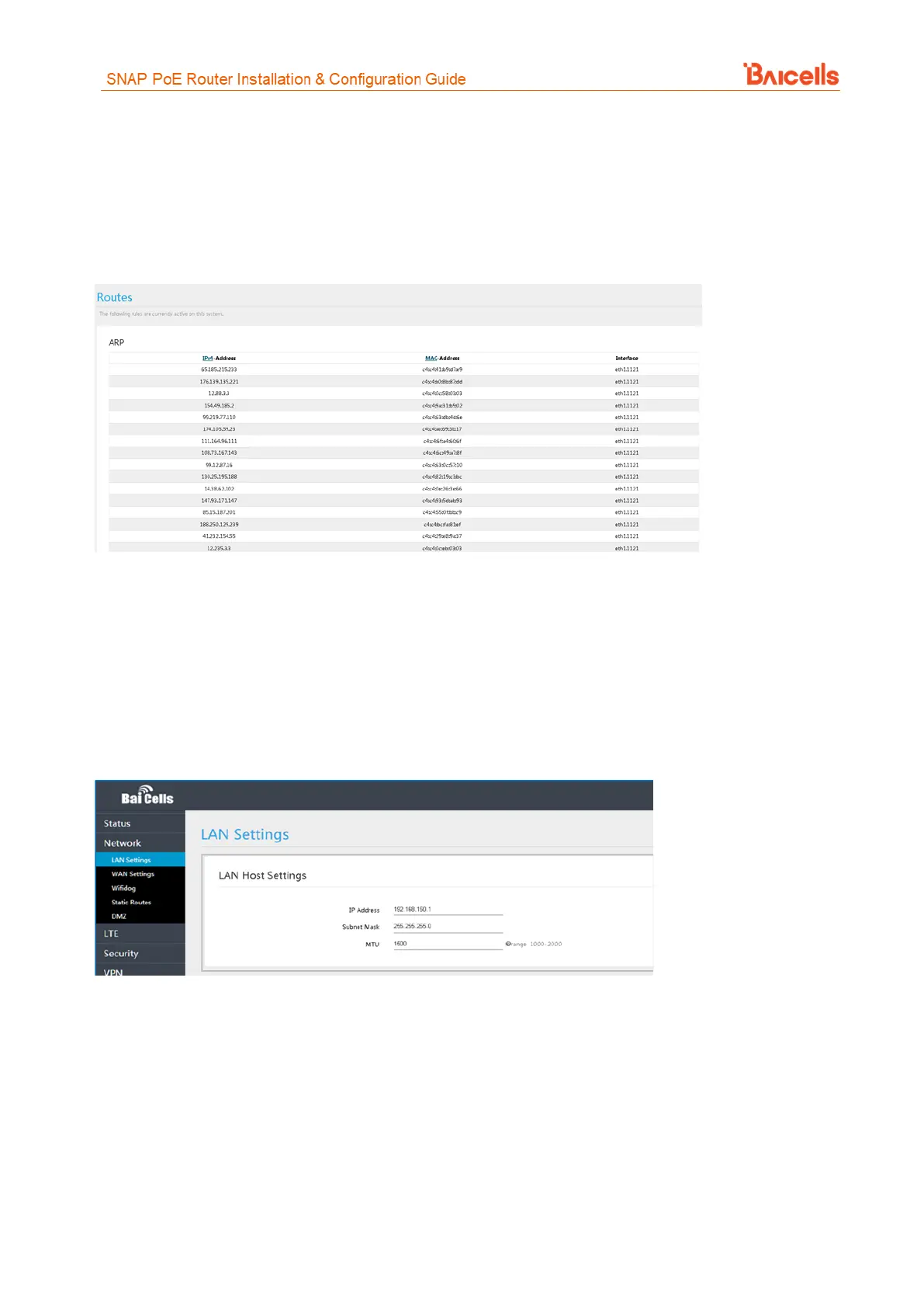
The Overview > Routes table lists all of the configured routing rules, including Allocation and Retention Policy
(ARP) tables and active IPv4/IPv6 routes (Figure 8). For each item in the list, the IP address, MAC address,
and interface type are displayed.
Figure 8: Routes
3.5 Network Menu
3.5.1 LAN Settings
Enter the Network > LAN host IP address, subnet mask, and the Maximum Transmission Unit (MTU) size, in
bytes (Figure 9). The range is 1000-2000 bytes. The default is 1500 bytes.
Figure 9: LAN
You can enable or disable the DHCP server (Figure 10). If enabled, enter the start and end IP addresses, and
the lease time for IP address use - from 10 minutes to 720 hours. Optionally, you can enter one or two DNS
server IP addresses, and one to three option 138 connection IP addresses for connecting to a Control and
Provisioning of Wireless Access Points (CAPWAP) server. When using option 138, the device will connect with
the server's LAN port and get an Access Controller (AC) IP address.



 To Next Page