23
Table 10: Port Forwarding
Select the type of service, either Custom, DNS, FTP, IPSec, POP3, SMTP, PPTP, Realplay,
SSH, HTTPs, SNMP, SNMP Trap, Telnet, TFTP, or HTTP
Select the type of data protocol, either TCP, UDP, or TCP&UDP
Enter the port number range for the remote device in the format of 1000 to 1500
Enter the local host IP address. The address must be different from the IP address that is
set for the LAN Host Settings parameter, but they must be on the same network segment.
Enter the local port number. Range is 1 to 65,535.
3.7.6 Port Triggering
Port Triggering is a configuration option on a router - in this case, the CPE - if it is operating in NAT mode as
the WAN interface type (section 3.5.2). When an application uses a trigger port to build a connection, the
CPE will forward the data to the forward port.
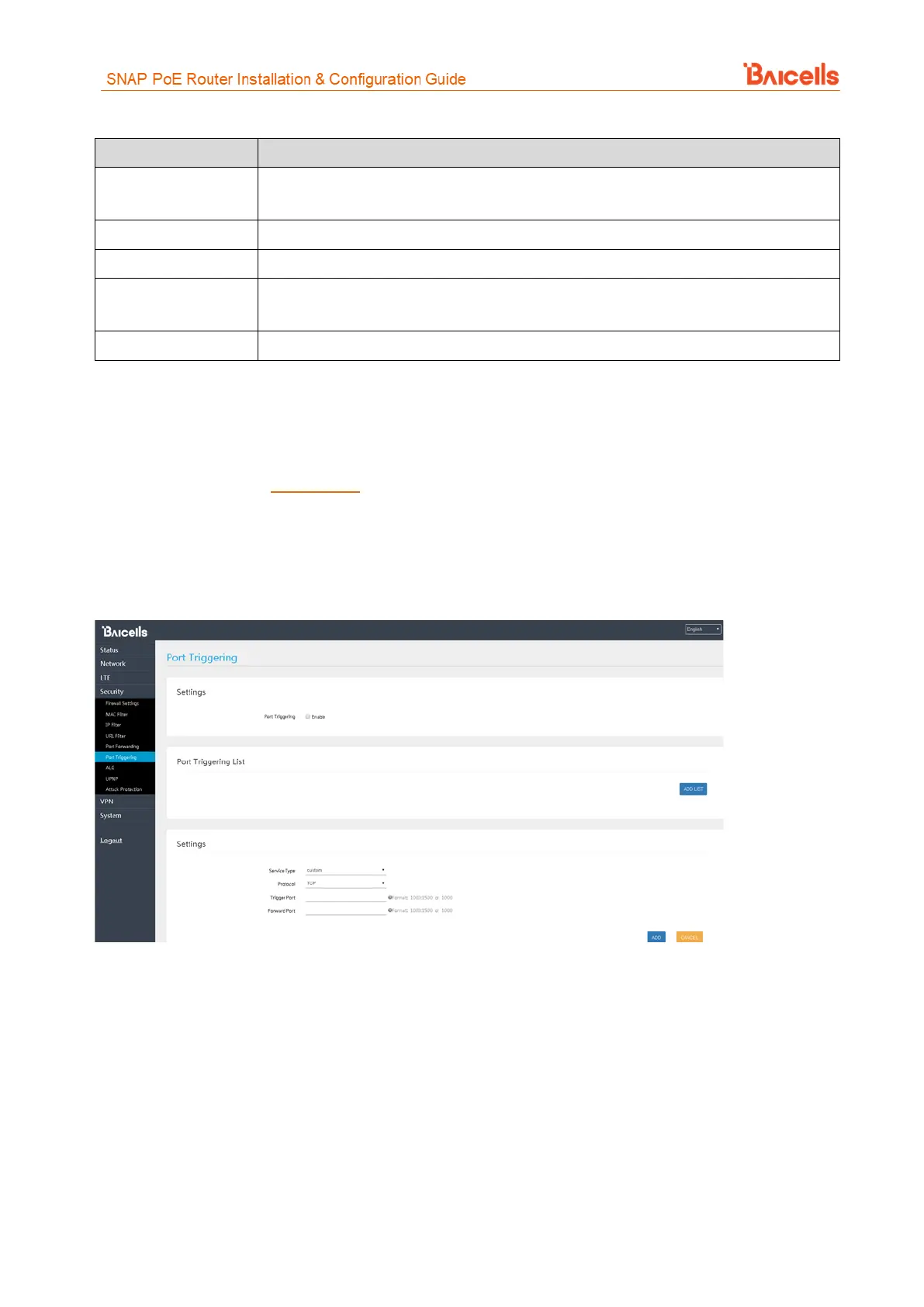
To configure the feature, click on the check box next to Enable and then click on ADD LIST to enter the service
type, protocol, trigger port, and forward port (Figure 38).
Figure 38: Port Triggering
3.7.7 ALG
The Application Layer Gateway (ALG) function provides a security component that augments a firewall or the
NAT used by the CPE (if WAN Network Mode = NAT). It allows customized NAT traversal filters to be plugged
into the gateway to support address and port translation for certain application layer control/data protocols
such as FTP, H.323 ALG, SIP, and PPTP. You can enable the different types of application protocols by clicking
on the check box next to the protocol name (Figure 39).



 To Next Page