Enter the IP address range for the destination device(s) to be filtered, in the format of
x.x.x.x or x.x.x.x/mask. The mask value may be 0 or 32.
3.7.4 URL Filter
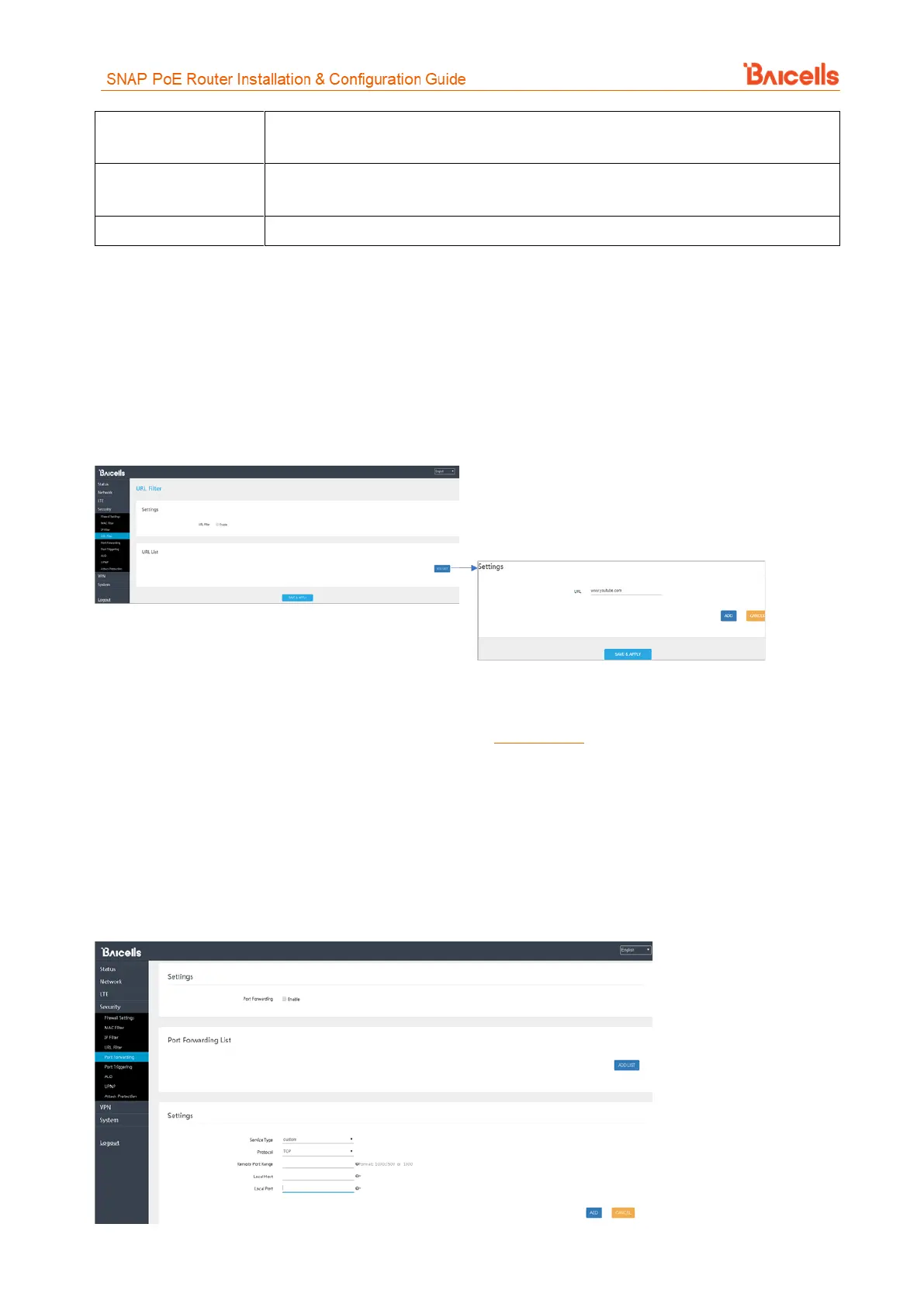
The Uniform Resource Location Filter (URL Filter) allows you to define a list of URL addresses users are
forbidden from accessing. When you enable the filter, a Settings window appears. Enter the specific URL
address users cannot access, as shown in Figure 36. To add more URL addresses, click on ADD. After entering
the addresses and saving, the URL(s) you enter will appear in the URL List.
Figure 36: URL Filter
3.7.5 Port Forwarding
When NAT mode is enabled as the WAN interface type (section 3.5.2), you can redirect a communication
request from one address and port number combination to another. Only the IP address on the WAN side is
open to the Internet. If a computer on the LAN is enabled to provide services for the Internet (for example,
work as an FTP server), port forwarding is required so that all access requests to the external server port from
the Internet are redirected to the server on the LAN.
To add a port forwarding rule, select the Enable check box and click on ADD LIST (Figure 37). Enter the
parameters per the field descriptions in Table 10.
Figure 37: Port Forwarding



 To Next Page