33
3.9.5 TR-069
If your network operates using a TR-069 auto-configuration server (ACS), the ACS will automatically provide
the CPE configuration settings. Once you set up both the ACS and the CPE, you do not need to enter any
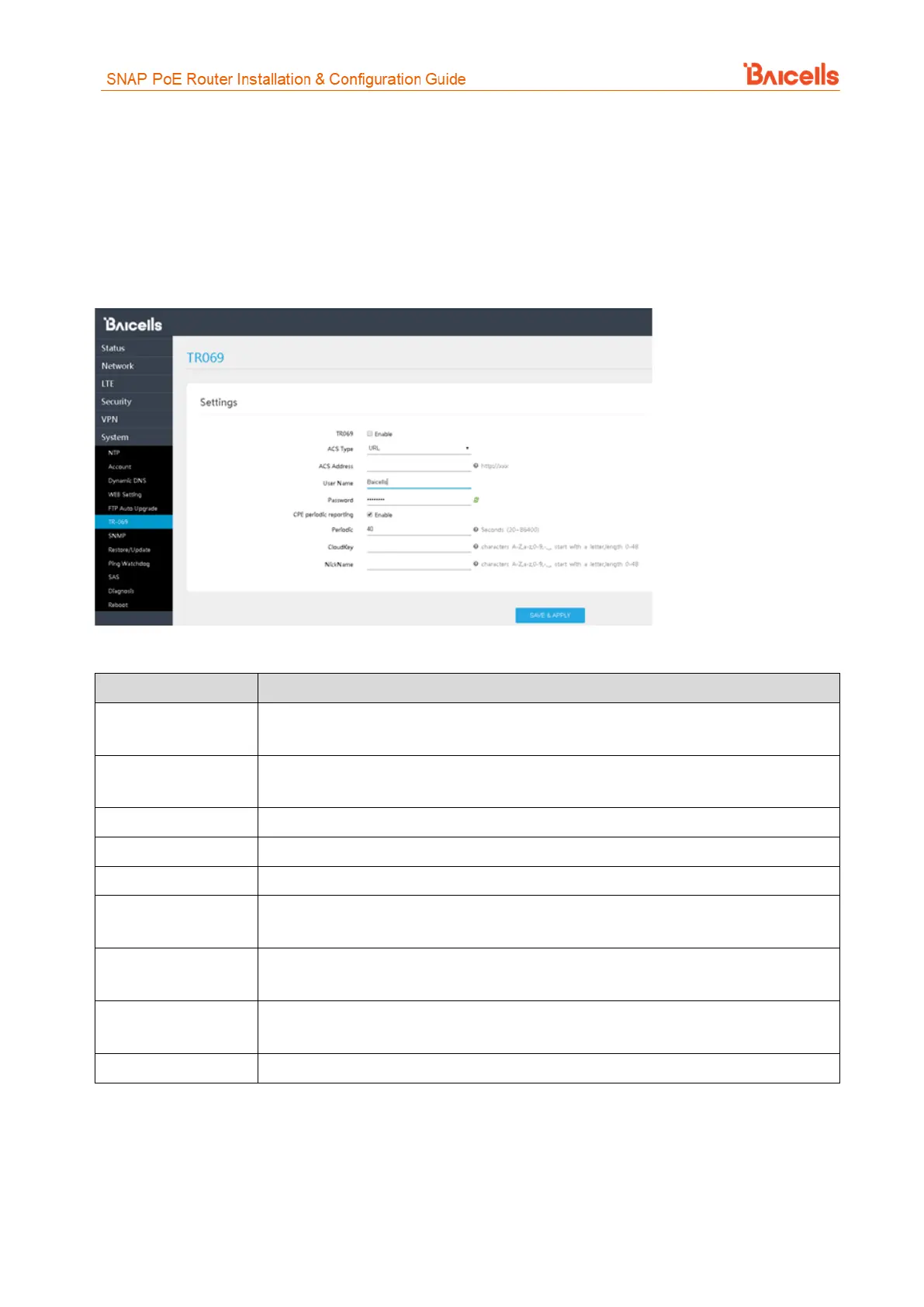
other parameters through the CPE GUI. Use the TR069 sub-menu to enable the TR-069 function for the CPE
(Figure 55). Refer to Table 16 for a description of each field.
Figure 55: TR-069
Table 16: TR-069
Select the check box next to Enable if using a TR-069 auto-configuration server (ACS) to
configure the CPE
Select URL or DHCP to identify the source of the ACS server. When you select URL, the
next field (ACS Address) appears.
Enter the server Web address
Enter the user name to access the ACS server
Enter the password to access the ACS server
Select the check box next to Enable to enable the CPE to periodically check with the ACS
server for new software
If you enabled CPE periodic reporting, input how often the CPE should check the ACS
server for new information. The range is 20 to 86,400 seconds.
If using the Baicells CloudCore, enter the operator's unique CloudKey. When the device
powers up the first time it will automatically be added to the operator's OMC account.
Optional – enter a nickname to identify the server



 To Next Page