37
3.9.9.1 Ping
Ping is used to manually initiate a ping test to check connection status. Running a ping test will send data
packets of a specified size from the CPE over the network to a target IP address. The results of ping determine
if there is a connection and if there is any packet loss.
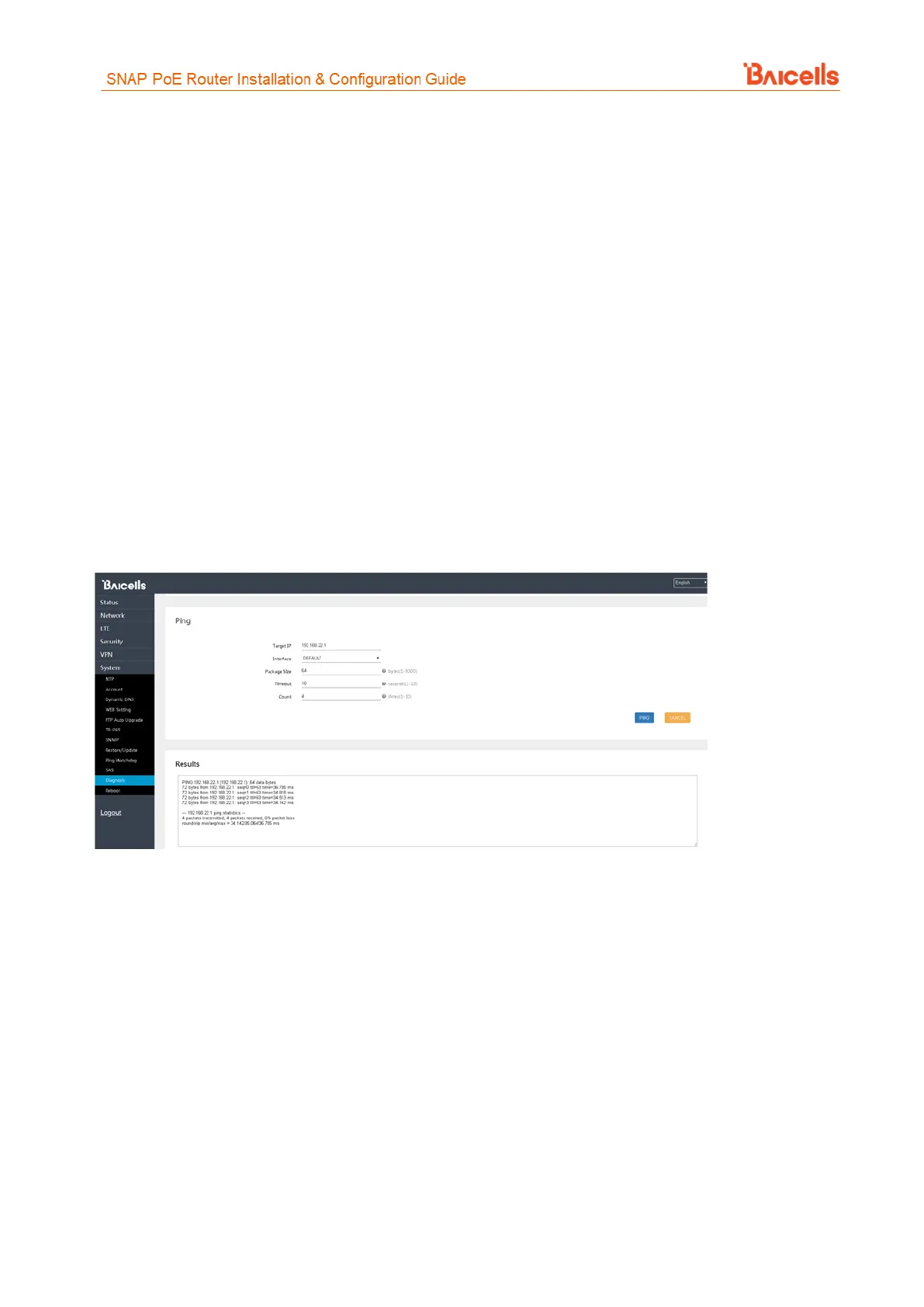
To initiate a ping test (Figure 60):
1. Select the Ping radio button, and enter a target IP address for the CPE to ping.
2. Select which interface the CPE should use, either DEFAULT (APN1) or APN 2, 3, or 4.
3. Enter the data packet size to be sent to the target IP address, in bytes. The range is 1-9000 bytes.
4. Set a timeout period, in seconds. The range is 1-10 seconds.
5. Enter the number of times (Count) for the ping test to execute. The range is 1-10.
6. Click on the PING button. The test will start immediately.
Results of the ping test will appear at the bottom of the window, showing the target IP address, the number
of data bytes sent, the number of packets transmitted, the number of packets received, and the percentage
of packets lost.
Figure 60: Ping
3.9.9.2 Traceroute
Running a traceroute test will display the route a packet takes from the CPE to a target IP address. The test
provides an indication of where there may be delays in the transmission of packets across the IP network.
To initiate a traceroute (Figure 61):
1. Select the Traceroute radio button, and enter a target IP address for the CPE to send packets to.
2. Enter the maximum number of hops between network nodes you want the packets to take. If the
traceroute hits that number, the test will end.
3. Enter a timeout period, in seconds. The range is 1-60 seconds.
4. Click on the TRACEROUTE button. The test will start immediately.
Results of the traceroute will appear at the bottom of the window, showing the target IP address, the
maximum number of hops that it took from CPE to the destination, the packet size, and the time between
hops.



 To Next Page