2
1.3 Features
NOTE: Features may vary based on model or region.
• 1000 Mbps WAN with PoE output
• 1000 Mbps Ethernet LAN port
• Standard IEEE 802.11b/g/n/ac Wi-Fi operating in dual-band 2.4 GHz and 5 GHz mode
• Local and remote CPE management
• TR-069 network management protocol supported
• User-friendly LED status indicators
For the technical specifications, please refer to the data sheet on the Baicells website.
2. Installation
2.1 Interfaces
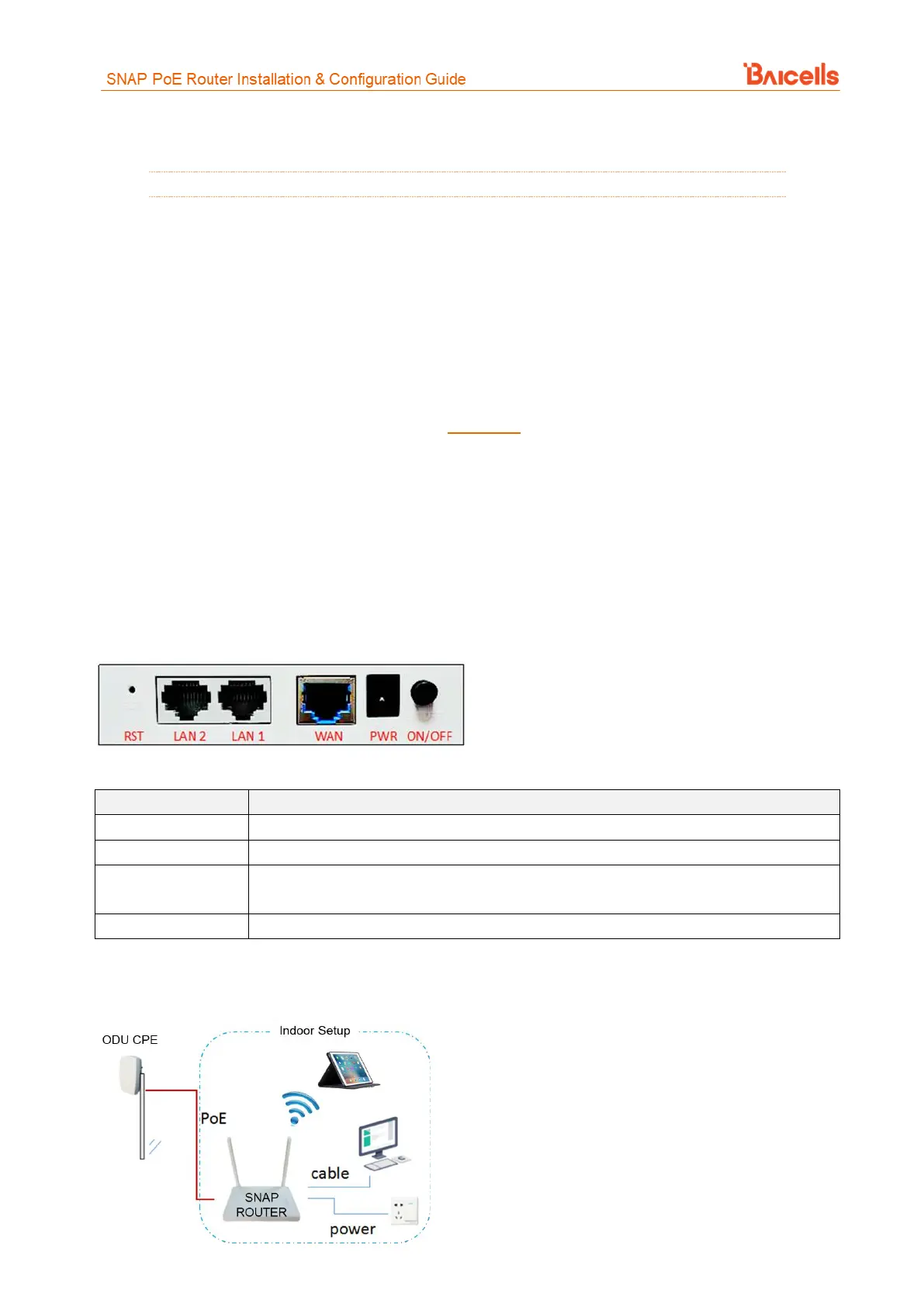
The interfaces on the back of the PoE router equipment include a reset button, 2 LAN ports, a WAN port, a
power adapter connector, and a power on/off button (Figure 2). Each interface is described in Table 1.
Figure 2: Interfaces
Table 1: Interfaces
1 RJ-45, WAN 10/100/1000 auto-sensing, auto-MDX, 24V 0.5A passive Power Sourcing
Equipment (PSE) port



 To Next Page