34
3.9.6 SNMP
The Simple Network Management Protocol (SNMP) is used for connecting a device with a Network
Management System (NMS) server. An operator's NMS can monitor and control the connected CPEs that
have SNMP enabled. The NMS is able to collect event logs, alarm logs, and other data from those CPEs.
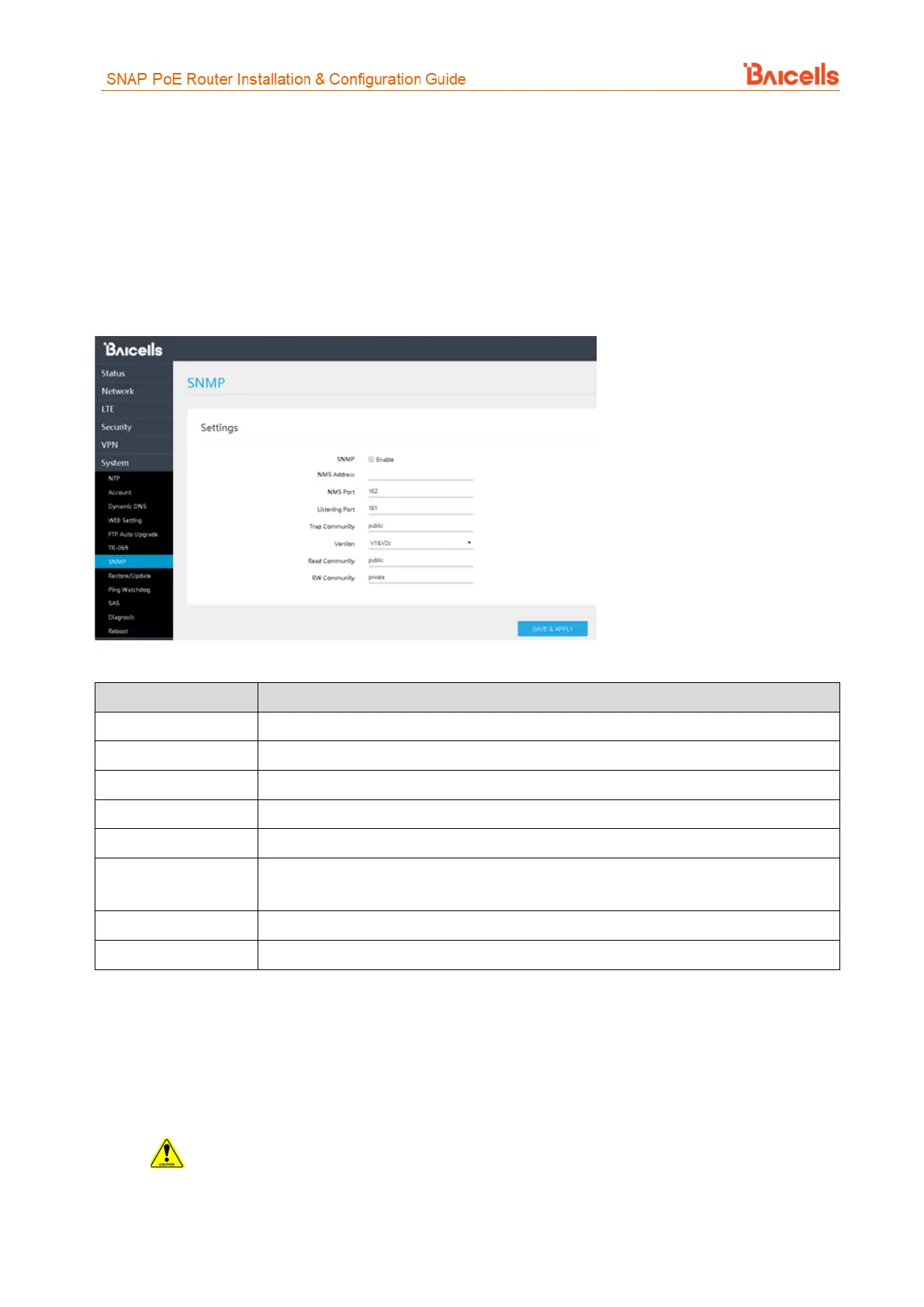
To enable SNMP, select the Enable check box (Figure 56). Complete the settings per the field descriptions in
Table 17.
Figure 56: SNMP
Table 17: SNMP
Enable the Simple Network Management Protocol by clicking the check box.
Public or private - identifier to distinguish read/write permissions for data
Select the SNMP version you are implementing - V1&V2c (for SNMPv1+SNMPv2c) or V3
(for SNMPv3)
Public or private read-only community name
Public or private read/write community name
3.9.7 Restore/Update
Use the System > Restore/Update menu to reset the CPE to its factory default settings, to manually update
the firmware, or to manually update a module within the firmware - meaning to apply a patch to the current
firmware (Figure 57).
Caution: Performing a restore or update action will disrupt service.



 To Next Page