INTRODUCTION
INTENDED USER
1 - 2 I-E96-409A
®
INTENDED USER
System engineers and technicians should read this manual
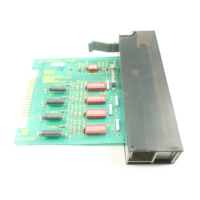
before installing and placing the NICS01 Termination Module
into operation. Do not put the ICS termination module into
operation until this instruction is read and understood.
INSTRUCTION CONTENT
This manual has twelve sections:
Introduction
Contains an overview of the features, specifications and a
description of the ICS module.
Installation
Describes precautions to observe when handling modules and
setup procedures required before module operation. This sec-
tion also discusses dipswitch settings and installation
procedures.
Maintenance
Provides a maintenance schedule.
Repair/Replacement
Procedures
Details how to replace an ICS module.
Support Services
Describes the support services (spare parts, training, docu-
mentation, etc.) available from Bailey Controls Company.
Appendices A through G
Provide quick reference configuration information about the
IMCIS02, IMCOM03, IMCOM04, IMQRC01 and IMQRS02
modules. Also provided is quick reference configuration infor-
mation about the IISAC01, NDCS03 and NDIS01 stations.
HOW TO USE THIS MANUAL
Read through this manual in sequence. Read the installation
section thoroughly. Do the steps in order. Complete all steps in
the installation section before operating the ICS module. Refer
to the Table of Contents or Index to find specific information
after the module is operating.
GLOSSARY OF TERMS AND ABBREVIATIONS
Table 1-1 lists definitions of the terms and abbreviations used
in this instruction. G
Table 1-1. Glossary of Terms and Abbreviations
Term Definition
Analog Continuously variable as opposed to discretely variable.
Bus A channel or path for transferring data, electrical signals and power.
COM Controller module.


 To Next Page




