R5911705 /02 Bragi152
8.7.1 IG pixel shift
General
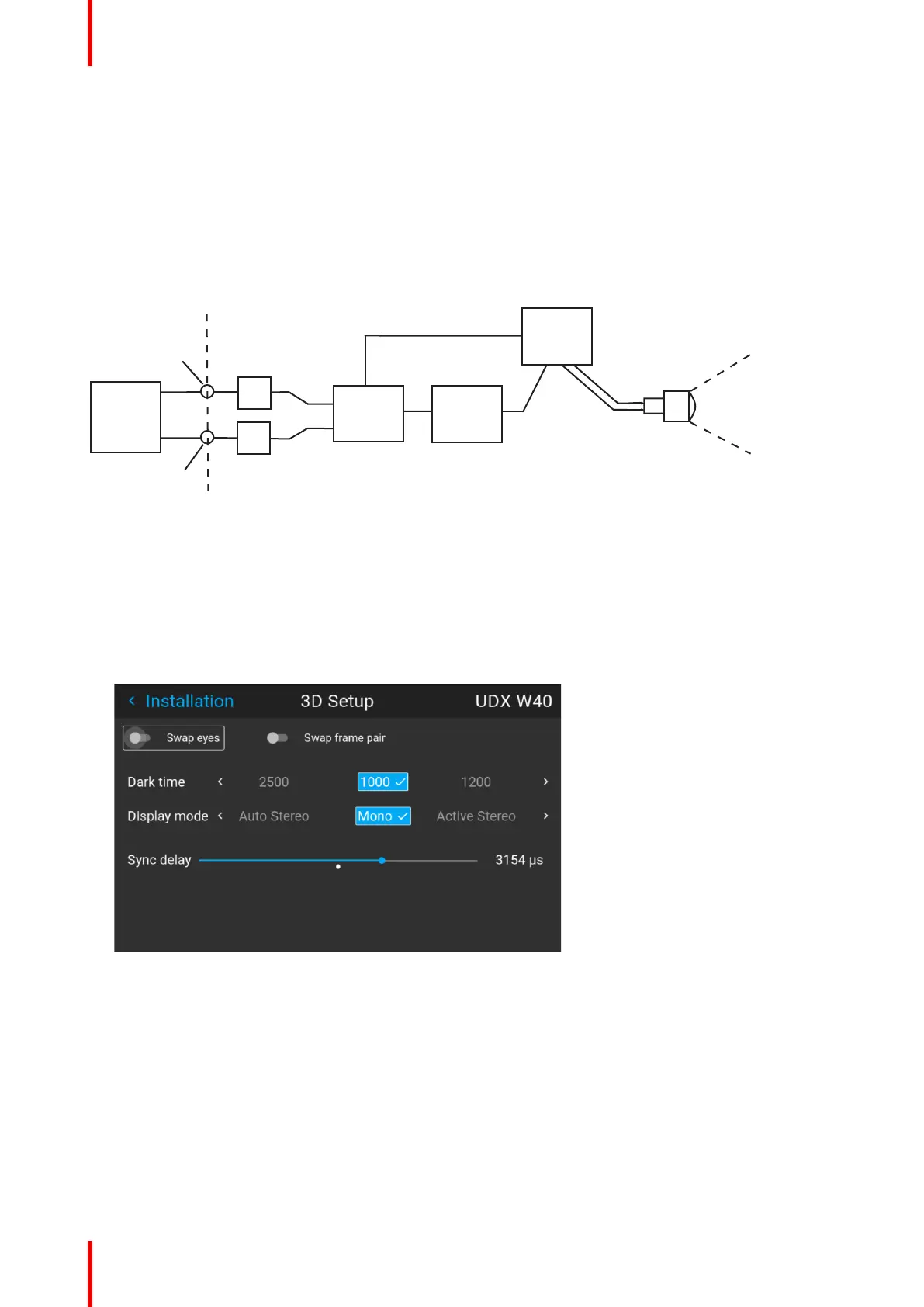
IG pixelshift is a feature where the Image Generator can process the image in two channels.
This two input channels have different positions of the pixelshift module. Channel 1 is displayed with module
position 1, and channel 2 is displayed with position 2. The result is a 4K rendering of the displayed image.
Max frequency pr channel is 60 Hz.
Only DVI or Displayport inputs on the projector can be used for this purpose.
Image Generator
DVI 1 / Displayport 1
DVI 2 / Displayport 2
1:1
1:1
Multiplex
DMD
Pixelshift Module
Image 8–55 IG Pixelshift. Principle of operation.
Preparations
Perform the necessary setup of the external image source. (Image Generator).
Connect to DVI 1/2 or Displayport 1/2.
Enable IG pixel shift
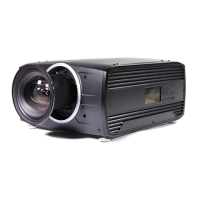
1. Enter the menu Installation/ 3D setup
Image 8–56 Display setup Menu
2. Use the up / down arrow keys on the remote control to move the cursor to the “Display mode” position.
3. Use the left/right arrow key to scroll to IG pixelshift.
4. Select by pressing enter.
Status menu
When IG pixelshift is enabled, it will be visible in the Status Menu. (Scroll down a bit to see it), and also in the
LCD Information display.
Installation menu


 To Next Page