8. Input menu
Image 8-14
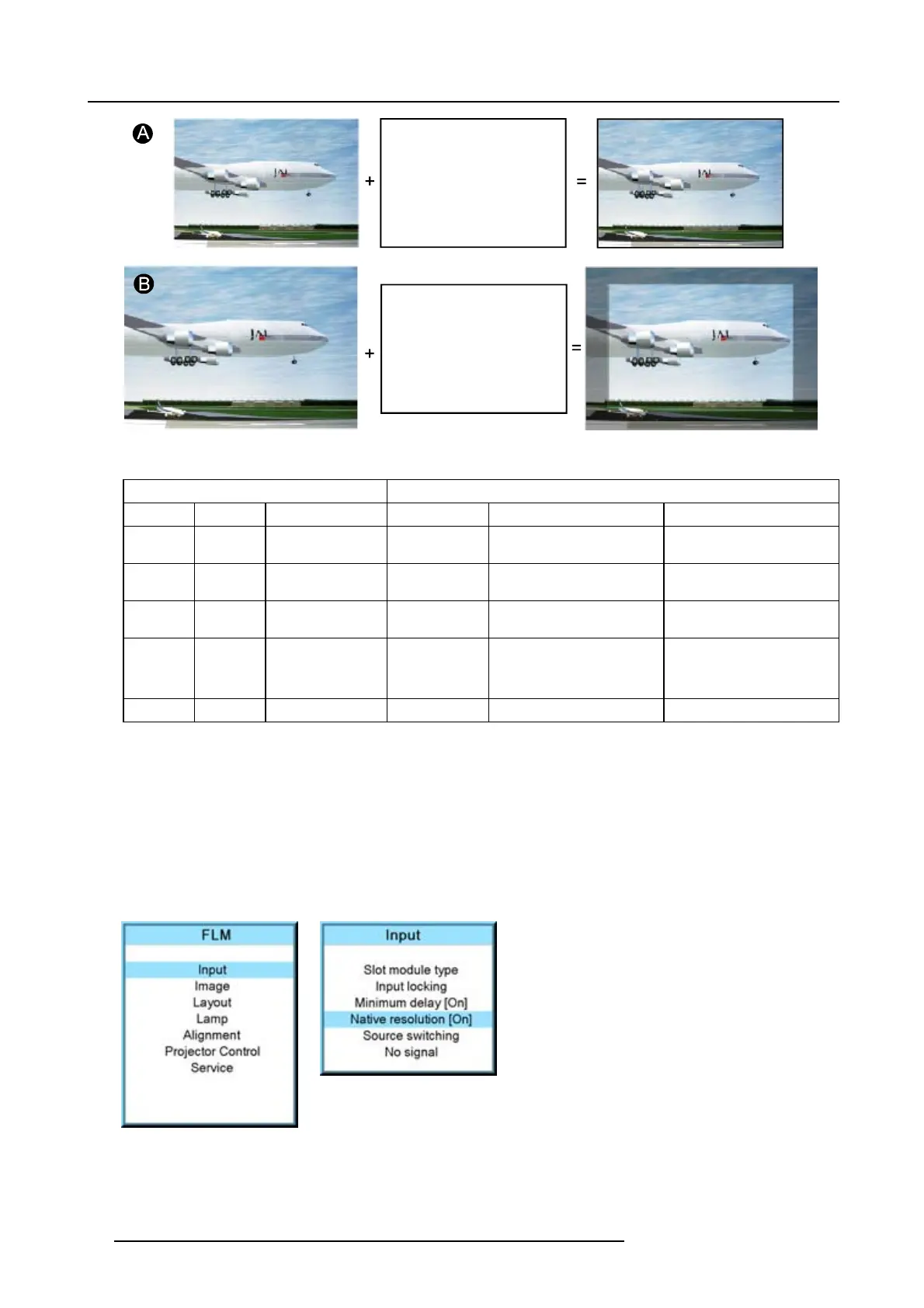
When the show native resolution function is in the ON position, the projector handles the source as follows:
Source Projected image
Name Ratio Resolution Ratio Resolution
XGA 4:3 1024x768 4:3 1024x768 image projected with black
borders
SXGA 5:4 1280x1024 5:4 1280x1024 image projected with black
borders
SXGA+ 4:3 1400x1050 4:3 1400x1050 image projected with black
borders
UXGA 4:3 1600x1200 4:3 1600x1200 part of the image displayed,
image scroll possible
Black borders left and right.
16:9 1920x1080 16:9 1920x1080 normal image projected
How to toggle to native resolution?
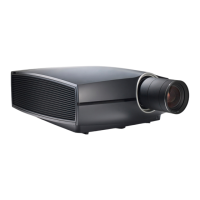
1. Press MENU to activate the menus.
2. Use the ▲ or ▼ key to select Input and press ENTER.
The Input menu is displayed.
3. Use the ▲ or ▼ key to select Native resolution and press ENTER to toggle between [On] and [Off].
[On] : images displayed in native resolution
[Off] : images scaled to fill the complete screen
Image 8-15
Image 8-16
64 R59770180 FLM HD20 11/07/2008



 To Next Page