9. Image menu
Possible file Manipulations
The following file manipulations are possible :
• Load : installation of a file for a new source.
• Rename : renaming a file.
• Delete : deleting a file (only custom files)
• Delete all : delete all custom files
• Options : way of loading a file when a source is selected.
A loaded file can be edited via the Timings menu. Once a file is edited, it will be saved with the same name as the original file,
followed by a sequence number between rounded brackets.
9.6.2 Manual Load file
How to load?
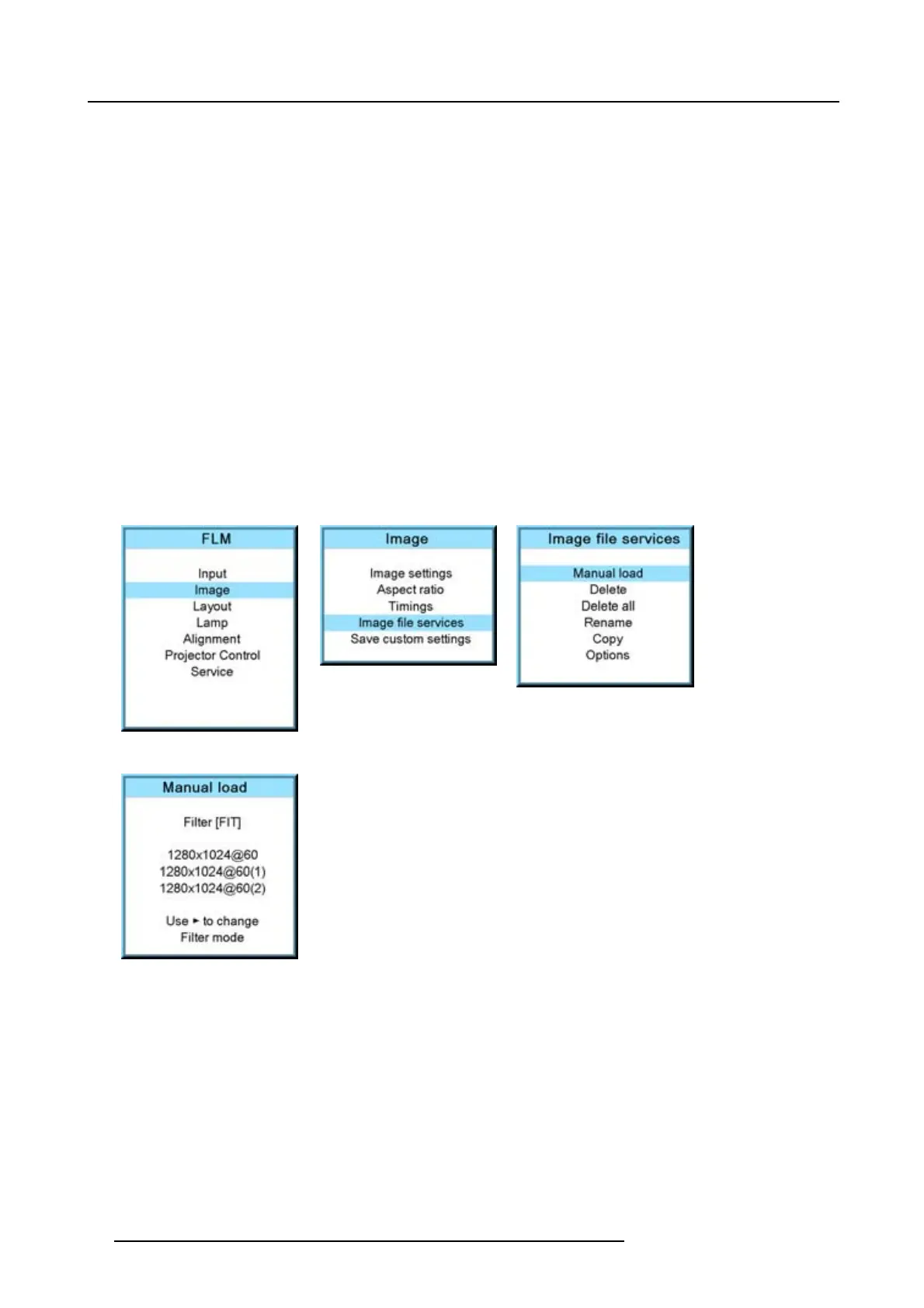
1. Press MENU to activate the menus.
2. Use the ▲ or ▼ key to select Image and press ENTER.
3. Use the ▲ or ▼ key to select File services and press ENTER.
The File service menu is displayed.
4. Use the ▲ or ▼ key to select Manual load and press ENTER.
The manual load window opens.
Image 9-79
Image 9-80
Image 9-81
Image 9-82
Depending on the filter setup, the following is displayed:
-Fit:onlyfitting files for the selected source will be in the list
- All: all files in the system will be in the list.
5. Do you want to see only the fitting file in the manual load menu?
If yes, Select Filter and use ► till [FIT] is on the menu.
If no, Select Filter and use ► till [ALL] is on the menu.
6. Use the ▲ or ▼ key to select the appropriate file. While scrolling over the files, a preview is shown on the screen.
7. Press ENTER to select.
The selected file is loaded.
The image is not perfect?
If the displayed image is not correct after selecting the best fitting file,gototheTimings menu and change the file settings.
88
R59770180 FLM HD20 11/07/2008



 To Next Page