5. Physical installation
Necessary parts
• Secondary c ooling unit e xpansion unit
• Cable ties
How to mount the expansion module
1. Completely remove the packing ma terial around the tubes of the exp ansion module.
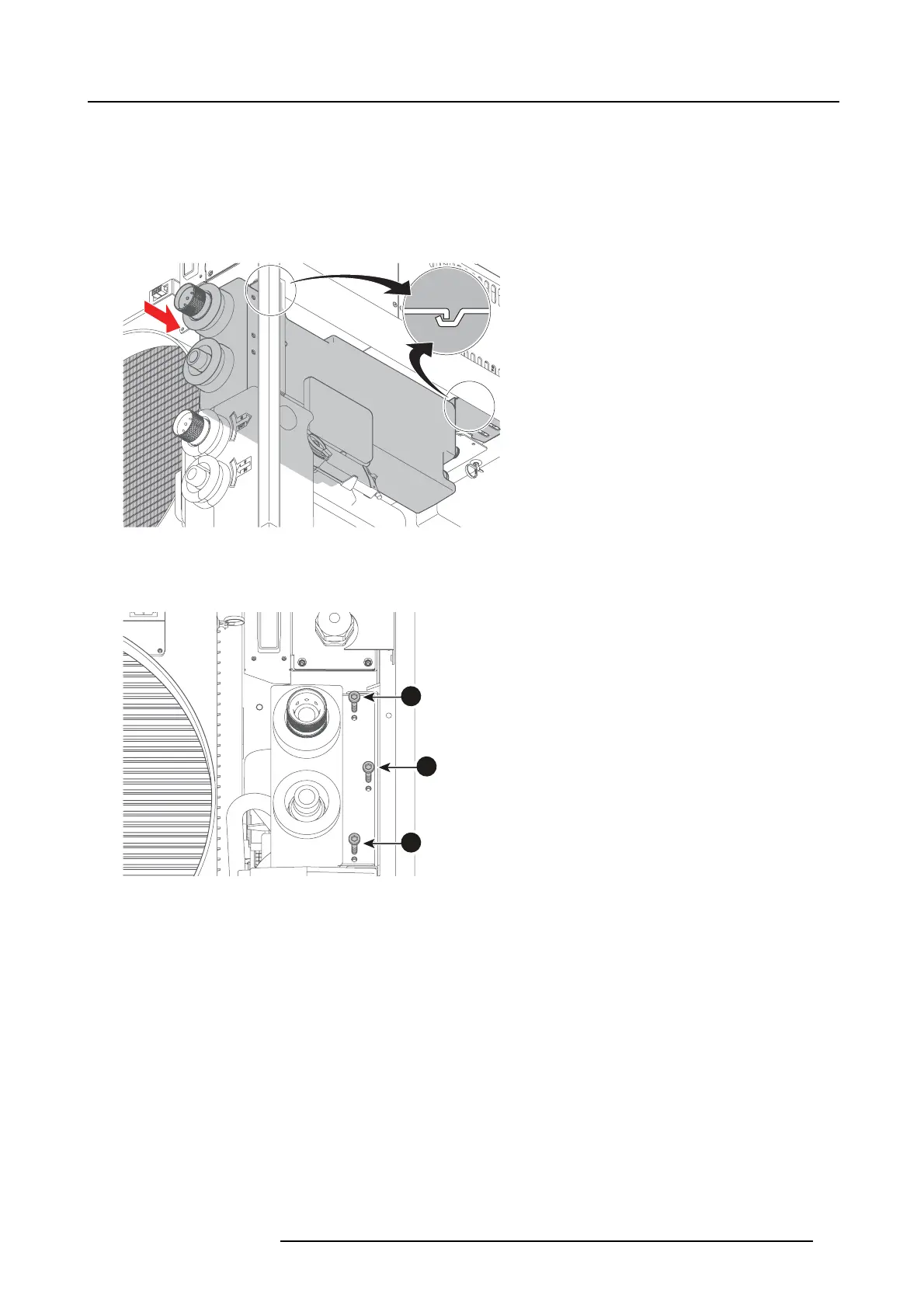
2. Slide in the expansion module into the Chiller frame as illustrated.
Image 5-8
Installing expansion module
Note: Make sure the rear support of the ex pansion module is sliding in the de
dicated g roov e of the chiller frame.
3. Install the three screws on the front side of the expan sion module (reference 1 image 5-9).
1
1
1
Image 5-9
Installing t hree screws
4. Install the two screws (reference 1 image 5-10) and washers (reference 2) on the backside of the expansion m odule.
R5905866 ULC-30A 31/01/2018
21


 To Next Page