11-5
11.4
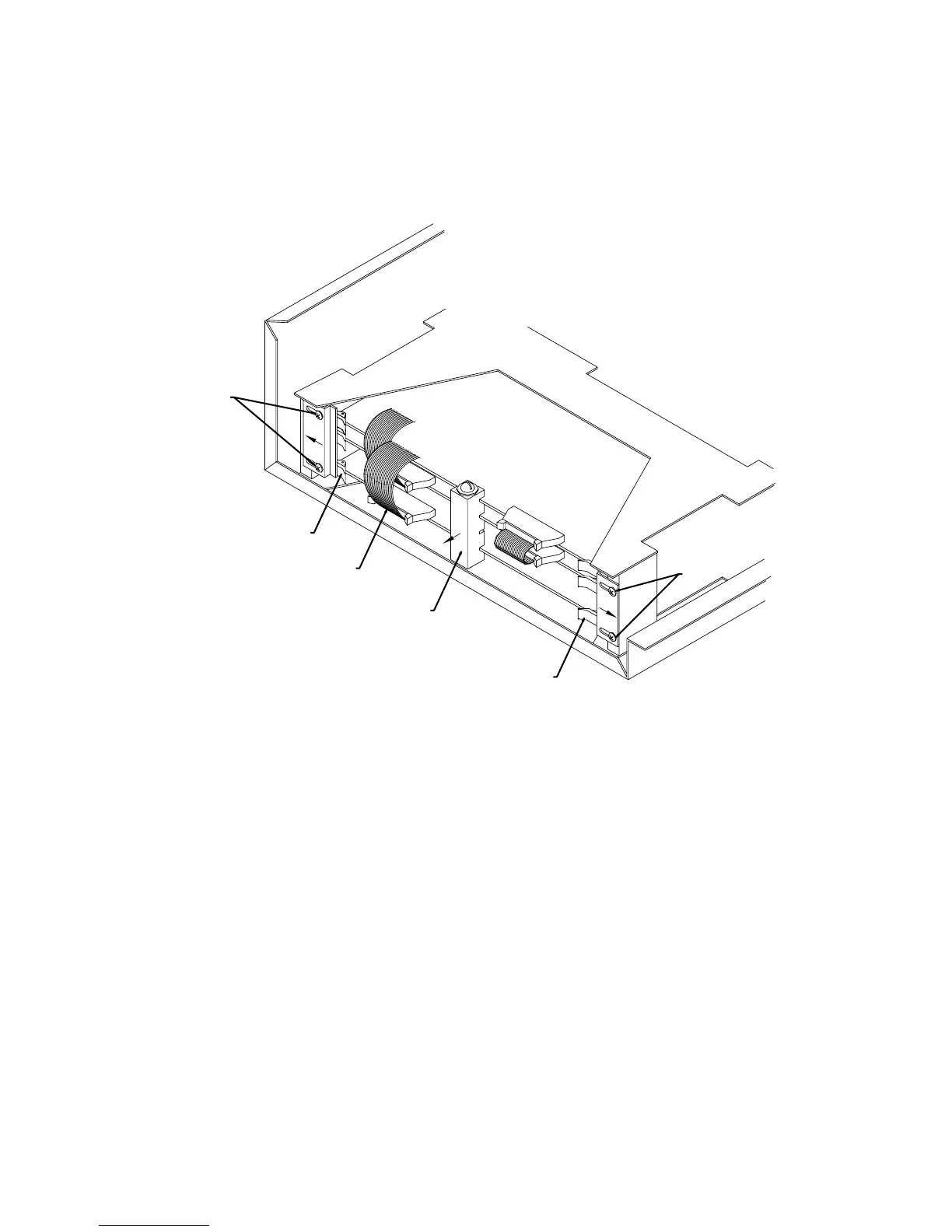
Removal of Circuit Boards
B
A
C
2
4
1
3
4
2
PC BOARDS
A. Analog Board
B. I/O Board
C. CPU Board
a) Remove white plastic board support (item 1). NOTE: early BAS 100A models do
not have the board support.
b) Loosen four designated screws (Item 2) on card rack and slide card retainer plates
outward.
c) Remove necessary ribbon cables (Item 3) by pressing ejectors outward from
connectors and remove.
d) Remove circuit board by pressing ejectors (Item 4) outward and pulling boards
straight out. NOTE: Many of the large scale integrated circuits are static sensitive.
DO NOT place on plastic (e.g., bubble pack), carpeting or other surface which
may have static build-up.
e) To reinstall boards, reverse the above procedure.



 To Previous Page