7-7
7.2
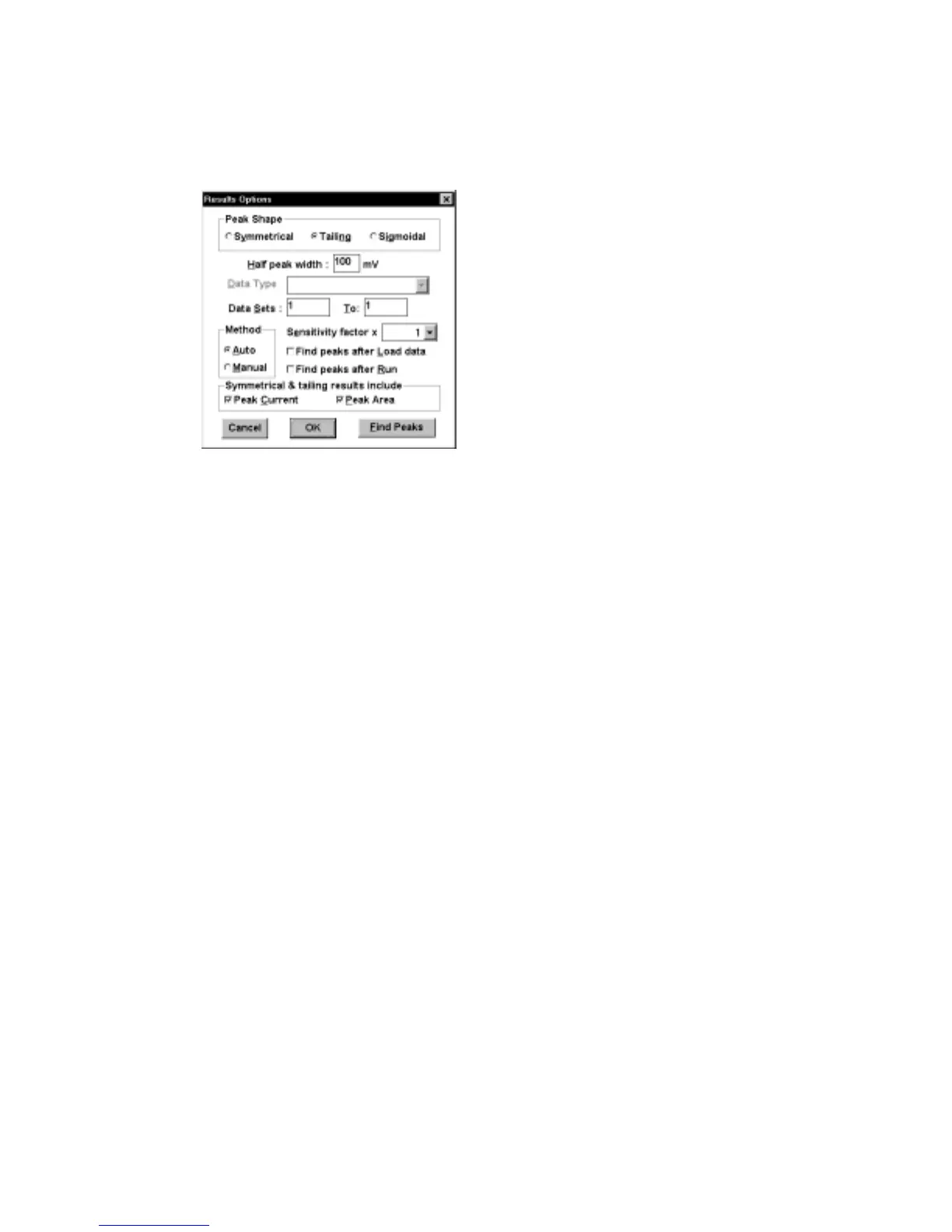
Results Options
Figure 7-7. Results Options
dialog box.
Peak Shape
This defines the shape of the curve. There are
instances when the default peak shape selection is
not appropriate: for example, when using
microelectrodes at low scan rates, as this produces a
sigmoidal plot for
CV
.
Half Peak Width
This defines the expected width of the peak (it may
be necessary to increase this value for broader
peaks).
Data Type
This defines how the experimental data is presented
when there is more than one presentation format
(i.e.,
BE
,
CA
and
CC
). The default
Data Types
are
as follows:
Current vs. Time
(for
CA
) and
Charge
vs. Time
(for
BE
and
CC)
.
Data Sets
This defines which data set is displayed when there
is more than one data set (i.e.,
CV
,
HR
,
OSWV
,
OSWSV
and
TPTB
). For
CV
, the number of
Data
Sets
is defined by the
Number of Segments
(specified in
General Parameters
).
OSWV
,
OSWSV
, and
TPTB
have
Data Sets
1 to 3. The
number of
Data Sets
for
HR
depends on which
Data Sets
were defined in
General Parameters
.
The default
Data Sets
are as follows: all segments
for
CV
, the first segment for
OSWV
,
OSWSV
and



 To Next Page