6-1
6. Math Menu
6.1
Operators
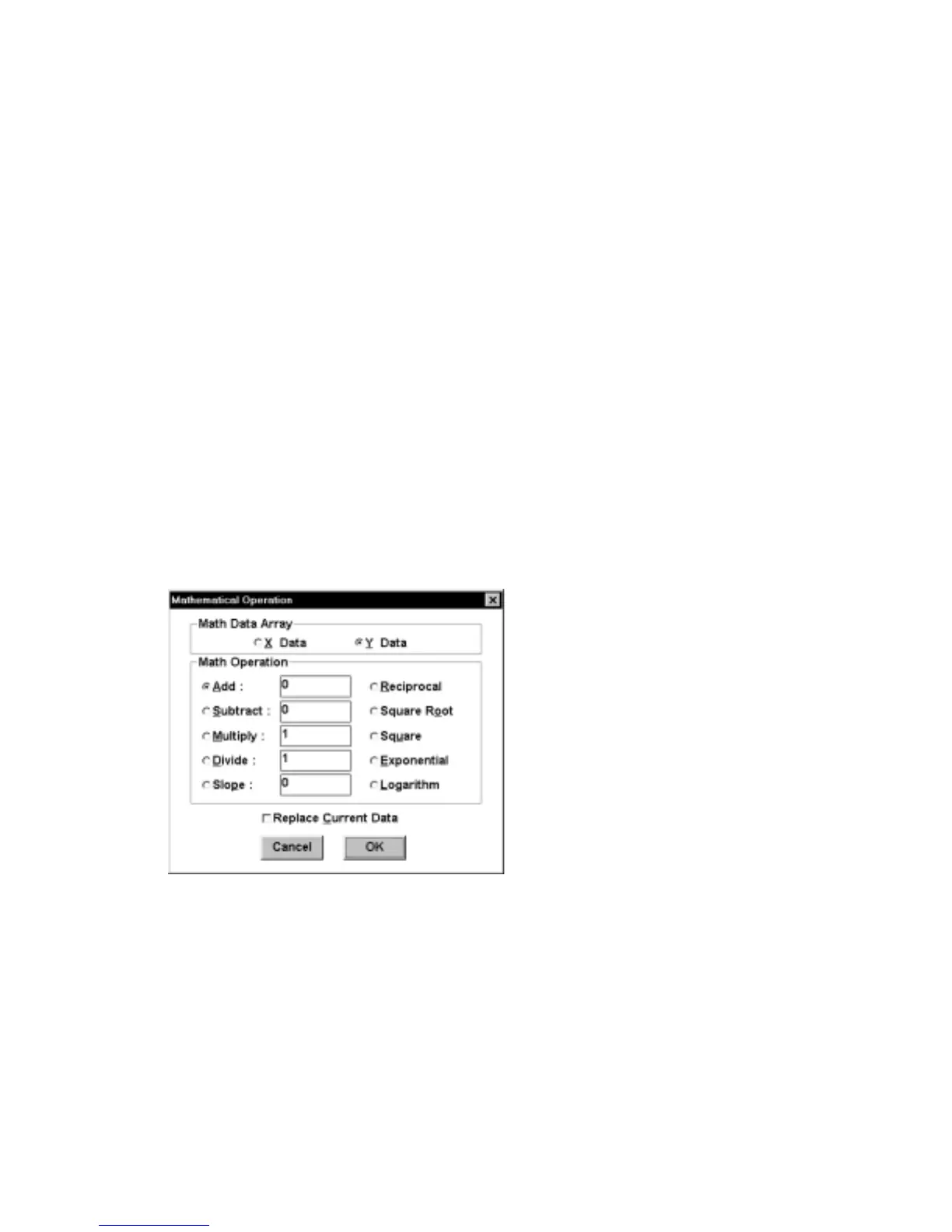
A variety of mathematical operations can be performed on either the X or Y data.
These are addition, subtraction, multiplication, division, reciprocal, square, square
root, exponent and logarithm (Figure 6-1). In addition, the slope of the baseline can
be adjusted. Activating
Replace Current Data
will transfer the processed data to
main memory. If this is not activated, the processed data can be displayed only once
(after the math operation has been completed).
It should be noted that there is a difference in the way the X data is saved for binary
and text files. In binary files, only the initial and final X points and the X sample
interval are saved, and the remaining X data points are generated when the file is
loaded. However, in text files, all the X data are saved. Therefore, processed X data
can only be saved in the text format.
Figure 6-1. Operators
dialog box.
6.2
Smooth
The digital smoothing routines are used to remove unwanted noise from the
electrochemical signal thereby improving the signal-to-noise ratio and giving more
reliable information. In all data manipulation programs, attempts are made not to bias
the signal. The major effect of the programs in the BAS 100W is the elimination of
the higher frequency components of the signal, typically 10's of Hz and greater (the



 To Next Page