6-3
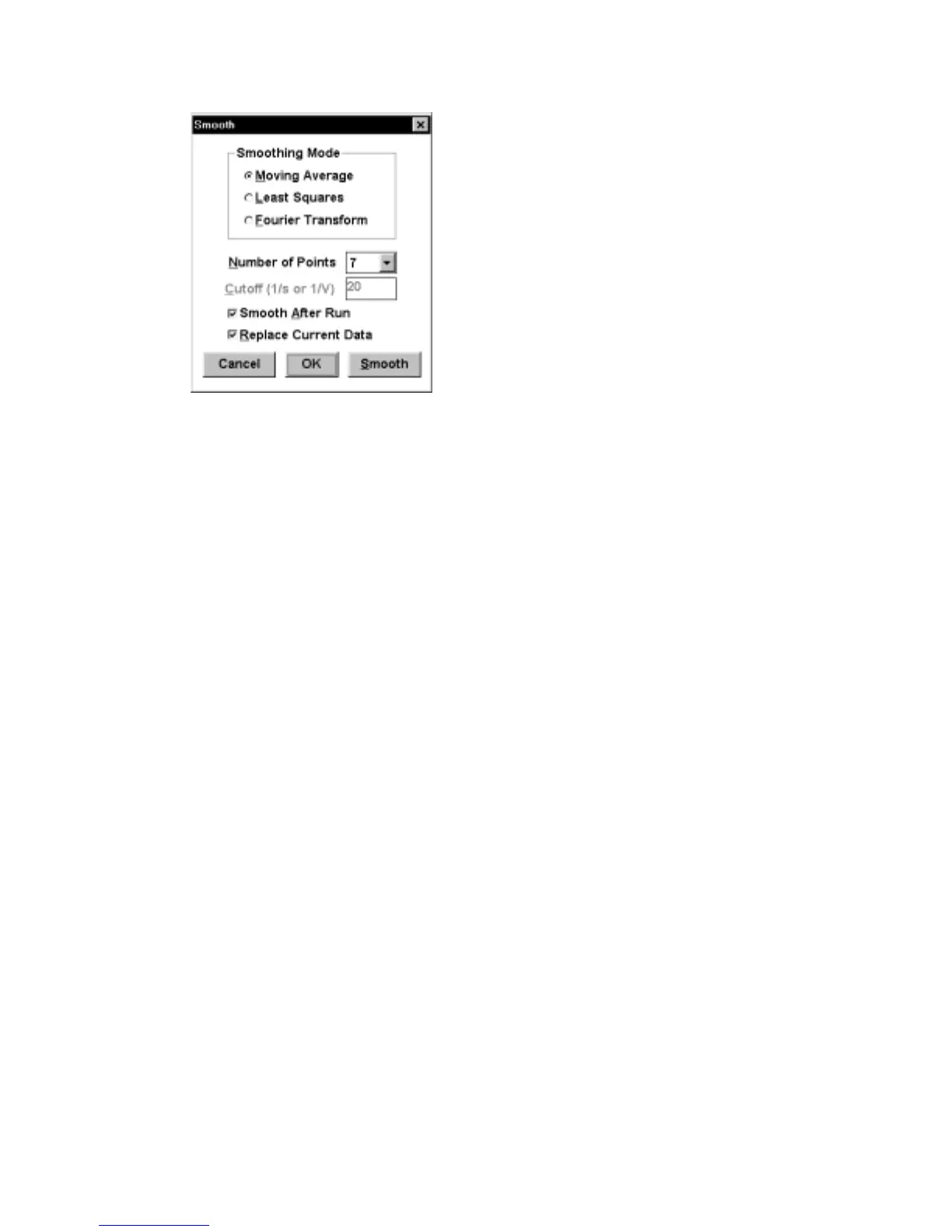
Figure 6-2. Smooth
dialog box.
Smoothing Mode
Default:
Moving Average
Point/Cutoff
This controls the degree of smoothing (higher
Point
/lower
Cutoff
produces greater smoothing).
Default: 7 (
Point
), 20 (
Cutoff
)
Smooth After Run
When activated, the experimental data is
automatically smoothed at the end of the
experiment.
Replace Current Data
Activating this command will transfer the processed
data to main memory
Smooth
This command activates selected smoothing routine
on the data in main memory.
OK
This command exits the dialog box whilst retaining
any changes.
Cancel
This command exits the dialog box without saving
any changes.
6.3
Derivative/Integral
These are self-explanatory mathematical operations on the current data of the I-E
curves. For differentiation, the 1st, 2nd and 3rd order derivatives are available (Figure
6-3), and are selected using the
Order
option. Additional smoothing is available for
the
Derivative
mode, since differentiation can lead to an increase in the noise level.
Activating the
Replace Current Data
transfers the processed data to main memory.



 To Next Page