8.2 Select language
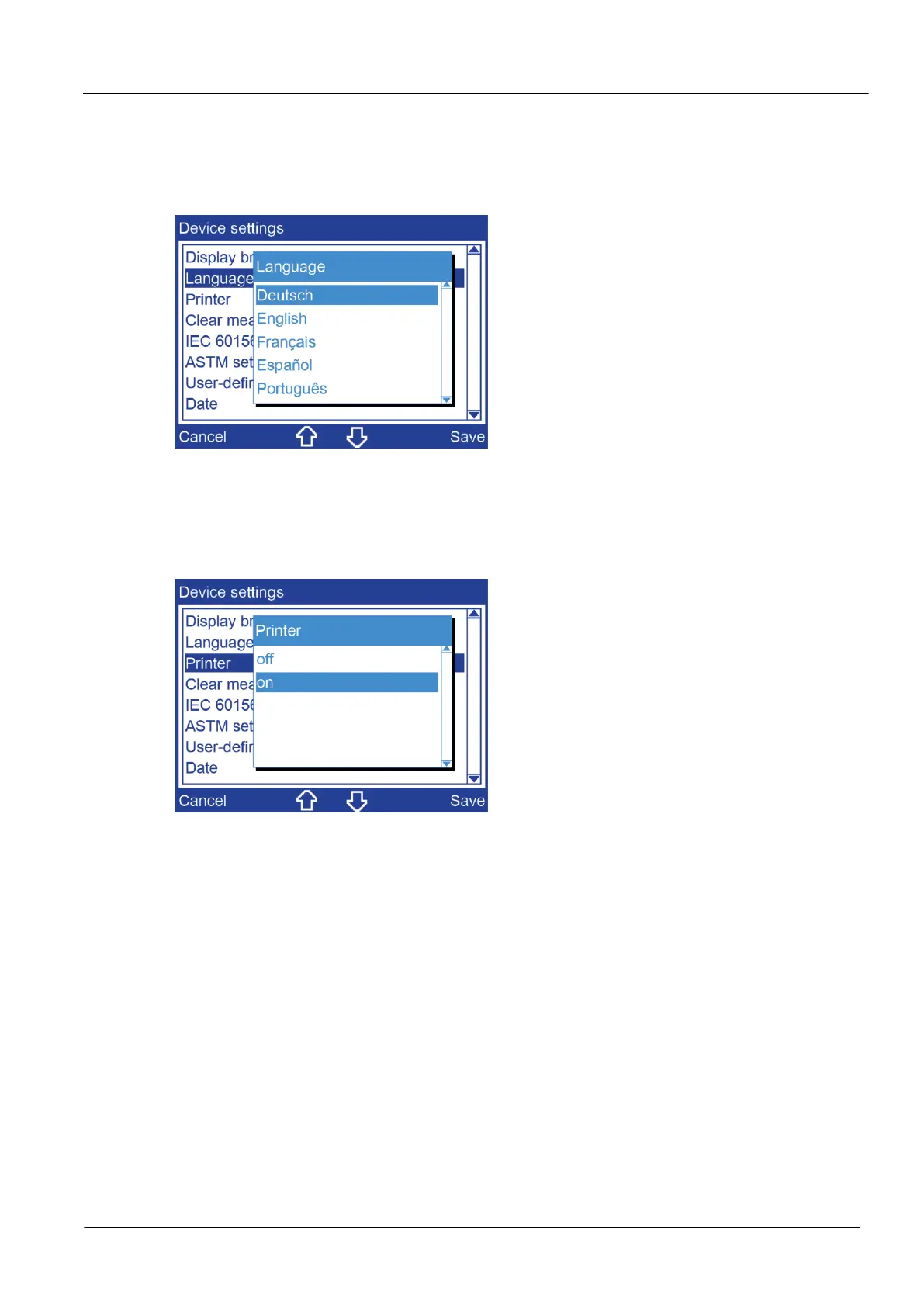
Main menu > Device settings > Language
1. Choose a language by pressing the arrow keys.
2. Click Save to confirm the entry.
8.3 Switch printer on/off
Main menu > Device settings > Printer
1. Choose one of the following settings by pressing the arrow keys:
off: The printer is switched off.
on: The printer is switched on.
2. Click Save to confirm the entry.


 To Next Page
 Loading...