Management and Monitoring
BEA WebLogic Adapter for SAP User’s Guide 7-3
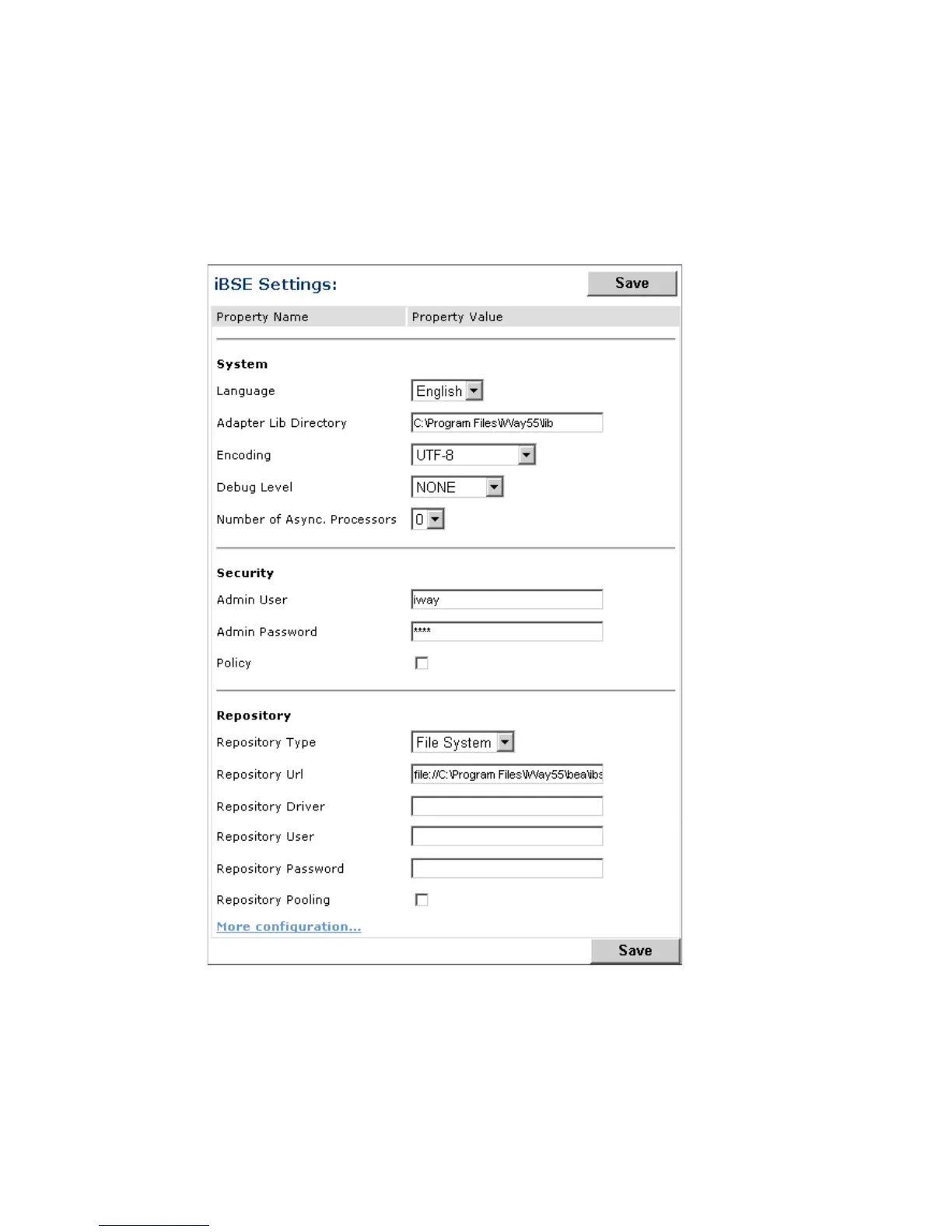
To configure repository settings, the Repository pane contains a drop-down list for
selecting the repository type; fields to type information for the repository URL, driver,
user, and password; and a check box where you can enable repository pooling. In the
upper and lower right of the window is a Save button. In the lower left of the window is
an option to access more configuration settings.



 To Next Page