Managing and Monitoring Services and Events Using iBSE
7-4 BEA Systems, Inc.
3. Click More configuration.
Tip: To access the monitoring console directly, enter the following URL in your Web
browser:
http://hostname:port/ibse/IBSEStatus
where:
hostname
Is the machine where the application server is running.
port
Is the HTTP port for the application server.
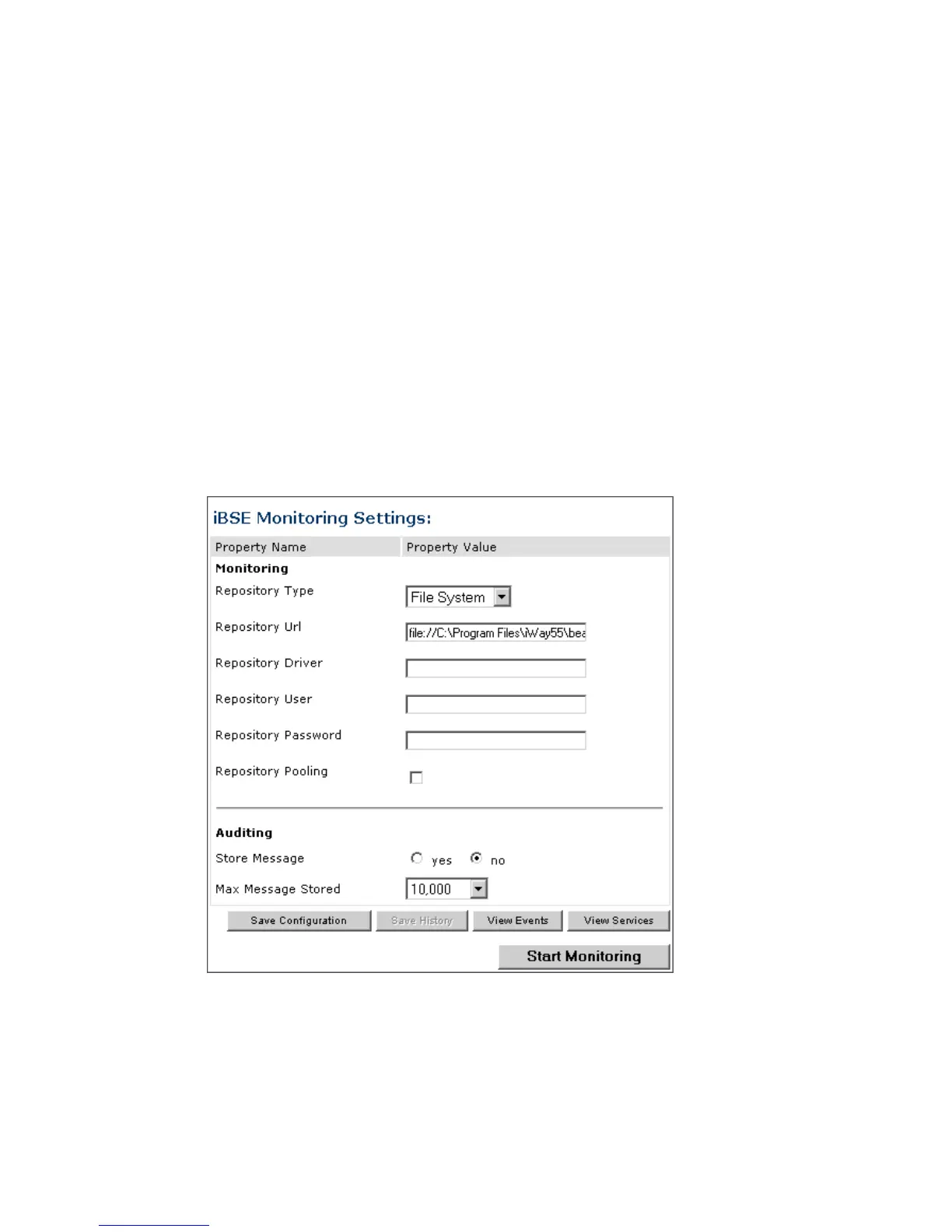
The iBSE Monitoring Settings window which is divided into two panes opens as shown
in the following image. At the bottom of the window is a row of command buttons that
enable you to save your configuration, view events, or view services. The Save History
button is inactive.
a. In the Monitoring pane, from the Repository Type drop-down list, select the type of
repository you are using.
b. To connect to the database in the Repository Url field, type a JDBC URL.



 To Next Page