Management and Monitoring
BEA WebLogic Adapter for SAP User’s Guide 7-11
Procedure: How to Monitor Events
To monitor events:
1. Ensure that your Application Server is started.
2. In the iBSE Monitoring Settings window, click Start Monitoring.
3. Click View Events.
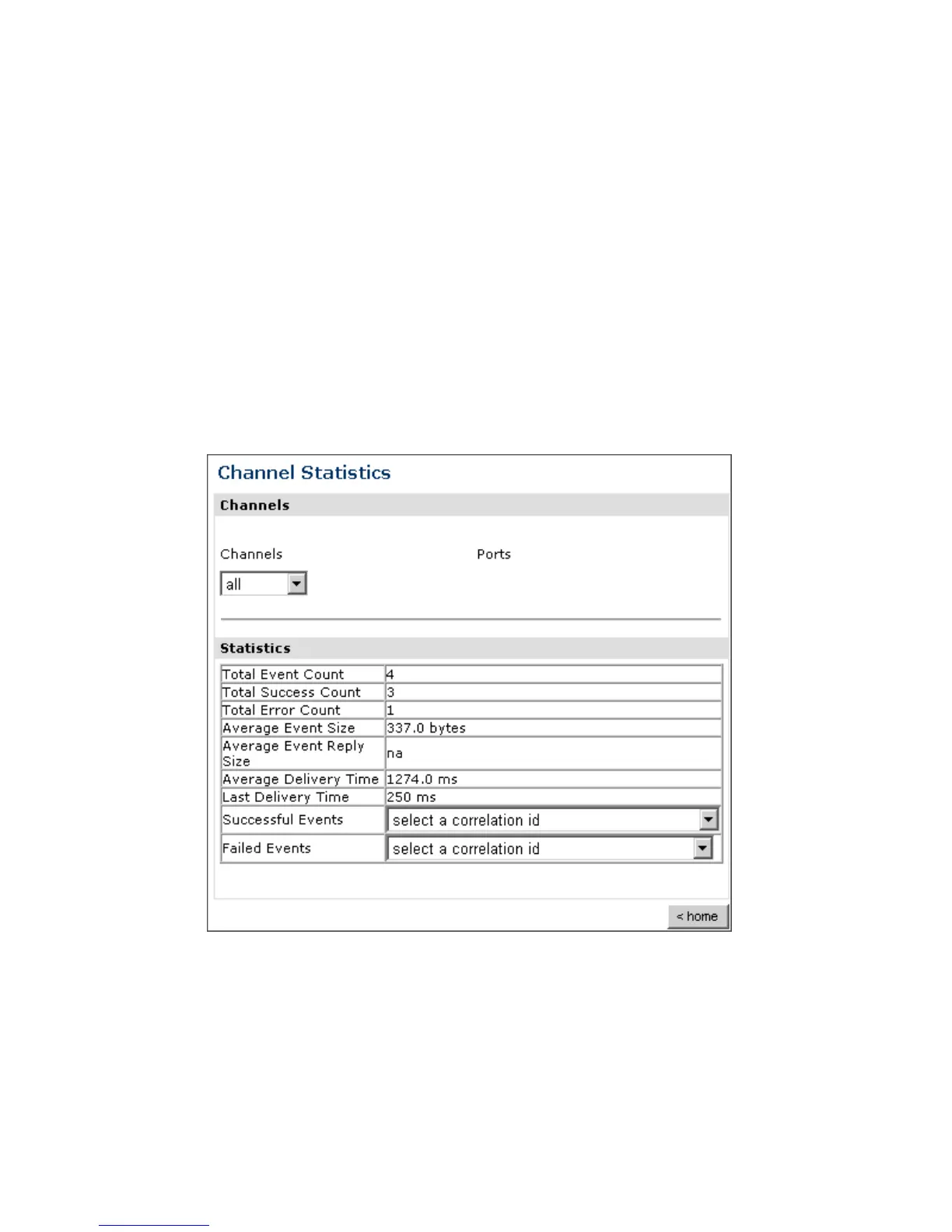
The System Level Summary (Channel Statistics) window opens as shown in the
following image. The Channels pane contains a drop-down list on the left where you
select a channel. On the right, space is reserved for a drop-down list of ports that will
appear. The Statistics pane contains a table with a summary of event statistics and two
drop-down lists where you can select a successful or failed event to view more
information about that event. In the lower right of the window is a home button.
The system level summary provides event statistics at a system level.



 To Next Page