Managing and Monitoring Services and Events Using the JCA Test Tool
7-18 BEA Systems, Inc.
Procedure: How to Manage and Monitor Events Using the JCA Test Tool
To manage and monitor events using the JCA Test Tool:
1. Open a Web browser to:
http://hostname:port/iwjcaivp
where:
hostname
Is the name of the machine where your application server is running.
port
Is the port for the domain you are using. The port for the default domain is 7001, for
example:
http://localhost:7001/iwjcaivp
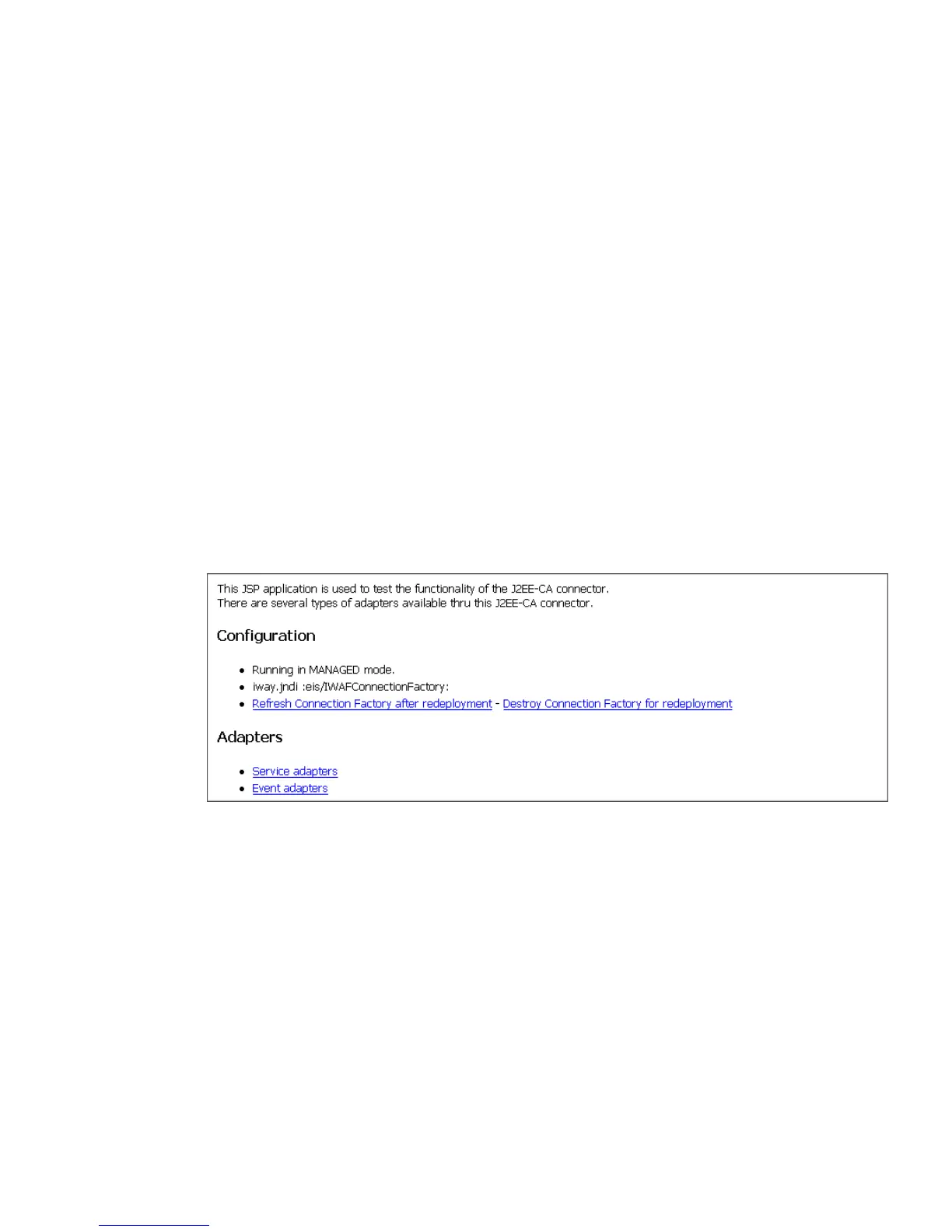
The JCA Test Tool pane opens as shown in the following image. The pane contains a
description of the function of the tool and configuration information, including options
to change your connection settings. It also provides options for viewing service or
event adapters.
The JCA Test Tool runs in managed mode by default.
2. To monitor the latest event adapter configuration, perform the following steps.
Note: You must perform these steps for every new adapter target that is created using
a JCA implementation of Application Explorer. In addition, you must also perform these
steps for every new JCA configuration that is created using Application Explorer.
a. Click Destroy Connection Factory for redeployment.
b. Redeploy the JCA connector.
c. In the JCA Test Tool, click Refresh Connection Factory after redeployment.



 To Next Page