Connecting to SAP
A-6 BEA Systems, Inc.
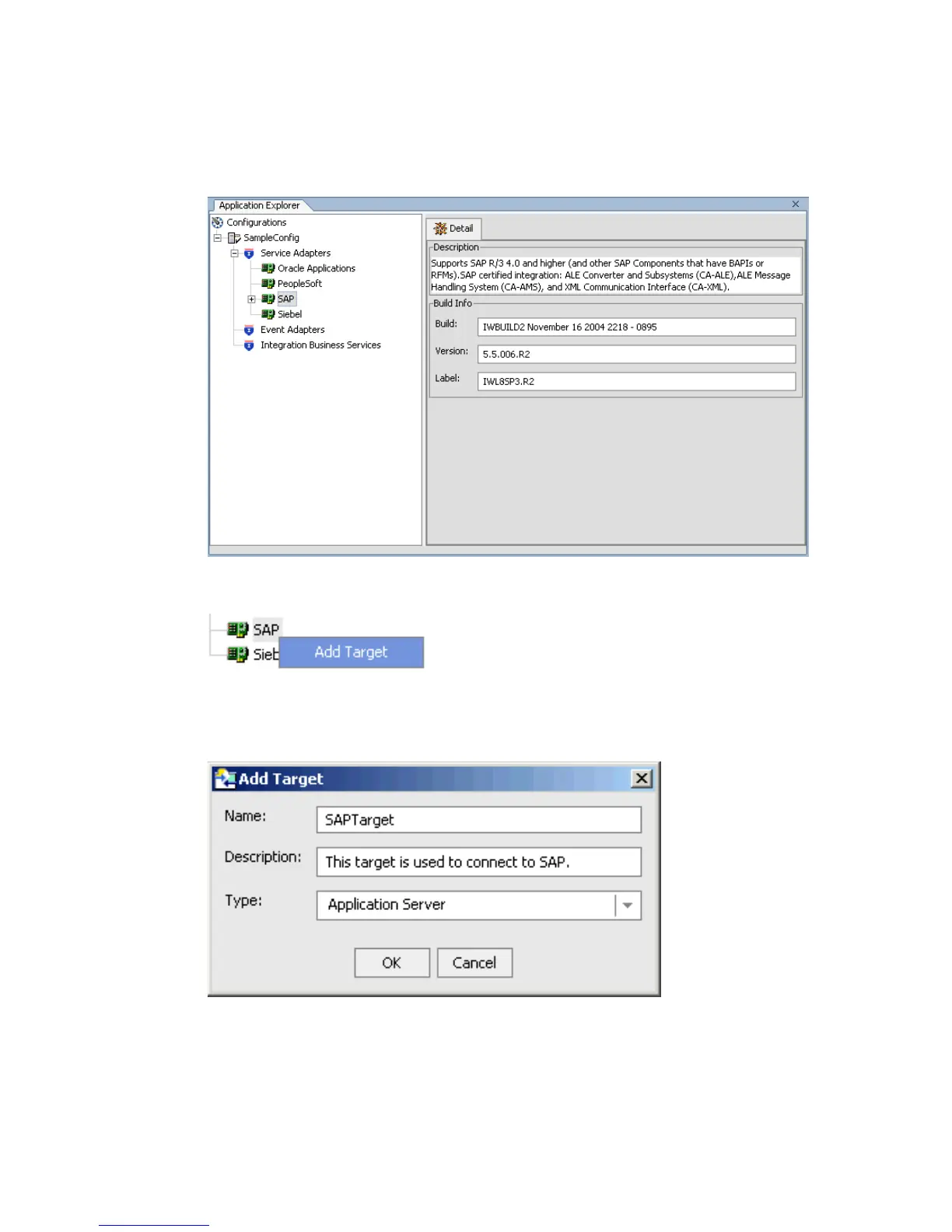
Descriptive information (for example, title and product version) for the BEA WebLogic
Adapter for SAP appears in the right pane.
2. To view the options, right-click the SAP adapter node.
3. Select Add Target.
The Add target dialog box opens.
a. In the Name field, type a descriptive name for the target, for example, SAPTarget.
b. In the Description field, enter a brief description for the target.



 To Next Page