Using Application Explorer in BEA WebLogic Workshop to Create XML Schemas and Web Services
BEA WebLogic Adapter for SAP User’s Guide A-19
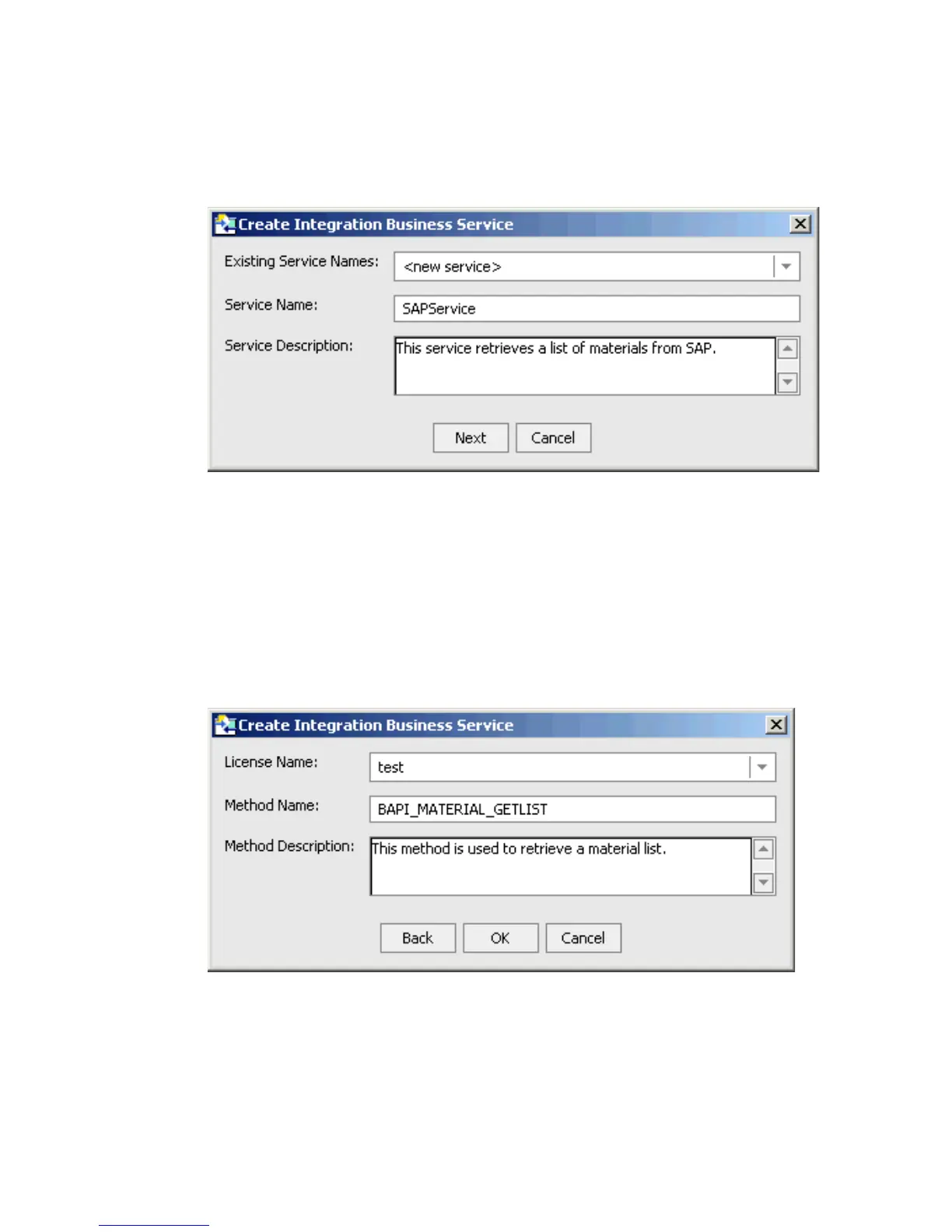
2. Right-click the method and select Create Integration Business Service.
The Create Integration Business Service dialog box opens.
a. From the Existing Service Names drop-down list, select whether you want to create
a new service name or use an existing service name.
b. In the Service Name field, type a name for the business service, for example,
SAPService.
c. In the Service Description field, type a brief description for the business service.
3. Click Next.
The Create Integration Business Service dialog box displays additional fields.
a. From the License Name drop-down list, select a license.
b. In the Method Name field, type a name for the method, for example,
BAPI_MATERIAL_GETLIST.
c. In the Method Description field, type a brief description for the method.



 To Next Page